Template details
Vredeburg
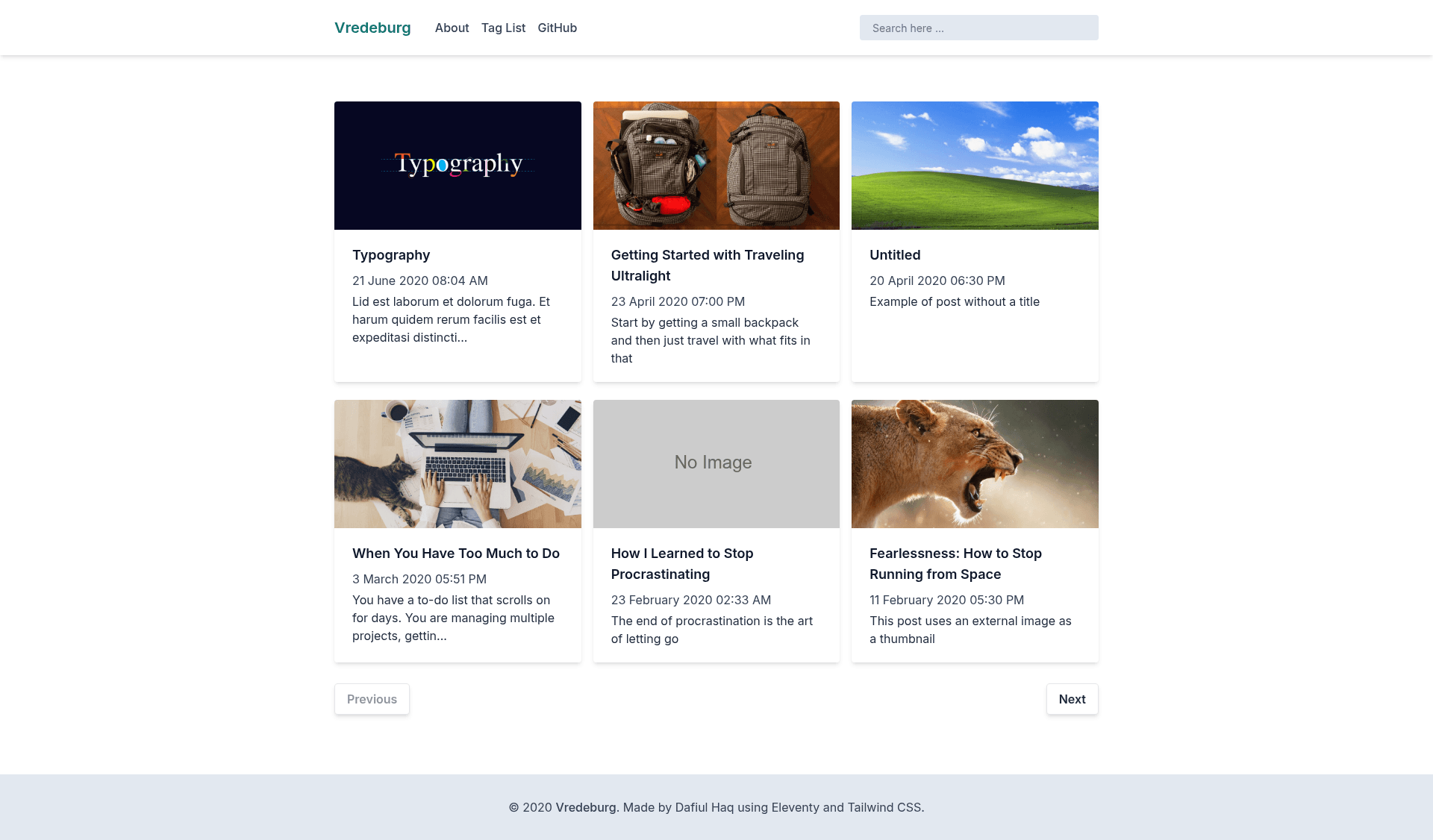
A simple starter project to create a blog using Eleventy and Tailwind CSS.
About this template
Vredeburg is an open-source starter project for building a static blog with the Eleventy (11ty) static site generator and Tailwind CSS. The repository, published on GitHub by daflh, gives you a minimal codebase that you clone, install, configure, and deploy as a production-ready static site.
What is Vredeburg?
Vredeburg is a minimal blog starter that combines Eleventy for static site generation with Tailwind CSS for styling. It takes your site content and templates, processes them through Eleventy's build pipeline, and outputs a static HTML blog you can host on any web server or CDN. The project runs locally via Node.js and npm, and the live demo is hosted at vredeburg.netlify.app. The README presents it as a "simple starter project to create a blog."
Key Features
- Eleventy static site generation — Uses the Eleventy (11ty) generator to compile templates and content into plain HTML files, requiring no server-side runtime.
- Tailwind CSS styling — Ships with Tailwind CSS configured, so you can write utility-first styles directly in your markup or extend the theme.
- Centralized site configuration — All important metadata such as title, description, author, and menu/navigation items live in the src/_data directory, so you can edit the whole site's identity in one place.
- Simple npm scripts — The README lists four commands: npm install to set up dependencies, npm start for a local development server, npm run build for a production build, and npm run debug for troubleshooting.
- Netlify readiness — A Netlify deployment status badge appears at the top of the README, and the included demo is served live on Netlify, so the project is arranged for easy deployment to that platform.
- Minimal project structure — The project keeps its file layout small, with all data files grouped under src/_data, making it easy to inspect and modify.
Who is it for?
Vredeburg is aimed at developers who want a lightweight blog without the overhead of a full CMS. It suits those who are already comfortable with the Eleventy and Tailwind CSS ecosystem, as well as beginners who want a small, working example of how these two tools fit together. It is also useful for JAMstack developers looking to spin up a static blog quickly and host it on Netlify.
What can you do with Vredeburg?
- Personal bloggers: Clone the repository, change the site metadata in src/_data, and publish a personal static blog to Netlify or any static host.
- Eleventy learners: Study a minimal Eleventy setup that includes configuration, data files, and build scripts, and use the debug command to understand the build process.
- Front-end designers: Use Tailwind CSS to restyle the blog's templates without changing the site's underlying data structure.
How does it work?
The README provides a three-step setup: clone the repository, navigate to the project directory, and run npm install. After that, you use npm start to run the site in development mode, npm run build to generate the production-ready output, and npm run debug to get more detail when something goes wrong. Configuration of the blog's title, description, author, and navigation is handled by editing files in the src/_data folder.
FAQ
Is Vredeburg free?
Yes. Vredeburg is a public open-source project on GitHub, so the starter itself is free to clone, use, modify, and redistribute.
How do I change the blog's title or author?
Edit the files inside the src/_data directory. The README explicitly states that the title, description, author data, and menu/navigation items are configured there.
What static site generator does Vredeburg use?
It uses Eleventy (11ty), a flexible static site generator that transforms templates and content into static HTML. The generator is integrated with Tailwind CSS for styling.
Can I deploy Vredeburg to Netlify?
Yes. The README includes a Netlify deployment badge and the project's live demo runs on Netlify, so the project is designed for straightforward deployment to that platform.