Template details
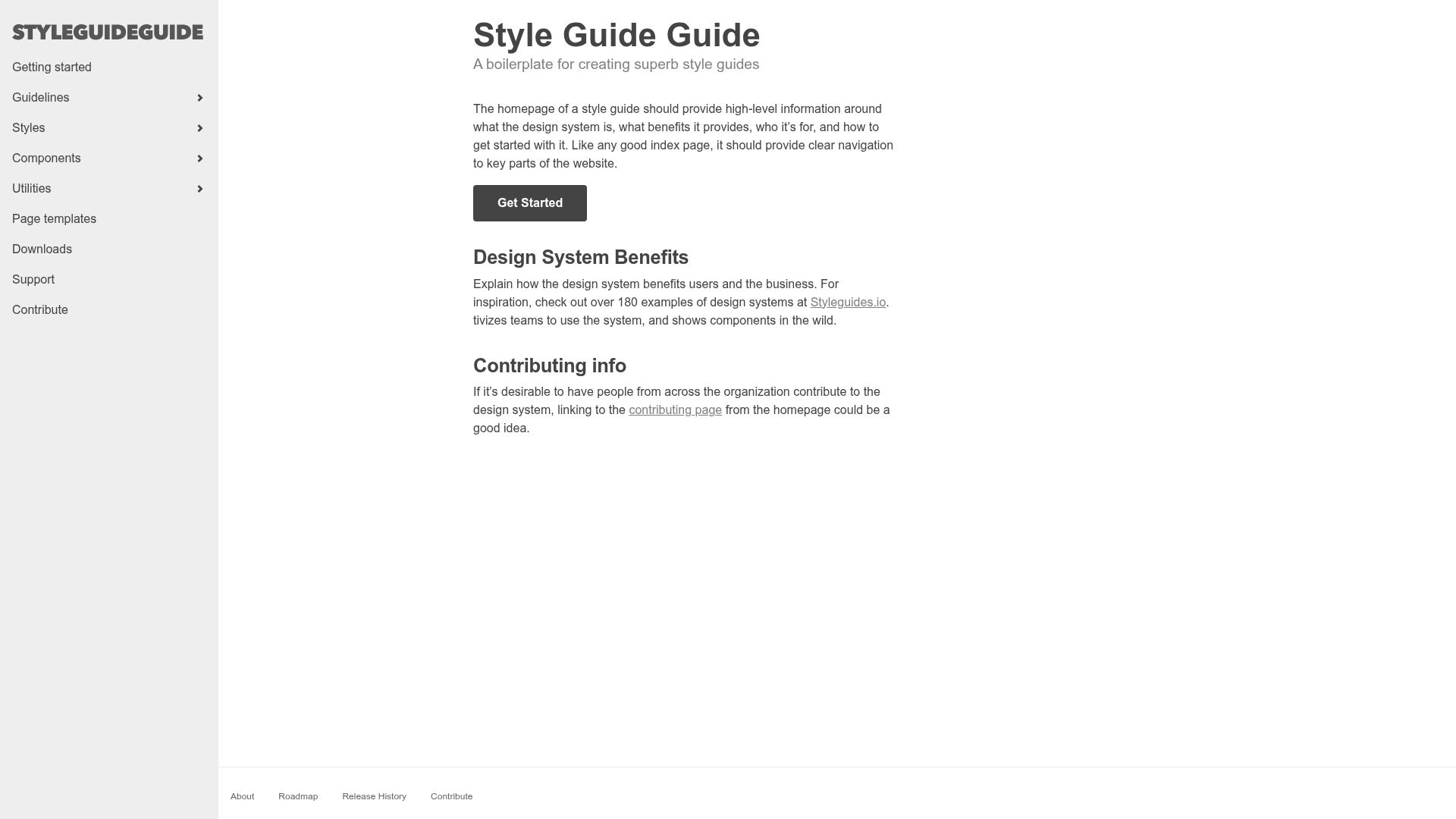
Style Guide Guide
A boilerplate for creating your own custom style guide
About this template
Style Guide Guide is a Jekyll-based boilerplate for building a custom style guide for your organization's design system, created by Brad Frost.
What is Style Guide Guide?
Style Guide Guide is a boilerplate project that provides the information architecture and hooks needed to create your own style guide. It runs on Jekyll, the static site generator, so all content is managed as files and rendered into a static site. The boilerplate takes your content and components as input and produces a customizable style guide website. It was built by Brad Frost, the author of Pattern Lab, and is available on GitHub.
What makes Style Guide Guide stand out?
- Jekyll-powered — Uses the Jekyll static site generator, so you get a static, fast style guide that can be hosted anywhere.
- Pattern Lab integration — Can consume and display components from anywhere, with a documented workflow for importing patterns from Pattern Lab.
- Just enough IA — Provides a starting information architecture and hooks you can extend, rather than a rigid template.
- Live demo — See a working example at bradfrost.github.io/style-guide-guide.
- Curated resources — Includes links to helpful resources and inspiration to assist in building your own guide.
- Open source — The repository has 1,224 stars and accepts issues via GitHub.
Who should use Style Guide Guide?
- Design system owners — use the boilerplate to stand up a style guide that documents your organization's design language without starting from a blank slate.
- Front-end developers — import patterns from Pattern Lab and display them in a clean, maintainable static site.
- Small teams — get a minimal style guide up and running quickly with just Jekyll and Markdown content.
Use cases
- Design system documentation: Organize your colors, typography, and UI components into a cohesive reference site.
- Component showcase: Import and display Pattern Lab patterns so other teams can see the official components.
- In-house style guide: Customize the information architecture and branding to match your company's needs.
How does Style Guide Guide work?
- Download or clone the repository from GitHub.
- In the command line, navigate to the project root and run
jekyll serve. - Visit
http://127.0.0.1:4000/in your browser to view the generated style guide. - Customize the files with your own content and components.
Pricing
Style Guide Guide is an open-source boilerplate, so it is free to download and use.
FAQ
Is Style Guide Guide free?
Yes, it is an open-source project hosted on GitHub, so you can download and use it at no cost.
What is Style Guide Guide built with?
It is built with Jekyll, a static site generator that turns Markdown and Liquid templates into a static HTML site.
How do I get started with Style Guide Guide?
Clone the repository, run jekyll serve from the project root, and then open http://127.0.0.1:4000/ in your browser.
Can I import components from Pattern Lab?
Yes, the author describes a workflow for importing patterns from Pattern Lab into Style Guide Guide for display, with more details coming soon.
Who created Style Guide Guide?
Brad Frost, known for his work on Pattern Lab, created Style Guide Guide.