Template details
Wead
A simple and clean Jekyll theme for blogs, distributed as a Ruby gem.
About this template
Wead
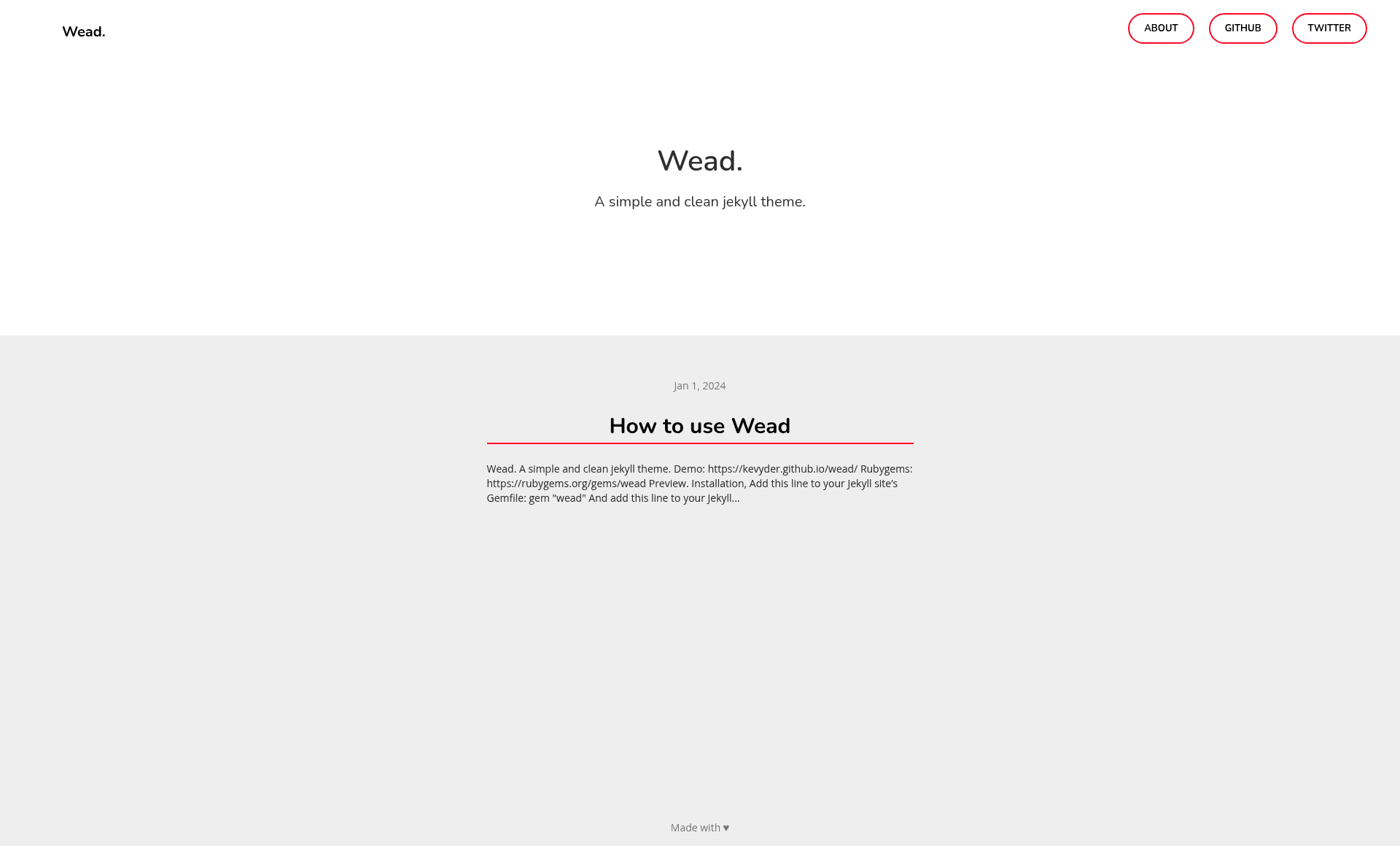
Wead is a simple, clean Jekyll theme for blogs, distributed as a Ruby gem and released under the MIT License. It provides a minimal layout with Sass styling, a customizable about page, and built-in pagination support via the jekyll-paginate plugin.
What is Wead?
Wead is a Jekyll theme that turns a standard Jekyll site into a clean blog. It takes a Jekyll project with Markdown or HTML content and produces a static website with a minimal, readable design. The theme is developed by Kevyder and published on RubyGems, with a live demo at https://kevyder.github.io/wead/.
Key Features
- Gem-based distribution — Wead is installed as a Ruby gem (
gem "wead") and activated by settingtheme: weadin_config.yml, so updates are managed through Bundler. - Sass styling — The theme uses Sass for its stylesheets, allowing easy customization of colors, spacing, and typography through variables.
- Pagination ready — A documented configuration block enables post pagination by adding
paginate: 5, apaginate_path, and thejekyll-paginateplugin. - About page — The blog introduction is edited by changing the
_about.mdfile, giving a simple way to update the author bio or site description. - Minimal design — The layout is intentionally simple and clean, focusing on readability for blog content without heavy JavaScript.
- MIT License — The theme is open source and free to use, modify, and redistribute under the terms of the MIT License.
Who is it for?
Wead is aimed at Jekyll users who want a straightforward blog theme without extra complexity. It suits developers who prefer managing themes as gems, bloggers who want a clean personal site, and anyone looking for a minimal starting point for a Jekyll-based publication.
What can you do with Wead?
- Start a personal blog: Install the gem, update
_config.yml, and add Markdown posts to launch a clean blog. - Customize the intro: Edit
_about.mdto change what appears on the about section of the site. - Enable post pagination: Add the documented pagination settings to split your posts across multiple pages.
How does Wead work?
Installation follows the standard Jekyll theme workflow. First, add gem "wead" to your site's Gemfile and add theme: wead to _config.yml. Then run bundle to install the dependency. For development or local testing, run bundle exec jekyll serve and open http://localhost:4000.
Pricing
Wead is free and open source, published under the MIT License. There are no paid tiers or premium features.
FAQ
Is Wead free?
Yes, Wead is open source under the MIT License, meaning you can use, modify, and distribute it freely for personal or commercial projects.
How do I install Wead?
Add the gem to your Gemfile, set the theme in _config.yml, and run bundle. Alternatively, install the gem directly with gem install wead.
Does Wead support pagination?
Yes, Wead works with the jekyll-paginate plugin. Add paginate: 5, a paginate_path, and plugins: [jekyll-paginate] to your configuration.
What files are included when the theme is released?
Only the files in _layouts, _includes, and _sass tracked with Git are released with the theme, as stated in the development notes.