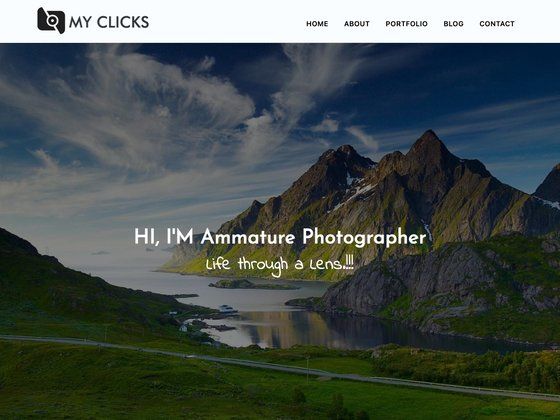
Template details
Web Developer Portfolio
Complete personal developer portfolio template using HTML, CSS, Bootstrap & JavaScript with dark/light mode.
About this template
Web Developer Portfolio is a free, static personal portfolio template built with HTML, CSS, Bootstrap, and JavaScript that showcases a developer's projects, testimonials, and contact details with a persistent light/dark mode toggle.
What is Web Developer Portfolio?
Web Developer Portfolio is an open-source, static portfolio website template created by developer Vijay Singh (GitHub: itsvijaysingh). It provides a ready-made homepage where you replace the existing content in the HTML with your own name, projects, and reviews, and it outputs a responsive, SEO-friendly personal site. The template runs entirely in the browser with no build step or server-side dependencies, so it can be deployed on any static hosting service, and a live demo is available at https://itsvijay.com.
Key Features
The template comes with several concrete features that are visible in the code and demo:
- Light/Dark Mode — Users can toggle between themes, and the chosen preference is persisted so it restores when they revisit the page.
- Speed Optimizations — The head includes SEO metadata, prefetching hints, and deferred script loading to reduce initial render time.
- Testimonials Carousel — Photos or quotes from collaborators and friends rotate in an Owl Carousel slider, powered by jQuery.
- Scroll Animations — The AOS (Animate On Scroll) library adds fade-in effects as the user scrolls through sections.
- Bootstrap 5 Layout — The responsive grid, navbar, and utility classes come from Bootstrap 5, as noted in the repository tags.
- Custom Fonts & Icons — The page loads Augustina, Rubik, and Dancing Script fonts, plus Bootstrap Icons for UI elements.
- Project Showcase — Instead of lorem ipsum, the template is populated with Vijay's real projects, including PfpFinder (a profile-picture search tool with 50k+ images) and Alt Text Generator (an image-upload description tool).
- SEO Instructions — The README tells you to replace the content at the head section with your own title, description, and metadata.
Who is it for?
- Junior developers who need a polished portfolio fast and want to learn from a clean HTML/CSS/Bootstrap codebase.
- Freelancers who want a site with testimonials and a contact link to win client trust.
- Students who are studying front-end development and want a real-world example of theme switching, carousels, and animation libraries.
- Open-source contributors who want a customizable starter to fork and personalize for their own GitHub presence.
What can you do with it?
- Job seekers: Swap the placeholder project links and text with your own work, then deploy the folder to GitHub Pages or Netlify to have a live portfolio within an hour.
- Design-minded developers: Adjust the Bootstrap variables, replace the fonts, and tweak the CSS to match your personal brand colors.
- Learning developers: Read the well-formatted code to see how the dark-mode toggle, smooth scroll, and carousel are implemented, then experiment by adding new sections.
- Content creators: Use the included testimonials carousel and project grid to build a personal landing page for a side project or YouTube channel.
FAQ
Is Web Developer Portfolio free to use?
Yes, the repository is free to use. The author, Vijay, requests that you credit the original repo and add a star to it if you find it helpful. That is the only condition stated in the README.
What technologies does this portfolio template use?
It uses plain HTML, CSS, and JavaScript with the Bootstrap 5 framework for layout and components. It also includes the jQuery library, Owl Carousel for the testimonials slider, and the AOS library for scroll animations.
Does it really remember the theme choice?
Yes. The JavaScript stores the selected light or dark mode preference in the browser's local storage, so the theme stays consistent when the visitor closes and reopens the page.
Can I use this template for a commercial client?
The README says 'Feel free to use but credit appreciated', which permits reuse, including for client work, as long as you credit the original creator. For exact licensing terms, check the repository license file.
How do I change the content?
Edit the index.html file and replace the text inside the relevant tags — the project names, links, descriptions, and the head metadata. The README specifically mentions replacing the content at the head section for SEO.