Template details
webdev_portfolio
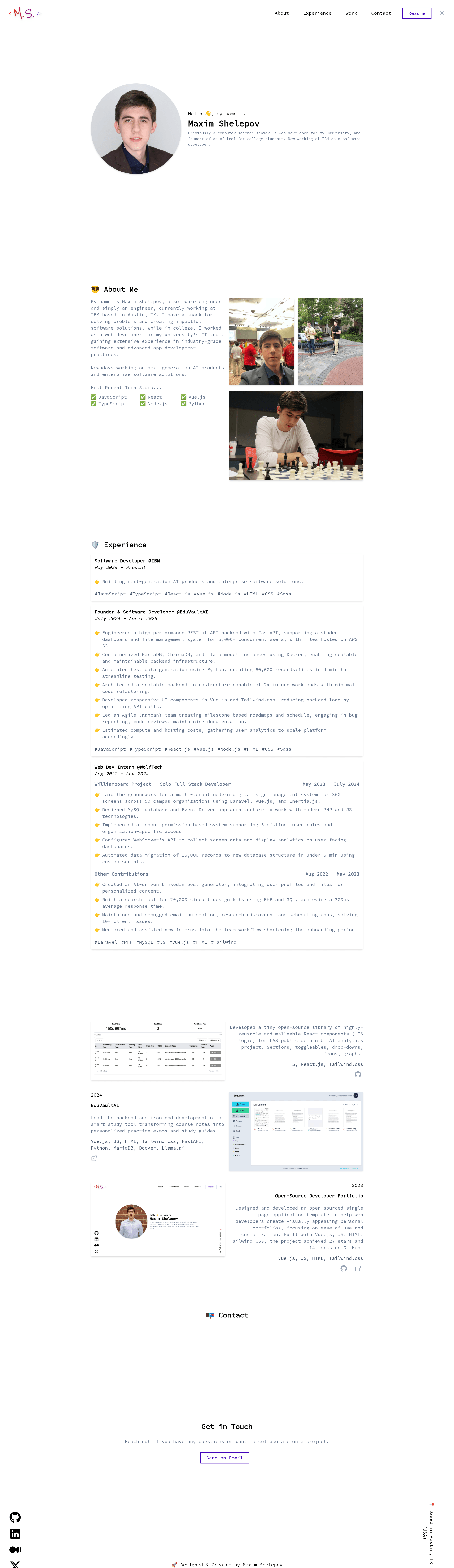
🤖 A modern, clean, & simple to navigate portfolio template for web developers (or any developer)!
About this template
webdev_portfolio is an open-source single-page portfolio template for web developers that renders a complete personal site from one JavaScript configuration file. Built by Maxim Shelepov, it runs on Vue.js with Vite as the build tool and Tailwind CSS for styling, and is designed to be forked and deployed to GitHub Pages through a built-in GitHub Actions workflow.
What is webdev_portfolio?
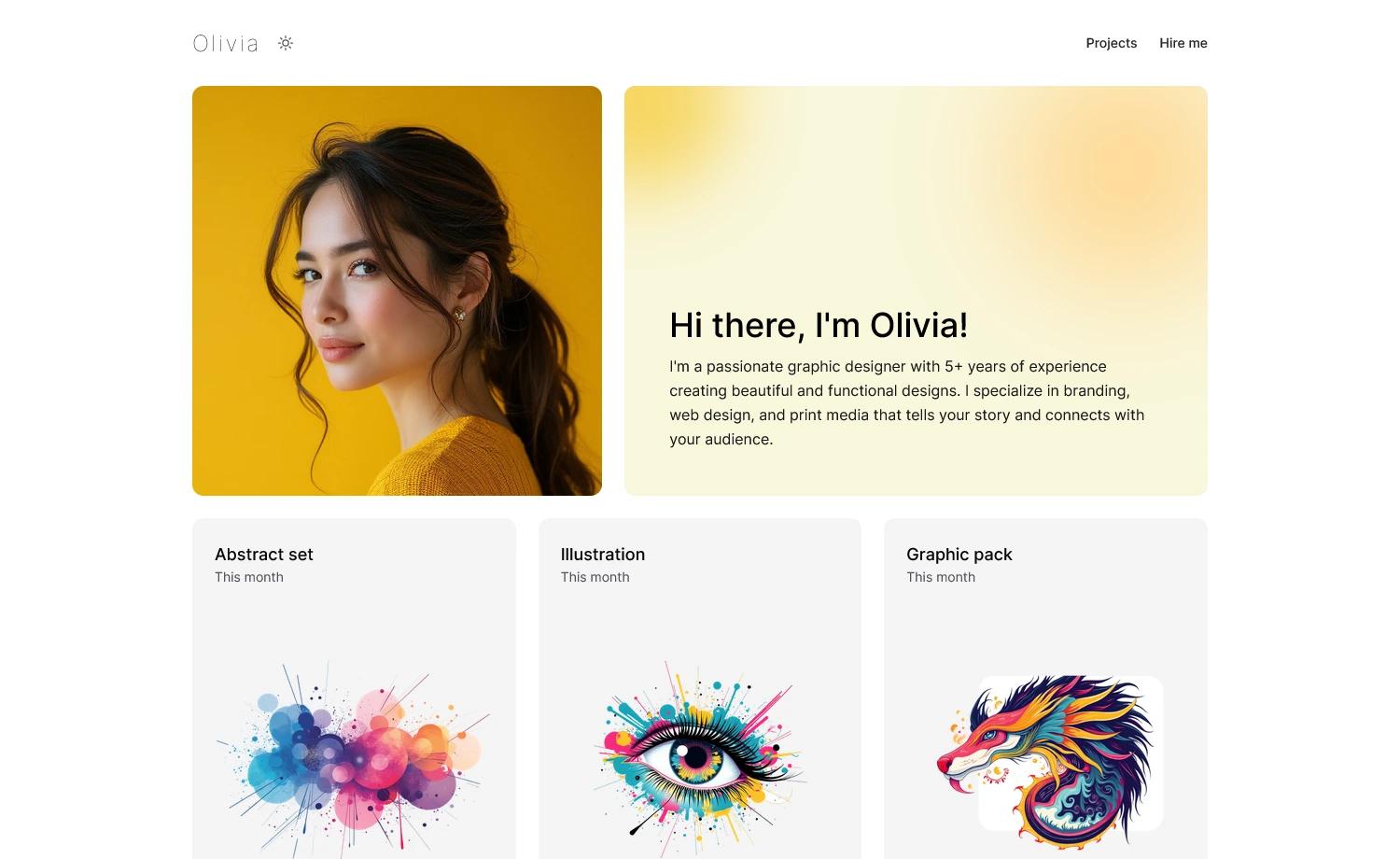
webdev_portfolio is a single-page application template that produces a developer portfolio site with Name & Introduction, About, Experience, Projects/Work, and Contact sections. Instead of editing HTML markup, you update variables in the src/portfolio.js file, and the template renders the rest. The template runs on Vue.js, uses Vite for local development and builds, and is published as a static site to GitHub Pages. It is maintained by Maxim Shelepov and licensed under the MIT license.
Key Features
- Single-config customization — All personal content, appearance settings, and behavior are edited in one file, src/portfolio.js; the README shows the data structure for greeting, about, experiences, and works.
- Pre-built sections — Includes Name & Introduction, About, Experience, Projects/Work, and Contact sections out of the box, so no layout coding is required.
- One-command local dev — Install dependencies with npm install and start the Vite dev server with npm run dev; the terminal shows a localhost:####/webdev_portfolio link.
- Automatic GitHub Pages deployment — The .github/workflows/deploy.yml workflow triggers on a push to main, building the project and deploying to https://GITHUB_USERNAME.github.io/webdev_portfolio/ after you set Actions workflow permissions to read & write.
- Icon sets included — Heroicons supplies 2 menu dropdown icons and 3 project-link icons, while Font Awesome brand icons provide 4 social media icons; both are imported directly into Vue templates.
- Placeholder images — The src/assets/images folder ships with placeholder images meant to be replaced with your own assets.
- MIT licensed — Free to use for any purpose, with a request to keep the footer credit line "Designed & Created by Maxim Shelepov" when using the template.
Who is it for?
- Web developers who want a clean portfolio site without building from scratch — they fork the repo, edit src/portfolio.js with their name, links, experience, and projects, then push.
- Developers learning Vue.js and Tailwind CSS — the small template codebase (single page, a few components in src/components) shows how a Vue SPA with Tailwind is organized and deployed via GitHub Actions.
- Job seekers who need a hosted portfolio quickly — the GitHub Actions workflow publishes the site automatically, so the only hosting configuration is setting workflow permissions.
What can you do with webdev_portfolio?
- Personalize the portfolio content: Change the greeting, about text, work history, projects, and social links by editing the variables in src/portfolio.js; update the browser tab title in index.html and optionally replace the favicon with your own or keep the emoji favicon.
- Deploy a portfolio to GitHub Pages: Fork the repository, push a commit, and the included deploy.yml workflow builds the Vue app and publishes it to the default GitHub Pages URL for your account.
- Contribute new components: Add more layout components to src/components or propose new color scheme options in src/portfolio.js through a pull request — the Issues list tracks planned improvements like more layout components and color schemes.
How does it work?
The template works as a fork-and-configure model: you fork the repository, optionally clone it locally, install dependencies with npm install, and run the Vite dev server to preview changes. Content changes go into src/portfolio.js, and pushing to the main branch triggers the GitHub Actions workflow that builds and deploys the site to GitHub Pages. The README also documents how to sync updates from the upstream repository using git remote add upstream, git fetch upstream, and git merge upstream/main.
FAQ
Is webdev_portfolio free?
Yes. The project is licensed under the MIT license, so it is open source and free to use for your own purposes. The maintainer asks that you keep the footer credit reading "Designed & Created by Maxim Shelepov" if you use the template.
How do I customize the content in webdev_portfolio?
Edit the variables in src/portfolio.js — the file contains sections for greeting, about, experiences, works, and behavioral settings. You can also change the title tag in index.html and replace the favicon files in the public folder or keep the included emoji favicon.
Does webdev_portfolio include a blog or multiple pages?
No. It is a single-page application with one page that includes Introduction, About, Experience, Projects, and Contact sections. The planned future improvements list more layout components, not multi-page functionality.
What technologies does webdev_portfolio use?
It uses Vue.js, Vite.js, and Tailwind.css. The dependency note also mentions Heroicons and Font Awesome brand icons for the menu, project links, and social media icons.
How do I deploy webdev_portfolio?
Fork the repo, go to Settings > Actions > General > Workflow Permissions, set permissions to "Read and write permissions," then push a commit to the main branch. The deploy.yml workflow automatically builds the project and deploys it to https://GITHUB_USERNAME.github.io/webdev_portfolio/.