Template details
Webexpe Blog Template
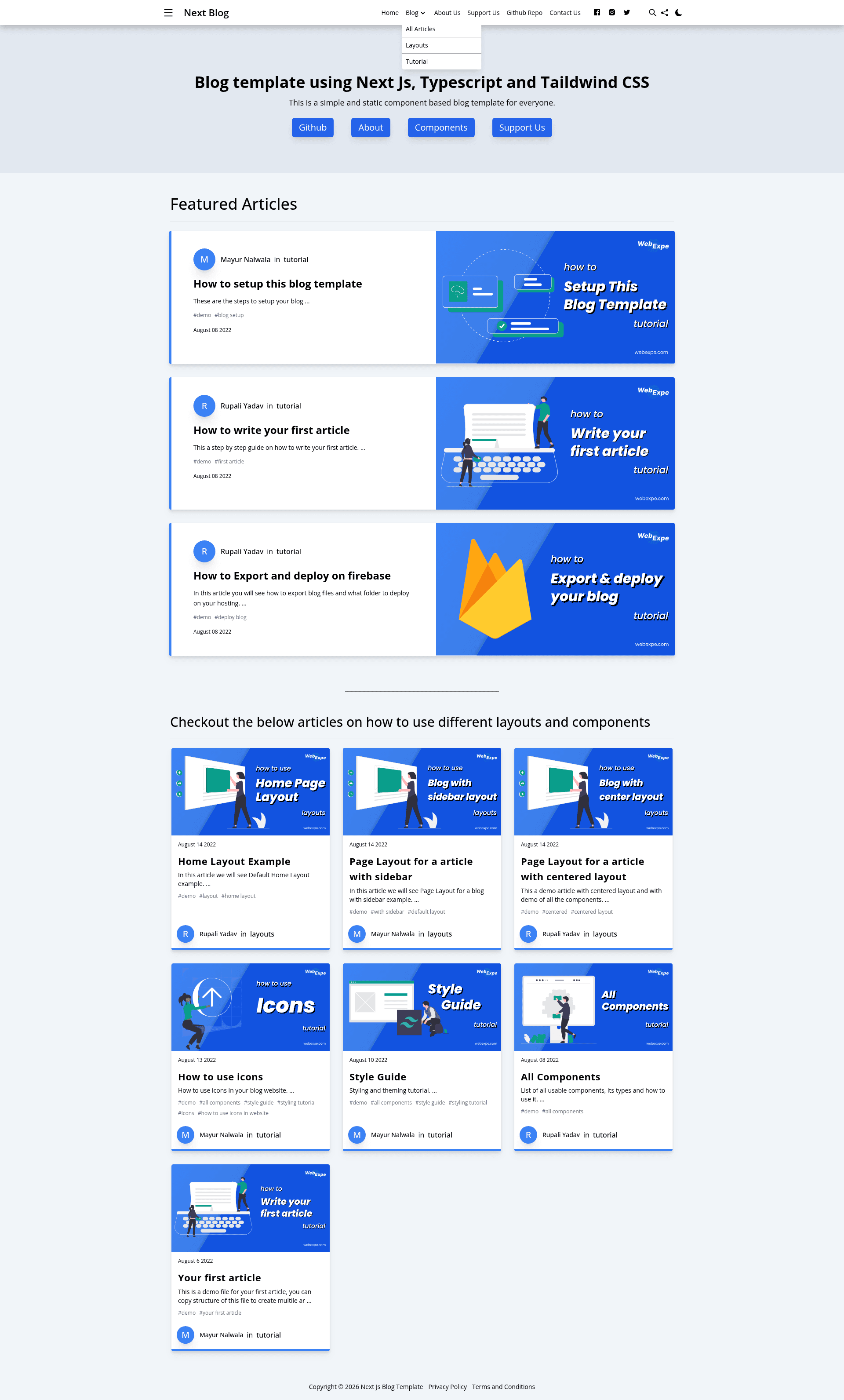
This project is a simple blog template using next js, typescript and tailwind css.
About this template
The Webexpe Blog Template is a static blog starter template built with Next.js, TypeScript, and Tailwind CSS that generates fast, server-less HTML sites from Markdown content.
What is the Webexpe Blog Template?
The Webexpe Blog Template is a feature-rich blogging starter template built with Next.js, TypeScript, and Tailwind CSS. It takes Markdown articles as input and produces a fully static, SEO-friendly blog site with no backend or server required, ready to deploy to Firebase or any static site hosting service. The template was created by Rupali Yadav and Mayur Nalwala from WebExpe and is released under the MIT license.
Key Features
- Static site generation — Uses Next.js SSG to export a completely static site, so no server is needed and it can be hosted on Firebase, Netlify, or any static host.
- Tailwind CSS customization — Styling is handled entirely through Tailwind CSS, making design changes quick and easy.
- Light and dark theme — Comes with built-in theme switching to support both light and dark reading modes.
- Multiple authors — Supports articles from more than one author, useful for team blogs.
- Responsive and mobile friendly — The layout is fully responsive and works on mobile devices.
- SEO and Open Graph — Includes metadata, Open Graph tags, and Next SEO integration for better search engine visibility.
- Google Analytics — Built-in Google Analytics support to track visitor behavior.
- Versatile components — Offers minimal blog templates, including default and centered layouts, with a full component list available on the demo site.
Who is it for?
- Individual technical writers — who want to start a blog quickly without managing a server, using Markdown and Git.
- Developers — who prefer a React-based static site generator and want to customize a blog with Tailwind CSS.
- Teams — who need multi-author support and a clean, fast blog on a static host.
- Non-techies — who can download the template, follow the setup guide, and publish via static hosting services.
What can you do with the Webexpe Blog Template?
- Technical bloggers: Write articles in Markdown and generate a fast static site with SEO metadata and Open Graph tags already configured.
- Developer-portfolio blogs: Use the multiple-author support and customizable layouts to create a personal or team blog.
- Migration projects: Replace an existing Jekyll or Hugo blog with a React/Next.js based template that offers similar static output but a component-driven development workflow.
How does it work?
- Install the template and run
npm install. - Run
npm startand open http://localhost:3000 to preview locally. - Write articles in Markdown, then use Next.js static site generation to export the site as static HTML files.
- Deploy the exported files to any static site hosting service, such as Firebase.
Pricing
The template is free and open source under the MIT license. You can download, use, modify, and deploy it without licensing fees.
Alternatives
- Jekyll, a Ruby-based static site generator that is a common choice for blog templates.
- Hugo, a Go-based static site generator known for its build speed.
FAQ
Is the Webexpe Blog Template free?
Yes, the template is open source under the MIT license, so it is completely free to use, modify, and deploy for personal or commercial projects.
What tech stack does the template use?
The template is built with Next.js, TypeScript, and Tailwind CSS. It uses Next.js static site generation (SSG) to produce static HTML files, and Markdown for writing articles.
Does it support multiple authors?
Yes, the template includes support for multiple authors, making it suitable for team blogs or guest posts.
Can I host it on any static site hosting service?
Yes, because the template exports a completely static site, you can deploy it to any static site host such as Firebase, Netlify, GitHub Pages, or similar services.
Does the template include SEO features?
Yes, it is SEO friendly with metadata, Open Graph tags, and Next SEO integration to help your blog rank better in search results.