Template details
Gatsby TypeScript Power Blog
Blog and personal website starter built with Gatsby 2 and TypeScript, featuring PWA support and strict linting.
About this template
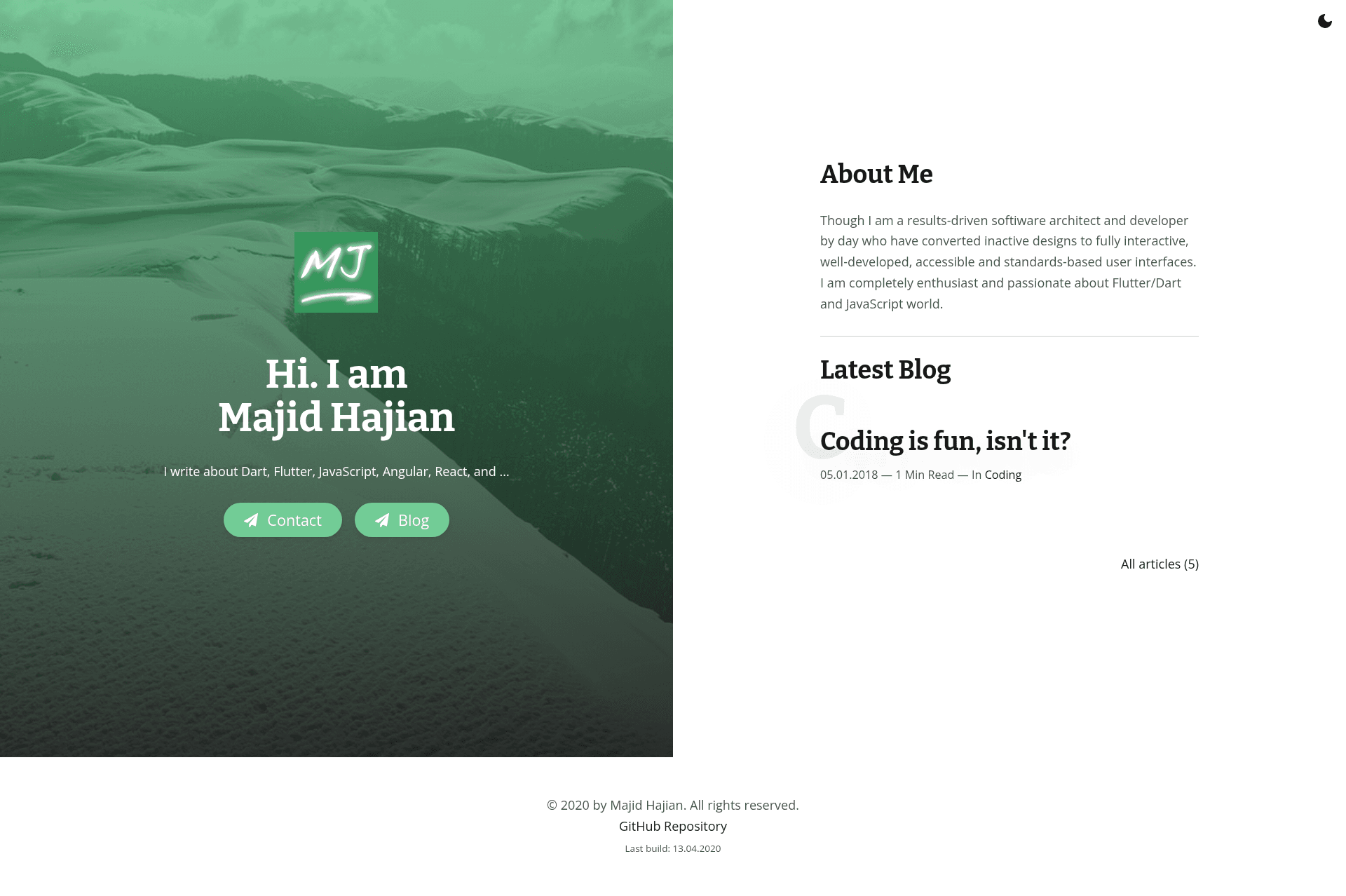
Gatsby TypeScript Power Blog is a blog and personal website starter built on Gatsby 2 that gives developers a type-safe, deploy-ready foundation for publishing Markdown-driven content with PWA support. The starter is maintained by Majid Hajian, who uses it on his own website at majidhajian.com.
What is the Gatsby TypeScript Power Blog?
Gatsby TypeScript Power Blog is a Gatsby 2 starter template that outputs a static blog or personal website. It takes Markdown files as the content source and produces a fast, static site with automatic RSS feeds, an XML sitemap, and offline support. The site runs on the Gatsby build system, which bundles React components, supports GraphQL data queries, and deploys to static hosts like Netlify or GitHub Pages.
What makes the Gatsby TypeScript Power Blog stand out?
The starter combines TypeScript, TSLint, StyleLint, Prettier, and Lint-Staged with Husky Git hooks so every commit is formatted and linted before it lands. It ships with a mobile-first responsive layout, both light and dark theme options, and ready-to-use page templates for blog posts, tags, and categories. It also uses styled-components for styling, includes SCSS as a fallback, and uses PurgeCSS to strip unused CSS. Additional built-ins include Gatsby Image for optimized images, syntax highlighting via Prism.js, pagination for post lists, and a PWA manifest for offline capability. Google Tag Manager is supported through a plugin hook, and Netlify deployment is configured out of the box.
Who should use the Gatsby TypeScript Power Blog?
Bloggers who want a fast, accessible static site with minimal setup and a built-in content workflow will find this starter useful. Developers who value code quality will appreciate the enforced TypeScript, linting, and formatting pipeline that runs automatically on Git commits. Web performance enthusiasts can use the example site as a study in Gatsby optimizations like image lazy-loading, CSS purging, and PWA caching.
What can you do with the Gatsby TypeScript Power Blog?
Personal bloggers: publish Markdown posts with categories and tags, and get automatic RSS and sitemap generation for better SEO and syndication. Frontend developers: customize the styled-components theme, toggle light and dark modes, and extend the blog template with your own React components. Indie developers or designers: deploy the starter directly to Netlify or GitHub Pages and have a working personal site with a mobile-first layout in minutes.
How does the Gatsby TypeScript Power Blog work?
To start a new project, run the command gatsby new my_blog https://github.com/mhadaily/gatsby-starter-typescript-power-blog. This clones the repository, installs dependencies, and gives you the full source code. From there you write content in Markdown, tweak the theme tokens, and build with gatsby build or develop locally with gatsby develop; deployment is supported on Netlify and GitHub Pages.
Pros and cons
Pros: Type-safe with TypeScript, enforced linting and formatting via TSLint, StyleLint, Prettier, and Husky, mobile-first responsive design, light and dark themes, PWA offline support, RSS and sitemap auto-generation, well-documented use by the maintainer. Cons: The starter is built on Gatsby 2, which is an older major version compared to current Gatsby 4/5, so upgrading may require manual dependency updates. It also uses TSLint, which is deprecated in favor of ESLint, so the linting stack is not current.
FAQ
Is the Gatsby TypeScript Power Blog free?
Yes. This is a public GitHub starter repository, and you can use it for personal or commercial projects without a license fee. The project is available at https://github.com/mhadaily/gatsby-starter-typescript-power-blog.
Does the Gatsby TypeScript Power Blog support dark mode?
Yes. The theme includes a themable architecture with light and dark modes, and a screenshot of the dark variant is shown in the repository. You can toggle between the two via the theme configuration.
What content format does the blog use?
Content is written in Markdown. The starter includes support for category and tag taxonomies, pagination, and syntax highlighting inside code blocks, so Markdown posts can include rich code snippets.
Can I deploy this starter to Netlify?
Yes, the repository is listed as Netlify deploy ready. It also supports automatic deployment to GitHub Pages, with RSS, sitemap, and Google Tag Manager included for production use.
Does this starter include PWA support?
Yes. The starter is configured as a Progressive Web App with offline support, which means browsers can cache the site shell and display it when the user is offline.