Template details
Zen Demo
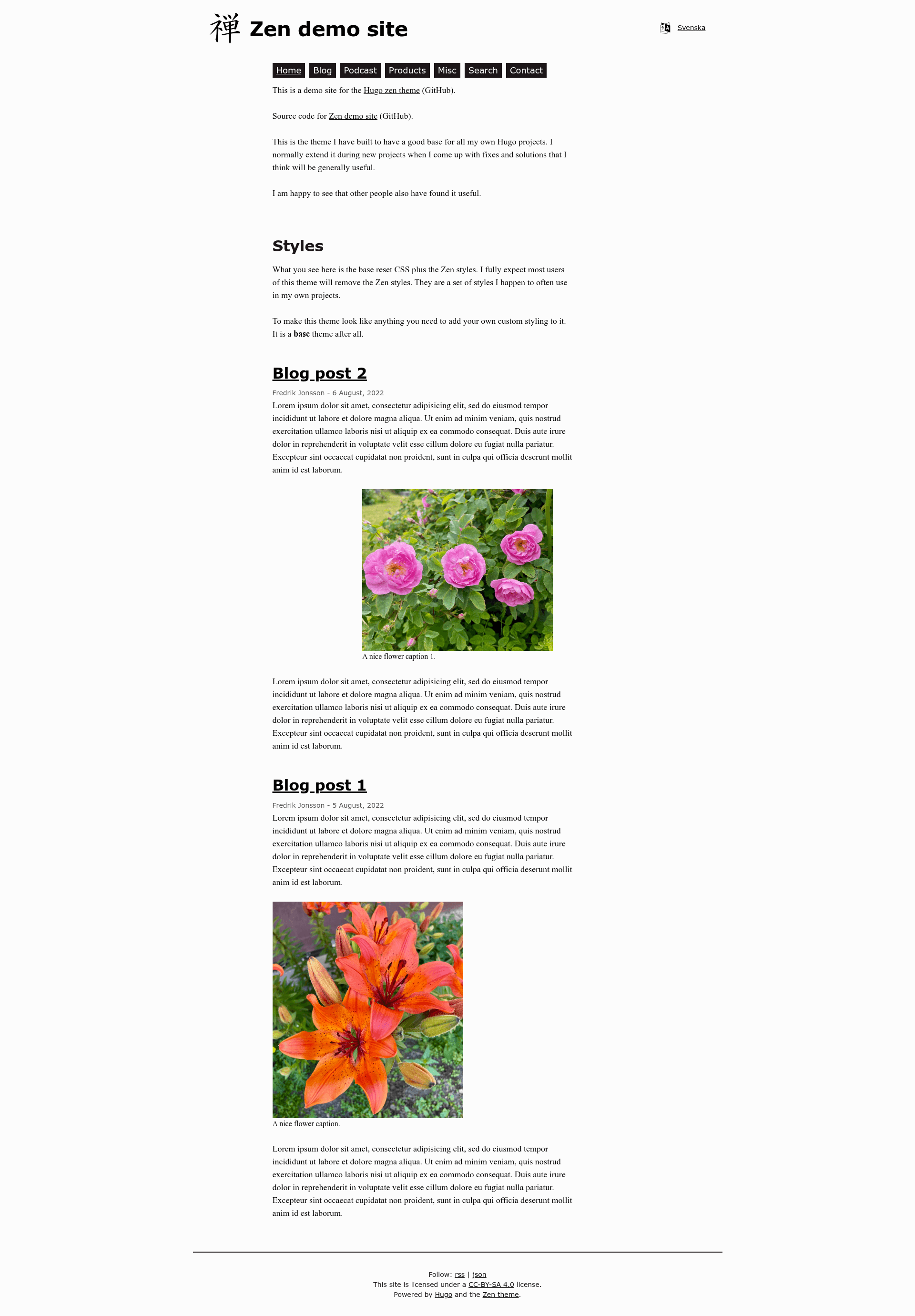
The zen theme for Hugo demo site.
About this template
Zen Demo is a demo site and quickstart template for the Zen Hugo theme, showcasing a multilingual, search-enabled site that auto-deploys to GitHub Pages.
What is Zen Demo?
Zen Demo is a GitHub repository that serves as both a live demo and a starting point for building a site with the Zen Hugo theme. It takes a Hugo site configuration and produces a static website with support for multiple languages, search, and podcast content, deployed automatically to GitHub Pages. The repository is available at github.com/frjo/zen-demo, with the theme itself at github.com/frjo/hugo-theme-zen.
Key Features
- GitHub Pages deployment — The demo site is hosted on GitHub Pages at zen-demo.xdeb.org and updates automatically on every push.
- Automated builds via GitHub Actions — A workflow file at .github/workflows/pages.yaml builds and deploys the site on push, so no manual publishing is needed.
- Theme as a Go module — The Zen theme is loaded as a Hugo Go module, and can be updated with the command
hugo mod get -u. - Multilingual support — The demo configuration includes multiple languages, letting you set up localized versions of your content.
- Built-in search — The demo includes a search feature, so visitors can find content across the site.
- Podcast support — The demo includes podcast content, showing how to publish audio episodes with the theme.
- Use as a template — The repository can be used as a GitHub template via the "Use this template" button, giving you a ready-made Hugo site structure.
Who is it for?
- Hugo users — Developers who want to evaluate the Zen theme by exploring its demo site before installing it.
- Site owners starting a new blog — People who want a pre-configured Hugo site with multilingual and search features and can clone the demo as a quickstart.
- Theme developers — Those who want a reference implementation of a Hugo theme configured as a Go module with automated deployment.
What can you do with Zen Demo?
- Try the Zen theme: Browse the live demo at zen-demo.xdeb.org to see how the theme renders multilingual content, search, and podcast pages.
- Start a new Hugo site: Use the "Use this template" button to create a new repository with the same structure, then replace the demo content with your own.
- Set up automated publishing: Copy the GitHub Actions workflow from .github/workflows/pages.yaml to deploy your own Hugo site to GitHub Pages on every push.
- Update the theme: Run
hugo mod get -uin a clone of this repo to pull the latest version of the Zen theme.
FAQ
Is Zen Demo free to use?
Yes, the repository is public on GitHub and can be freely used as a template. The Zen Hugo theme is also open source.
What do I need to run Zen Demo?
You need Hugo, since the theme is loaded as a Go module. Run hugo mod get -u to update the theme, then build the site with Hugo's standard commands.
How is the demo site deployed?
The site is deployed to GitHub Pages using a GitHub Actions workflow defined in .github/workflows/pages.yaml. Any push to the main branch triggers a rebuild and redeployment.
Does Zen Demo support more than one language?
Yes, the demo configuration is multilingual, and the theme includes language-aware navigation and content organization.
How can I use this as a starting point?
Use the green "Use this template" button on the repository page to create your own repo with the same file structure. Then edit the content and configuration to match your site.