Template details
11ty-no-style-please
A minimalist blog template for eleventy with Netlify CMS built in
About this template
11ty-no-style-please is a minimalist blog template built on the Eleventy (11ty) static site generator with Netlify CMS pre-configured, so deploying to Netlify in one click yields a ready-to-use writing environment.
What is 11ty-no-style-please?
11ty-no-style-please is an open-source blog starter for Eleventy that outputs a static, responsive website from Markdown posts and JSON configuration files. It takes content written as Markdown plus settings stored in the _data folder (site.json and homepage.json) and produces a set of static files in _site when you run the build command. The template is maintained by stopnoanime on GitHub and is directly inspired by the no-style-please Jekyll theme by riggraz.
What makes 11ty-no-style-please stand out?
- One-click Netlify deployment — the README includes a deploy button that opens app.netlify.com with
stack=cms, so a new site is created directly from the repository with the CMS connected. - Pre-configured Netlify CMS — after deployment you receive an email invite to the CMS; after accepting and setting a password, you can edit settings and write posts from the browser without touching code.
- Minimal CSS and fast loading — the design intentionally keeps the CSS download small, which reduces page weight and supports fast static-site performance.
- Fully responsive layout — the single-column blog layout adapts to mobile and desktop screens without extra configuration.
- JSON-based configuration — global fields such as title, description, language, back-home text, URL, homepage title, subtitle, and menu structure are editable in the
_datafolder or through the CMS at your site's/adminpath. - Flexible menu with post listing — each menu entry can link to a URL, contain nested entries, or automatically list all posts with a chosen tag using the
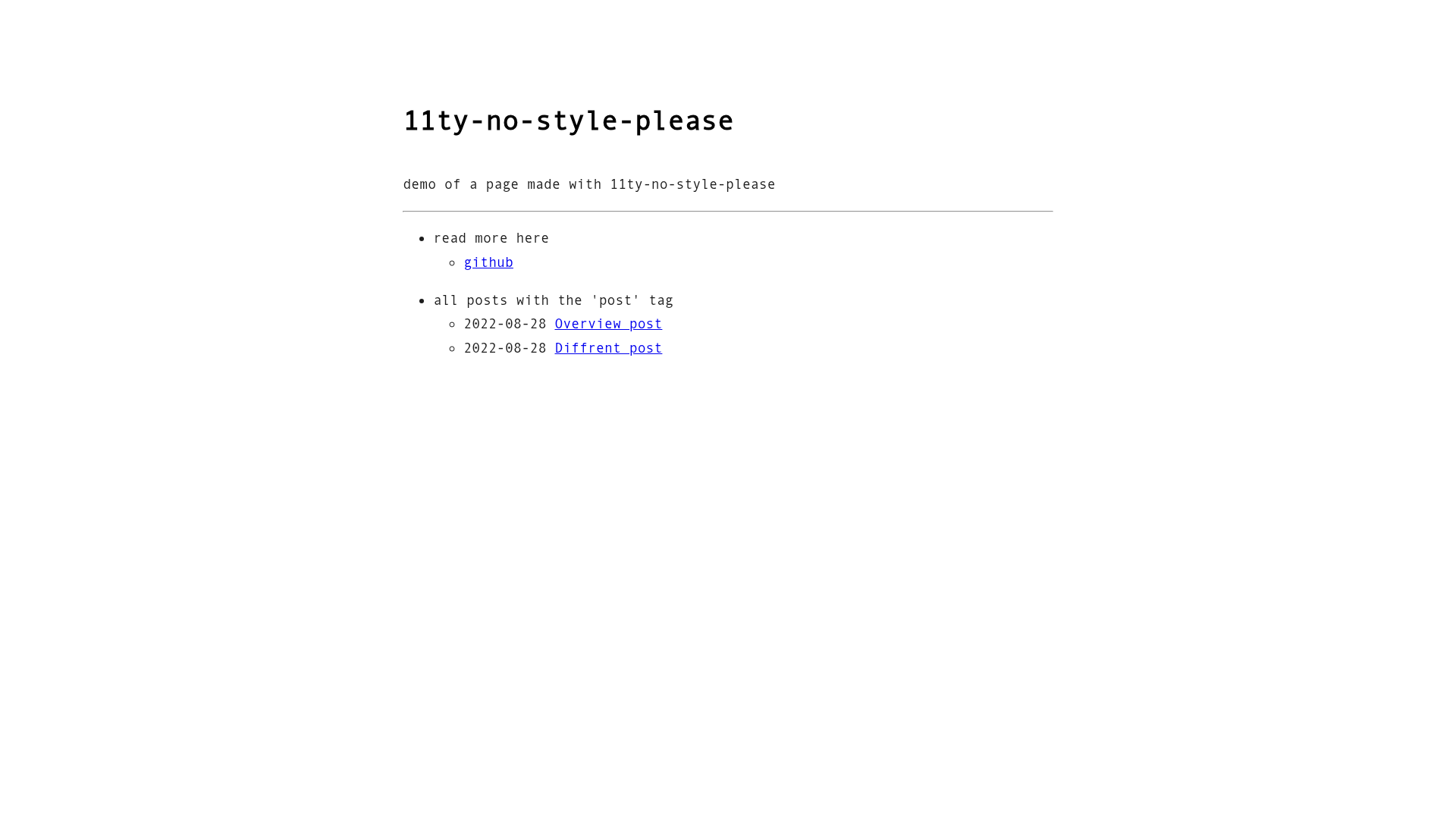
post_listproperty; the default menu shows aread more heresection with a GitHub link plus anall posts with the 'post' taglisting. - Local development commands — after cloning the repository,
npm iinstalls dependencies,npm startserves the site locally, andnpm run buildgenerates the production-ready files in_site.
Who should use 11ty-no-style-please?
- Writers and bloggers — can get a working blog on Netlify in one click and then publish posts through the built-in Netlify CMS interface without touching code again.
- Eleventy developers — get a minimal starting point with familiar npm scripts, JSON data files, and a simple template structure they can extend with their own layouts and styles.
- Personal-site owners — who want a clean, fast, static blog with a simple navigation menu and a small amount of CSS to maintain.
What can you do with 11ty-no-style-please?
- Launch a personal blog: click the Netlify deploy button, accept the CMS invite email, set a password, and start creating posts from the browser-based editor.
- Build a local editing workflow: clone the repository, run
npm startfor a local dev server, and usenpm run buildto generate the static site for manual deployment. - Create a categorized reading list: use the menu's
post_listoption to automatically show all posts with a specific tag, so readers can see content grouped by topic.
How does 11ty-no-style-please work?
The simplest workflow is the Netlify deploy button: it creates a new site from the GitHub repository with the CMS enabled, and Netlify sends an invite to the email you use for the CMS. For local development, clone the repository, run npm i, then npm start to serve the site; when ready, run npm run build to output files in the _site folder and either connect the repo to Netlify for automatic deploys or copy the files to a host.
FAQ
Is 11ty-no-style-please free to use?
Yes, the template's source code is open on GitHub under the repository name stopnoanime/11ty-no-style-please, so there are no licensing fees for the code. Deploying to Netlify is subject to Netlify's own free or paid hosting plans.
How do I edit the site title and menu?
You can edit the JSON files in the _data directory: site.json stores the default page title, global description, HTML language, back-home button text, and site URL, while homepage.json stores the homepage title, subtitle, and the menu object. The same settings can also be changed through the Netlify CMS at your site's /admin URL.
What does the post_list property do in the menu?
When a menu entry has a post_list value, it will display a nested list of every post tagged with that value. The template's default configuration includes a menu item labeled 'all posts with the post tag' to demonstrate this behavior, and you can change the tag to group your content however you like.