Template details
Book
A simple, ready-to-use Jekyll theme for blogging with GitHub Pages deployment.
About this template
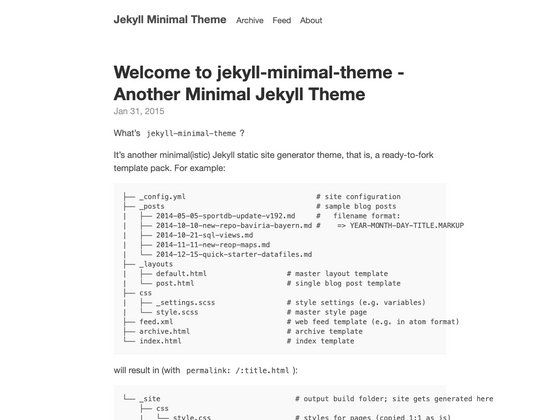
Book is a minimal Jekyll theme for blogging, designed to be simple and ready to use, and it can be deployed to GitHub Pages with a single npm command. The theme is made by GitHub user kkninjae, and a live demo is available at http://kkninjae.github.io/book/. It is built specifically for Jekyll, the static site generator, and requires no build tools beyond Jekyll itself and npm for the deployment script.
What is Book?
Book is a Jekyll theme that turns a standard Jekyll repository into a clean, typography-focused blog. It takes Markdown files placed in a _posts directory as input and produces a static HTML site as output, following Jekyll's standard build process. All site-wide configuration is handled by editing key-value pairs in the _config.yml file, which controls the site title, path, favicon, avatar, Google Analytics, and Disqus integration.
Key Features
- Minimalist design — The theme is intentionally sparse, putting the focus on post readability rather than visual decoration.
- Config-driven customization — Set
baseurl,title,favicon,avatar,ga, anddisqusdirectly in_config.ymlto personalize the site without touching layout files. - Markdown post writing — Write posts as plain Markdown files in the
_postsdirectory, named following Jekyll'sYYYY-MM-DD-title.mdconvention, and add a front matter block with a title and date. - One-command GitHub Pages deployment — A prebuilt
npm run deployscript pushes the built static site to thegh-pagesbranch, creating the branch automatically if it doesn't already exist. - Google Analytics integration — Add your tracking ID via the
gaconfig key to enable analytics on the generated site. - Disqus commenting — Enable Disqus by setting the
disqusconfig key to your site's shortname. - Local development server — Run
jekyll serve -wto serve the site locally with watch mode, allowing instant preview while writing posts.
Who is it for?
- Independent bloggers — who want a clean, no-frills Jekyll theme to publish Markdown-based posts quickly.
- Developers — who prefer working in Git and Markdown workflows and want to customize a theme through a single config file.
- GitHub Pages users — who need a simple one-command deployment path to publish a static blog on GitHub Pages.
What can you do with Book?
- Start a personal blog — Clone the repository, update
_config.ymlwith your site name and details, drop in a few Markdown posts, and runnpm run deployto go live. - Create a lightweight documentation site — The minimal layout works for simple docs or note collections, though it is built primarily around sequential blog posts.
- Prototype a Jekyll project — Use the included deployment script to test publishing workflows on GitHub Pages before adding custom features.
How does Book work?
Getting started involves four steps: clone the repository, run jekyll serve -w for local development, write Markdown posts in _posts, and customize _config.yml. To publish, install npm, then run npm run deploy, which packages the generated site and pushes it to the gh-pages branch of your repository. No additional plugins are required beyond the standard Jekyll environment.