Template details
Hugo Toigian
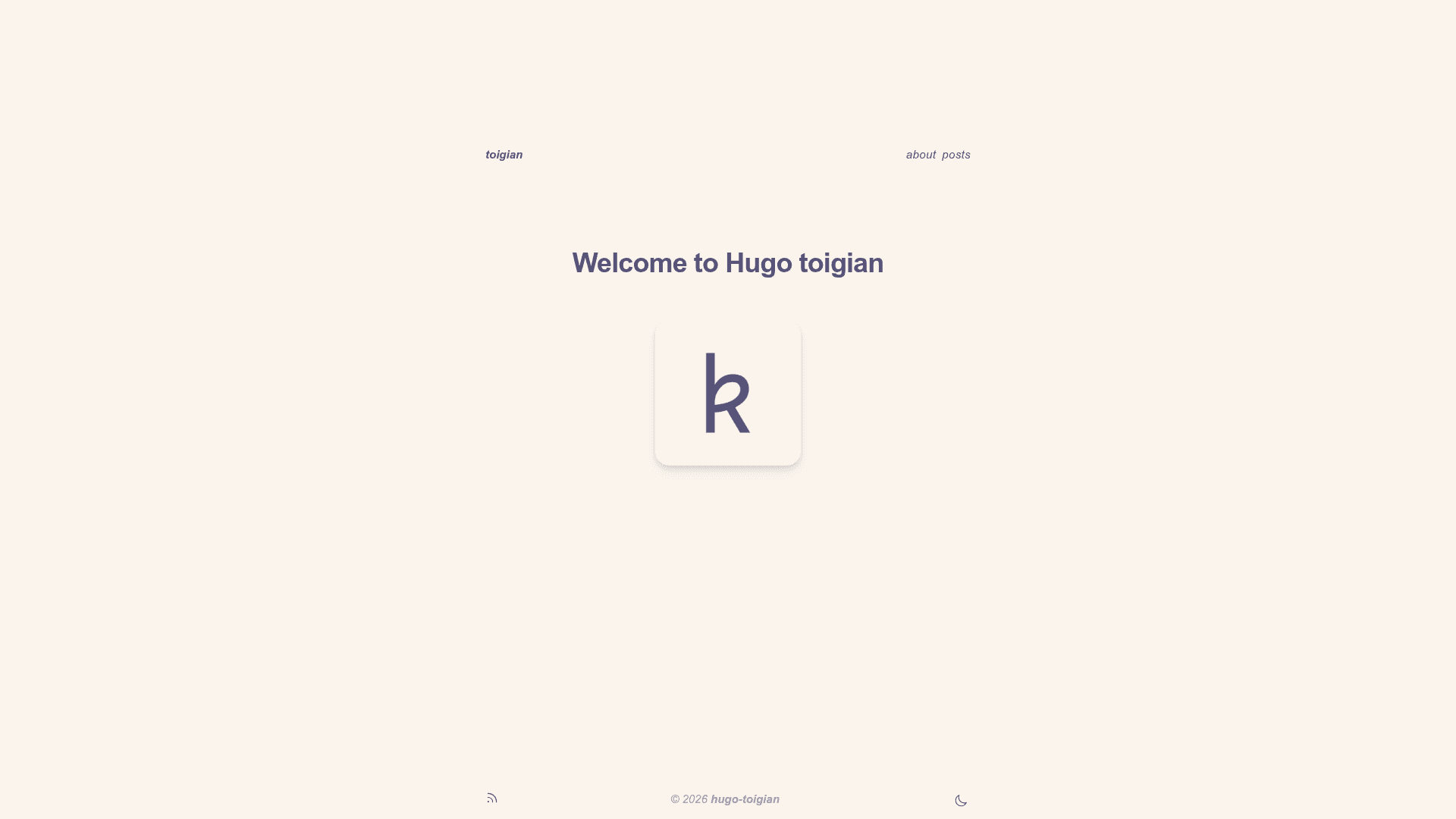
A minimal Hugo theme with Tailwind CSS, featuring Rosé Pine colors, light/dark mode, TOC, and syntax highlighting.
About this template
Hugo Toigian is a minimal Hugo theme styled with Tailwind CSS that produces a clean, Rosé Pine-colored blog with light/dark mode and a floating table of contents.
What is Hugo Toigian?
Hugo Toigian is a Hugo theme built on Tailwind CSS and released under the MIT License by Kien Nguyen-Tuan (ntk148v). It accepts standard Hugo content written in Goldmark Markdown and renders it as a minimalist static website, with a top navigation menu, nested heading counters, and a right-side floating TOC. The theme requires Hugo extended v0.93.0 or higher and uses Hugo Pipe's PostCSS pipeline to compile Tailwind CSS.
Key Features
- Tailwind CSS styling: The theme's styles are built with Tailwind CSS and compiled via Hugo Pipe's PostCSS, requiring
postcss-cliandautoprefixerin the environment. - Rosé Pine color palette: Uses the classy minimalist Rosé Pine palette throughout the UI, and the author contributed Rosé Pine styles to Chroma for matching syntax highlighting.
- Light/dark mode: Supports switching between light and dark themes with a built-in toggle.
- Floating table of contents: A side-floating TOC appears on pages and can be toggled with the
tocparameter; heading levels are set viamarkup.tableOfContents. - Nested counters for headings: Post headings are automatically numbered with nested counters (e.g., 1, 1.1, 1.1.1).
- Comments support: Disqus comments are integrated; set
disqusShortnamein site config, and override per page withcommentin front matter. - Customization partials: Empty partials (
custom/head.html,custom/content-before.html,custom/content-after.html) and afont.htmlpartial let you inject custom code without editing the theme. - Useful shortcodes: The theme includes shortcodes documented on its demo site (https://ntk148v.github.io/hugo-toigian).
Who is it for?
- Bloggers who want a fast, keyboard-friendly publishing setup for long-form articles.
- Hugo users who prefer a minimal aesthetic without heavy JavaScript.
- Developers learning to combine Hugo with Tailwind CSS through PostCSS.
- Non-front-end developers who want a simple, themeable starting point (as the author explicitly says).
What can you do with Hugo Toigian?
- Publish a personal blog: Write Markdown posts, set tags in front matter, and get syntax-highlighted code blocks and optional Disqus comments.
- Build a minimal portfolio or landing page: Use the About page and top navigation to present yourself with only essential sections.
- Customize fonts and styles: Override the default Inconsolata font by adding a custom
font.htmlpartial and editingassets/css/custom.css. - Study a real Hugo + Tailwind integration: Use this repo as a reference for setting up Tailwind, PostCSS, and Chroma highlighting in Hugo.
How does Hugo Toigian work?
Install it by adding the theme as a git submodule, running npm install inside the theme directory, and setting theme = "hugo-toigian" in your config file. Then run hugo server -DF --disableFastRender for development or hugo --environment production --minify to build static files. The theme relies on Chroma for server-side syntax highlighting and PostCSS for Tailwind compilation.
Pricing
Hugo Toigian is free and open-source. The exact license displayed is MIT, so you can use it in personal and commercial projects without cost.
Alternatives
- Hugo Book: a Hugo theme with a book-like layout and a sidebar, which the author credits as inspiration.
- dirkolbrich/hugo-tailwindcss-starter-theme: a starter theme demonstrating how to wire Hugo with Tailwind CSS, also credited.
FAQ
Is Hugo Toigian free?
Hugo Toigian is free and open-source software released under the MIT License. You can download, modify, and use it for any project, including commercial ones, with no fee.
What Hugo version do I need?
You need the "extended" build of Hugo v0.93.0 or higher, plus git and npm. Because the theme uses Hugo Pipe's PostCSS, you also need to install postcss-cli and any plugins like autoprefixer (globally or locally in your site directory).
How do I enable comments?
Comments use Disqus. Add disqusShortname = "your-shortname" to your site configuration, and the theme will load the Disqus partial on all pages unless you set comment = false in a page's front matter.
Does it support syntax highlighting?
Yes. Hugo Toigian uses Hugo's built-in Chroma highlighter, with Rosé Pine styles added upstream, so code blocks render in the same color scheme with no JavaScript needed.
How can I change the default font?
Create a layouts/partials/font.html file to import your preferred fonts, and then define --font-mono and --font-serif CSS variables in assets/css/custom.css to override the theme's defaults.