Template details
Mixedpaper for Hugo
Minimalist Hugo theme for writers and bloggers with SCSS styling, syntax highlighting, and Disqus/Valine comments.
About this template
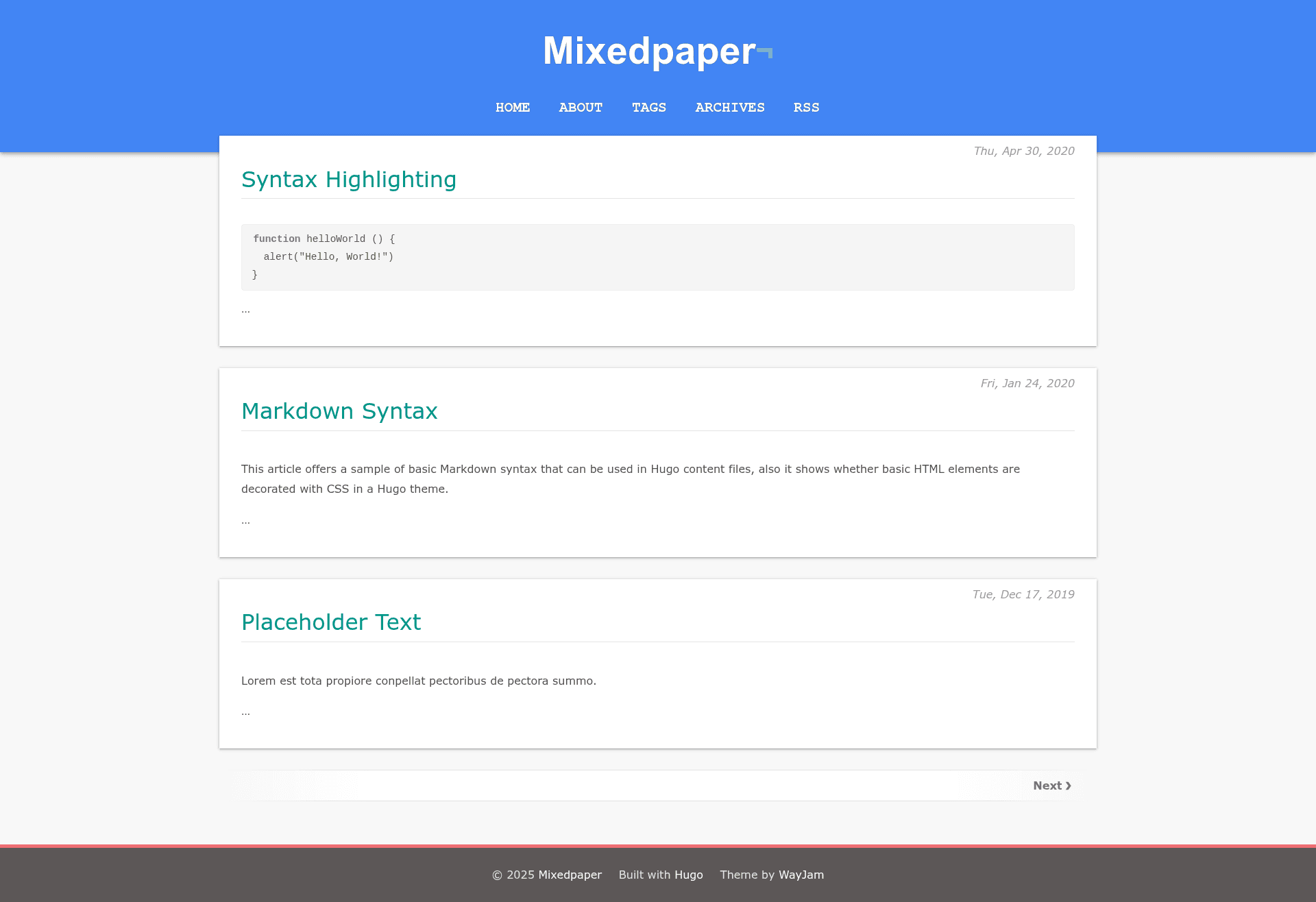
Mixedpaper for Hugo is a minimalist Hugo theme for writers and bloggers, built with SCSS and vanilla JavaScript, that turns Markdown content into a clean static blog.
What is Mixedpaper for Hugo?
Mixedpaper for Hugo is an open-source theme for the Hugo static site generator, created by wayjam and released under the MIT License. The theme accepts Markdown posts and pages from a Hugo site and renders them as a minimalist blog with styled typography, syntax highlighting, and archive pages. It requires no build tooling beyond Hugo itself, and it ships with an exampleSite directory showing recommended configuration.
Key Features
- Clean and minimalist design — a distraction-free layout aimed at long-form writing, with no heavy UI framework.
- SCSS styling — styles are authored in SCSS, so you can override variables and partials to customize colors, spacing, and fonts.
- Syntax highlighting — enables Hugo's Pygments highlighting; set
pygmentsUseClasses = trueinconfig.tomlto use the theme's highlight classes. - Styled Archives — a dedicated archives page can be added by defining a
menu.mainentry with URL/archives/. - Minimal vanilla JavaScript — no jQuery or framework dependencies; the few interactive behaviors are written in plain JS.
- Comment integrations — supports both Disqus (via
disqusShortname) and Valine (via[params.comment]with appid/appkey and options like avatar, pageSize, recordIP, and requiredFields).
Who should use Mixedpaper for Hugo?
Hugo users who want a simple, readable blog without excess JavaScript are the primary audience. Writers and bloggers who publish with Hugo can use the theme as-is or extend it, and developers who prefer minimalistic design can study its SCSS structure as a starting point.
Use cases
- Personal bloggers: publish Markdown posts and keep an automatically grouped archive list.
- Technical writers: show code snippets with Pygments syntax highlighting.
- Hugo developers: use the exampleSite configuration to quickly scaffold a new minimal theme or reference its SCSS patterns.
How does Mixedpaper for Hugo work?
Installation uses Git submodules: run git submodule add https://github.com/wayjam/hugo-theme-mixedpaper.git themes/mixedpaper from your site root, then add theme = "mixedpaper" to config.toml. To update, run git submodule update --remote --merge. After that, enable syntax highlighting by setting pygmentsUseClasses = true and add an Archives menu entry for archive pages.
FAQ
Is Mixedpaper for Hugo free?
Yes, the theme is released under the MIT License, so you can use, modify, and redistribute it freely.
How do I add comments to my Hugo blog with this theme?
You can add Disqus by setting disqusShortname in your site config, or use Valine by populating the [params.comment] block with your appid, appkey, and options such as visitor, recordIP, highlight, and requiredFields.
Does the theme support syntax highlighting?
Yes, set pygmentsUseClasses = true in your Hugo site configuration to use the theme-defined highlighting classes. Without this setting, Hugo's default highlighting behavior applies.
How do I upgrade the theme?
From your Hugo site directory, run git submodule update --remote --merge to pull the latest theme commit.