Template details
Alabaster for MkDocs
Deprecated Alabaster theme port for MkDocs, installable via pip and configured with a single line.
About this template
Alabaster for MkDocs is a documentation theme that ports the Alabaster design from Sphinx to the MkDocs static site generator, installed with pip and activated by adding one line to mkdocs.yml. The project is deprecated, and its repository explicitly recommends that new documentation projects use Sphinx with recommonmark instead.
What is Alabaster for MkDocs?
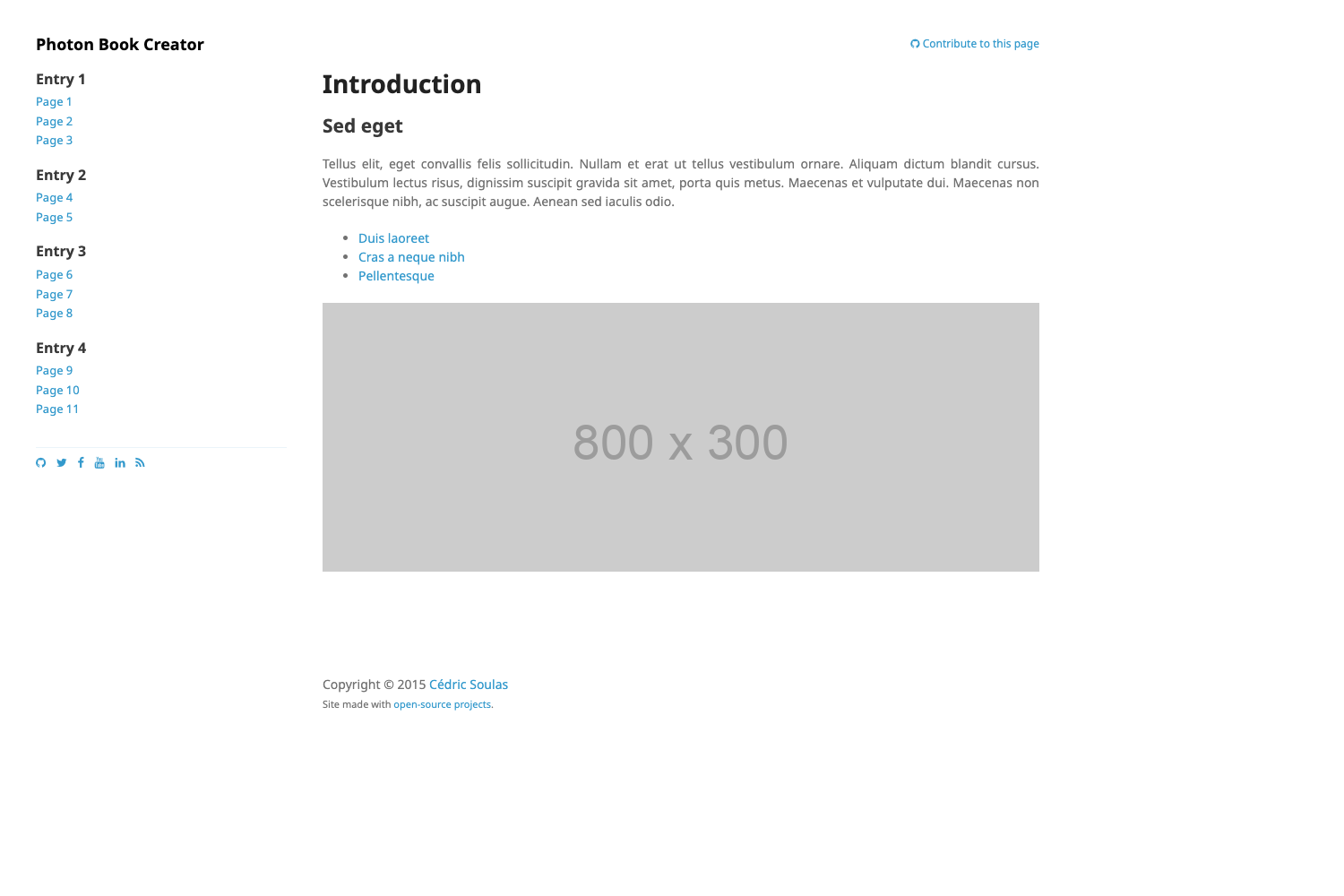
Alabaster for MkDocs is a port of the Alabaster theme, originally developed for the Sphinx documentation generator, to the MkDocs Python documentation tool. It is distributed as a pip package named mkdocs-alabaster and is configured by setting theme: alabaster in the mkdocs.yml file. The repository hosting this project is marked as deprecated, meaning the theme is not recommended for new builds, though the code and documentation remain accessible.
Key Features
- Pip installation — install the theme from PyPI with a single command:
pip install mkdocs-alabaster. - One-line configuration — add
theme: alabasterto mkdocs.yml to switch the site's appearance; no additional settings are described in the documentation. - Sphinx Alabaster port — brings the Alabaster visual style, which is commonly seen in Sphinx-based documentation, to MkDocs projects.
- Documentation site — the project has a dedicated documentation page at http://mkdocs-alabaster.ale.sh.
- Deprecated status — the repository states that new projects should use Sphinx with recommonmark, signaling a clear end-of-life message.
Who should use Alabaster for MkDocs?
This theme is aimed at MkDocs users who want the Alabaster look while staying in the MkDocs ecosystem. It is also relevant for maintainers of existing MkDocs sites that already have this theme applied and are evaluating whether to continue using it or migrate to Sphinx. Since the project is deprecated, it is not a suitable choice for new documentation projects; following the repository's guidance to use Sphinx with recommonmark is the recommended path.
How does Alabaster for MkDocs work?
The workflow shown in the repository has two steps: first run pip install mkdocs-alabaster, then add theme: alabaster to the mkdocs.yml configuration file. Once these steps are complete, MkDocs will render the site with the Alabaster theme. No further configuration is documented in the source.
Use cases
- MkDocs documentation maintainers: switch an existing MkDocs site to a Sphinx-inspired look by installing the package and changing one line in mkdocs.yml.
- Theme evaluators: inspect the Alabaster port as a reference for how a Sphinx theme can be adapted to MkDocs, while being aware of its deprecated status.
Pricing
Alabaster for MkDocs is an open-source pip package, so it is free to install and use. No paid tiers or commercial options are mentioned in the repository.
Alternatives
- Sphinx, the Python documentation generator that this project's own deprecation notice recommends, paired with the recommonmark extension for Markdown support.
FAQ
Is Alabaster for MkDocs free?
Yes, it is distributed through pip as an open-source package, so there is no cost to install or use it. The repository does not mention any paid features.
Is Alabaster for MkDocs still maintained?
No, the repository is marked as deprecated. The deprecation notice advises using Sphinx with recommonmark for new projects.
How do I install Alabaster for MkDocs?
Run the command pip install mkdocs-alabaster, then set theme: alabaster in your mkdocs.yml file. That is the full setup described in the README.
Where is the documentation for Alabaster for MkDocs?
The documentation is hosted at http://mkdocs-alabaster.ale.sh.
How many stars does the repository have?
Repository metadata lists 36 stars.