Template details
Amperage
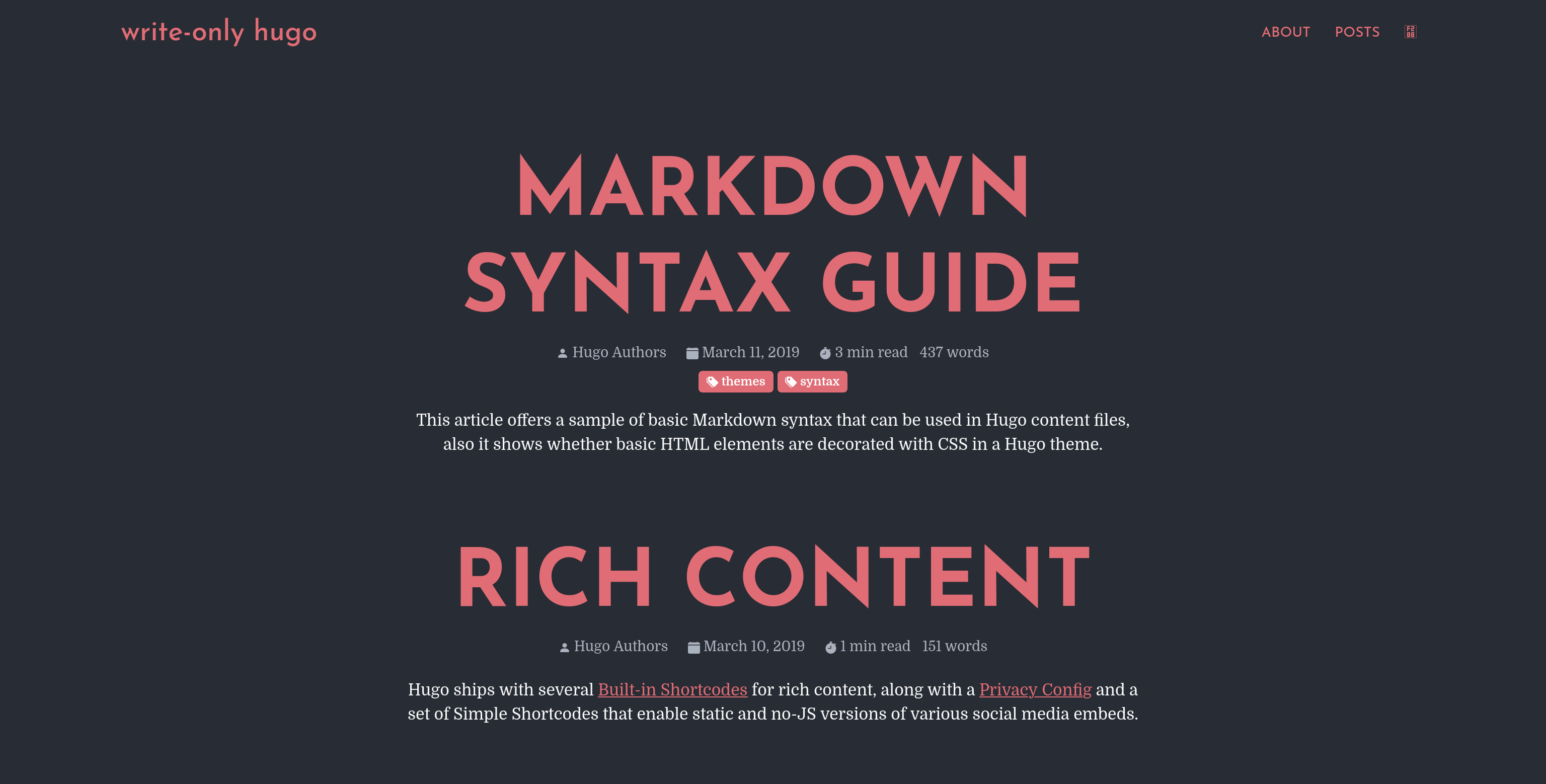
GoHugo theme that generates native AMP pages with PWA, structured data, service workers, and i18n out of the box.
About this template
Amperage is a GoHugo (Hugo) theme that generates native AMP pages with built-in PWA support, structured data, service workers, and multilingual i18n out of the box.
What is Amperage?
Amperage is a theme for the static site generator GoHugo, created by asurbernardo and published on GitHub. It takes standard Hugo markdown content plus config.toml settings as input and produces AMP-valid HTML pages, a service worker file, and a JSON search index at build time. The theme is built for speed and low weight: its default CSS is only 5 KB including code highlighting.
Key Features
These features are all provided by the theme without extra services or plugins.
- Native AMP generation — Every page is rendered as a valid AMP page without a separate build step, allowing the site to be served through AMP caches if desired.
- PWA out of the box — A service worker handles asset caching, link prefetching, and offline navigation, while the theme also enables an installable web app experience.
- Automatic structured data — The theme emits JSON-LD structured data using configuration values such as organization name, publisher name, and social profile URLs.
- Multilingual and i18n support — Example configuration shows English and Spanish content directories with per-language titles, descriptions, and menu weights.
- Build-time code highlighting — Code blocks are highlighted during Hugo's build with Pygments classes, so no client-side JavaScript is required.
- Responsive images without plugins — Images are automatically cropped and
srcsetattributes are generated, giving each device an appropriately sized image. - Configurable third-party integrations — Google Analytics via gtag, AdSense using an
amp-adsenseshortcode, comment systems via an embeddable iframe (a Disqus example is provided), and social share buttons with OGP/Twitter card tags are all included. - Minimal overridable styles — Default styles are only 5 KB, and adding an
assets/custom.scssfile to your project lets you append your own styles that get transpiled, minified, and merged automatically.
Who is it for?
Amperage is aimed at Hugo users who want AMP validation, PWA behavior, and SEO metadata without assembling multiple plugins.
- Bloggers and content publishers — Write Markdown content and get an SEO-focused AMP site with structured data and social metadata.
- Developers building multilingual sites — Use the built-in i18n setup with separate content directories for each language.
- Site owners who want PWA features — Get offline navigation and asset caching from the service worker without custom PWA code.
What can you do with Amperage?
With the theme installed and configured, you can carry out these concrete tasks.
- Launch an AMP-valid blog — Install via the example site and run
hugo serveto start building pages that meet the AMP HTML spec. - Display AdSense ads — Set your publisher code in
config.tomland use theamp-adsenseshortcode to insert AMP-compliant ad units. - Add comments from another domain — Configure a
commentsEmbedUrland the theme appendsidandurlparameters so a service like Disqus can display the correct thread. - Generate a search index — The theme is preconfigured to output a JSON search index file for integrating site search.
How does Amperage work?
Amperage uses Hugo's build pipeline to transform Markdown content and configuration into static AMP pages. After cloning the repository, you copy the exampleSite into a new Hugo project, move the theme into themes/amperage, and run hugo serve to preview. Configuration is centralized in config.toml, where you set languages, menus, analytics, AdSense, comments URL, and structured data values; the theme reads these at build time and emits the final HTML. For cross-domain service worker installation, you override the static/install-sw.html file with an amp-install-serviceworker component pointing to the correct service worker URL.
FAQ
These answers reflect the setup details described in the theme's README and example configuration.
Does Amperage support multiple languages?
Yes, Amperage includes i18n support. The example configuration shows English and Spanish content directories, and each language can have its own title, description, and menu structure.
How do I customize the theme's styles?
Create an assets/custom.scss file in your Hugo project. Amperage picks it up automatically, transpiles and minifies it, and appends it to the default styles, which are already only 5 KB.
How do I add comments to my posts?
Because of AMP restrictions, comments must be hosted on a different domain. Set a commentsEmbedUrl in config.toml, and Amperage will embed that URL in an iframe at the end of each post, passing id and url parameters so your comment system can identify the thread.
Can I use Amperage with AdSense?
Yes. Add your approved AdSense publisher code to adsensePublisher in config.toml, then use the amp-adsense shortcode with slot, width, height, and layout parameters to place a compliant ad unit.
Is there a search feature built in?
Amperage is configured to produce a JSON search index via the SearchIndex output format. You need to wire it up to your preferred search front-end, but the index file is generated automatically at build time.