Template details
Architect
Open-source Jekyll adaptation of the GitHub Pages Architect theme, with a clean, classic layout for static sites.
About this template
Architect is a Jekyll theme that adapts Jason Long's original GitHub Pages Architect theme into an open-source, self-hostable template for static sites.
What is Architect?
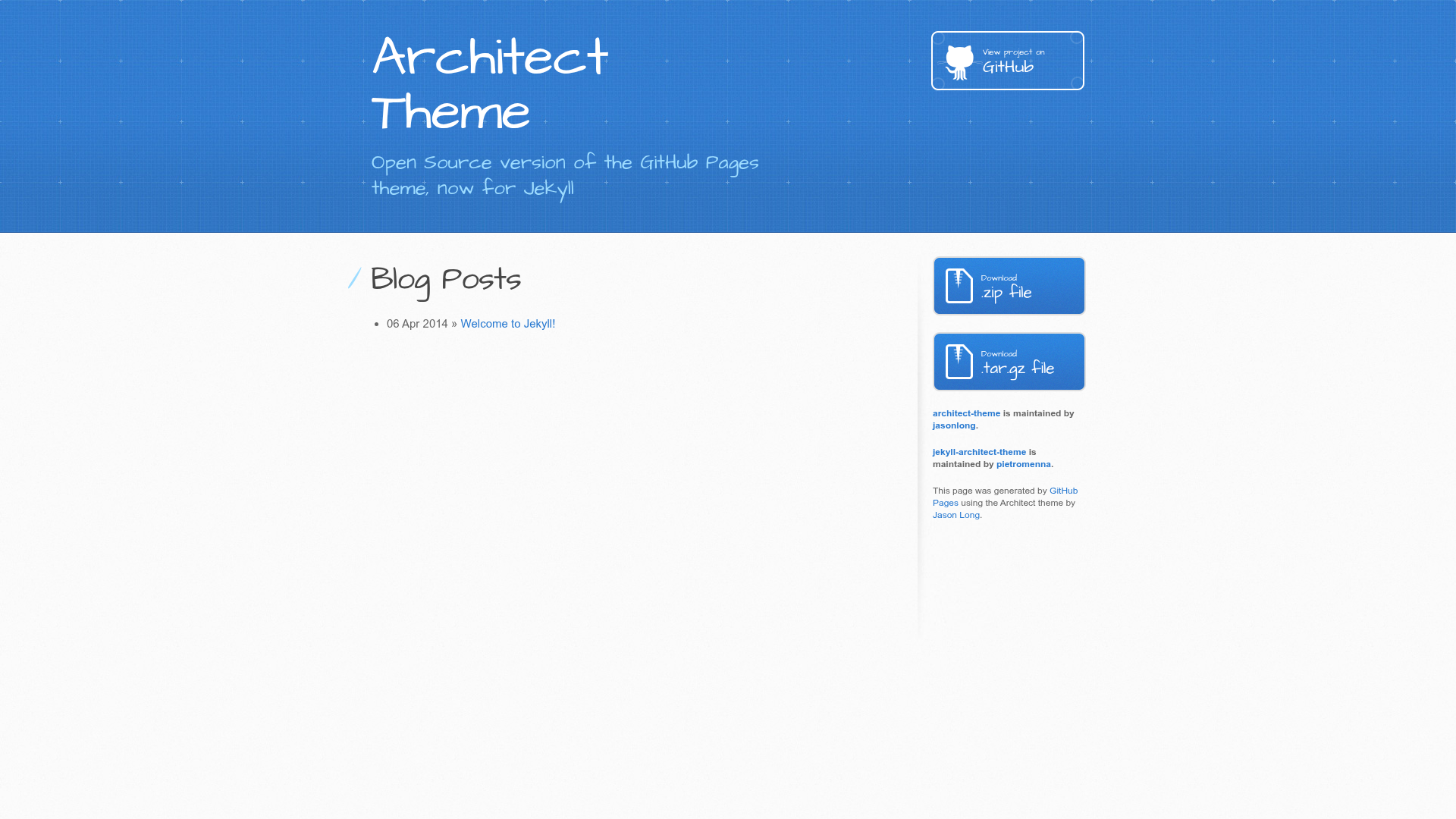
Architect is a Jekyll theme, an open-source adaptation of the Architect theme used on GitHub Pages, originally designed by Jason Long. It takes a Jekyll site as input and produces a static website with the distinctive Architect visual style — a top banner with a dark textured header, a clean content area, and a sidebar layout. The theme runs on Jekyll, requiring Ruby, RubyGems, Node.js, and Python 2.7 to install, and it is maintained by Pietro Menna on GitHub.
Key Features
Architect offers a focused set of features centered on faithful replication of the GitHub Pages theme and easy Jekyll integration.
- Open-source adaptation — An unmodified port of the GitHub Pages Architect theme, released under a Creative Commons Attribution 4.0 International license, so you can reuse and modify it freely.
- Jekyll integration — Built as a regular Jekyll folder; you install it by unzipping the download, running bundle install, and starting the server with jekyll serve.
- Simple installation — Only requires Ruby, RubyGems, Node.js, and Python 2.7 on your system; on a Mac, Node.js is usually the only extra needed.
- Configurable baseurl — The baseurl parameter in _config.yml lets you host the site in a subdirectory, such as https://pietromenna.github.io/jekyll-architect-theme, or at the root with an empty string.
- Theme development workflow — Run bundle exec jekyll serve to test the theme at http://localhost:4000 and see live re-generation as you edit pages, documents, or data.
- Contributor-friendly — Bug reports and pull requests are welcomed on the GitHub repository, with setup instructions for local development.
Who is it for?
Architect suits anyone who wants a proven, minimal design for a Jekyll-powered site, especially those coming from GitHub Pages.
- Developers who want a ready-made Jekyll theme without building a design from scratch can use Architect to quickly stand up a personal or project site.
- GitHub Pages users who prefer to self-host the classic Architect look off GitHub Pages can download this version and run it anywhere Jekyll runs.
- Theme developers can study the raw HTML and styles of the original GitHub Pages theme, since this project provides the unmodified source for learning and customization.
What can you do with Architect?
With Architect you can create several common types of static sites while relying on the familiar GitHub Pages look.
- Personal sites: Set up a clean, professional-looking personal homepage with the Architect header and layout, then publish it with Jekyll.
- Project documentation: Host project pages or documentation in a subdirectory by configuring baseurl, as seen in the theme's own demo.
- Learning Jekyll: Use the theme as a working example of a minimal Jekyll site to understand how themes, _config.yml, and the local server work.
How does it work?
The theme works like any Jekyll site: download the archive, unzip it into a folder, run bundle install to fetch dependencies, then run jekyll serve to build and preview the site locally. You customize the site by editing _config.yml, particularly the baseurl setting, and adding content as normal markdown or HTML files.
FAQ
Is Architect free?
Yes. The theme is open-source and licensed under Creative Commons Attribution 4.0 International, and it is freely available on GitHub for download and modification.
What are the installation requirements?
You need Ruby, RubyGems, Node.js, and Python 2.7 installed on your system, plus the jekyll and bundler gems. The README documents a Mac-friendly path where Node.js is often the only package you must add.
Can I use Architect without GitHub Pages?
Yes. This is an open-source version of the GitHub Pages theme, so you can run it on any Jekyll-compatible hosting platform or locally with jekyll serve.
How do I set the base URL?
Set the baseurl variable in _config.yml to the subpath, such as "/jekyll-architect-theme", or leave it empty if the site sits at the root of your domain.
Does the theme include a demo?
Yes. The repository points to a live demo at http://pietro.menna.net.br/jekyll-architect-theme/.