Template details
Congo
A lightweight Hugo theme built with Tailwind CSS offering dark mode, multilingual content, and client-side search.
About this template
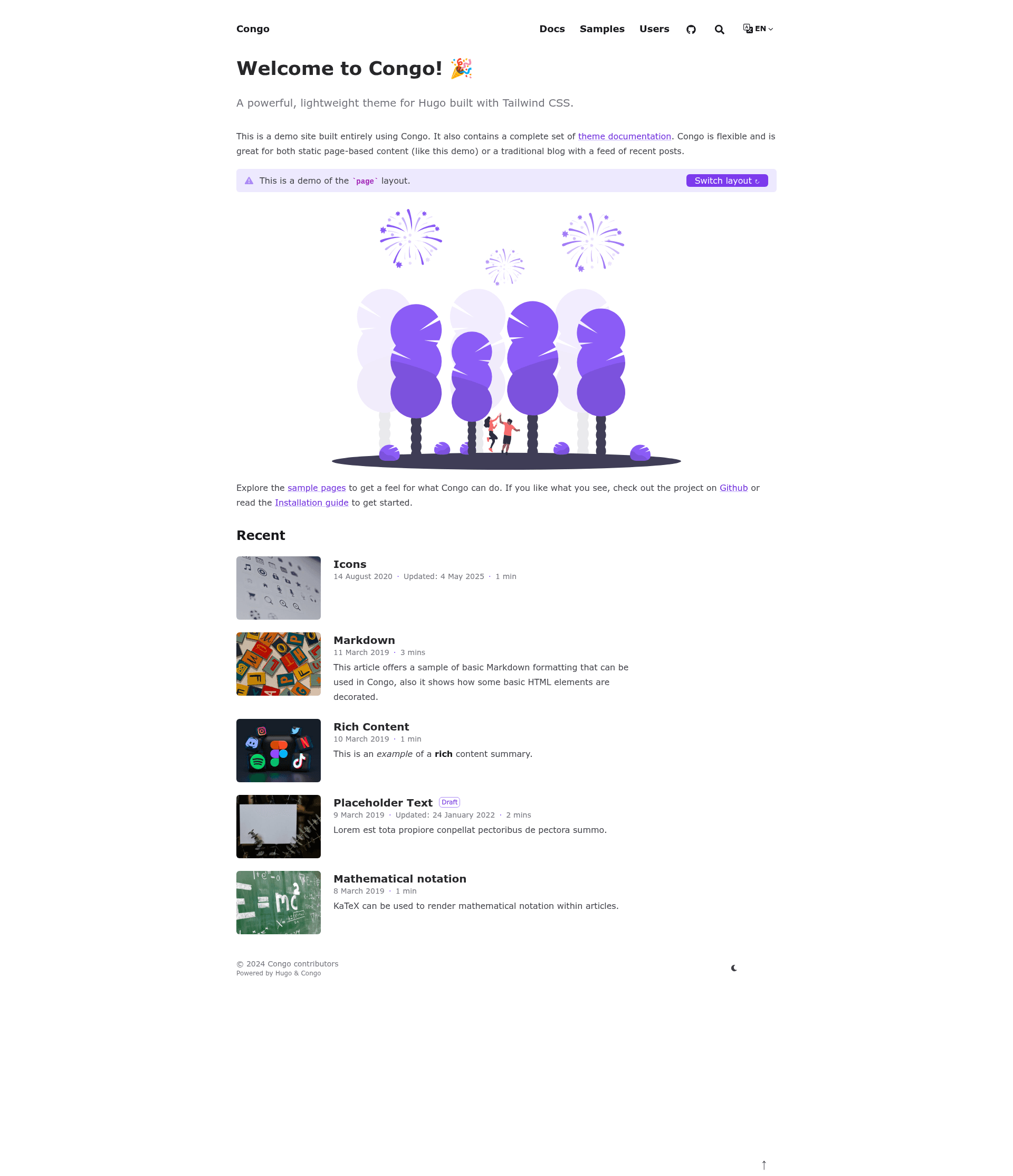
Congo is a Hugo theme built with Tailwind CSS that generates fast, content-focused static websites with dark mode, multilingual support, and client-side search.
What is Congo?
Congo is a theme for the Hugo static site generator, built with Tailwind CSS 3.0. It takes Hugo content written in Markdown and outputs responsive static HTML pages that are optimized for performance and accessibility. The theme is maintained by jpanther on GitHub and is fully documented at jpanther.github.io/congo/docs. It supports installation as a Hugo Module, git submodule, or manual copy, and ships with a set of config files you copy into your own project.
Key Features
- Tailwind CSS 3.0 layout — Fully responsive layout built with Tailwind CSS, including multiple colour schemes and dark mode (forced, off, or auto with a user toggle).
- Multilingual content — Built-in support for multiple languages including right-to-left (RTL) languages.
- Client-side search — Search is powered by Fuse.js and runs entirely in the browser without a search backend.
- Diagrams and charts — Mermaid diagrams, Chart.js charts, and KaTeX mathematical notation are all supported.
- Icon set — SVG icons from FontAwesome 6 for customisable iconography.
- Image processing — Automatic image resizing and optimisation using Hugo Pipes.
- SEO and sharing — SEO-friendly output with social sharing links, RSS feeds, favicons, and comments support.
- Analytics options — Supports Fathom Analytics, Plausible Analytics, Umami Analytics, and Google Analytics.
Who is it for?
Congo is a good fit for bloggers who want a clean typography-focused layout without building CSS from scratch, documentation maintainers who need multilingual and search features, and developers who want a Hugo theme with a Tailwind-based design that they can restyle through simple colour definitions.
What can you do with Congo?
- Bloggers: publish articles with emoji, HTML, heading anchors, tables of contents, code copy buttons, badges, and buttons.
- Documentation teams: build a docs site with multiple languages, client-side search, and Mermaid diagrams for technical explanations.
- Personal portfolio: showcase projects with multiple homepage layouts and content types/taxonomies.
- News or directory sites: link to posts on third-party websites while keeping a responsive layout.
How does Congo work?
To install, use the Hugo modules quick start: initialise Hugo modules with hugo mod init, create a config/_default/module.toml file that imports github.com/jpanther/congo/v2, then run hugo server. The theme downloads automatically. After that, copy the provided config files into your project and follow the Getting Started docs. Updates are applied with hugo mod get -u.
FAQ
Is Congo free?
Congo is an open-source theme available on GitHub. The repository is public and the theme can be used in your Hugo projects without charge. Check the repository's license file for exact terms.
How do I get support?
Bug reports and feature requests are managed via GitHub Issues, while questions and ideas use GitHub Discussions. Pull requests are welcome for bug fixes and new features.
Does Congo support dark mode?
Yes, dark mode can be forced on, forced off, or set to auto-switch based on the user's system preference with a manual toggle.
What analytics are supported?
Congo includes integration for Fathom Analytics, Plausible Analytics, Umami Analytics, and Google Analytics.