Template details
Argon Dashboard 2 MUI
Free Material UI admin dashboard template for React with over 70 coded components, dark mode, RTL, and prebuilt pages.
About this template
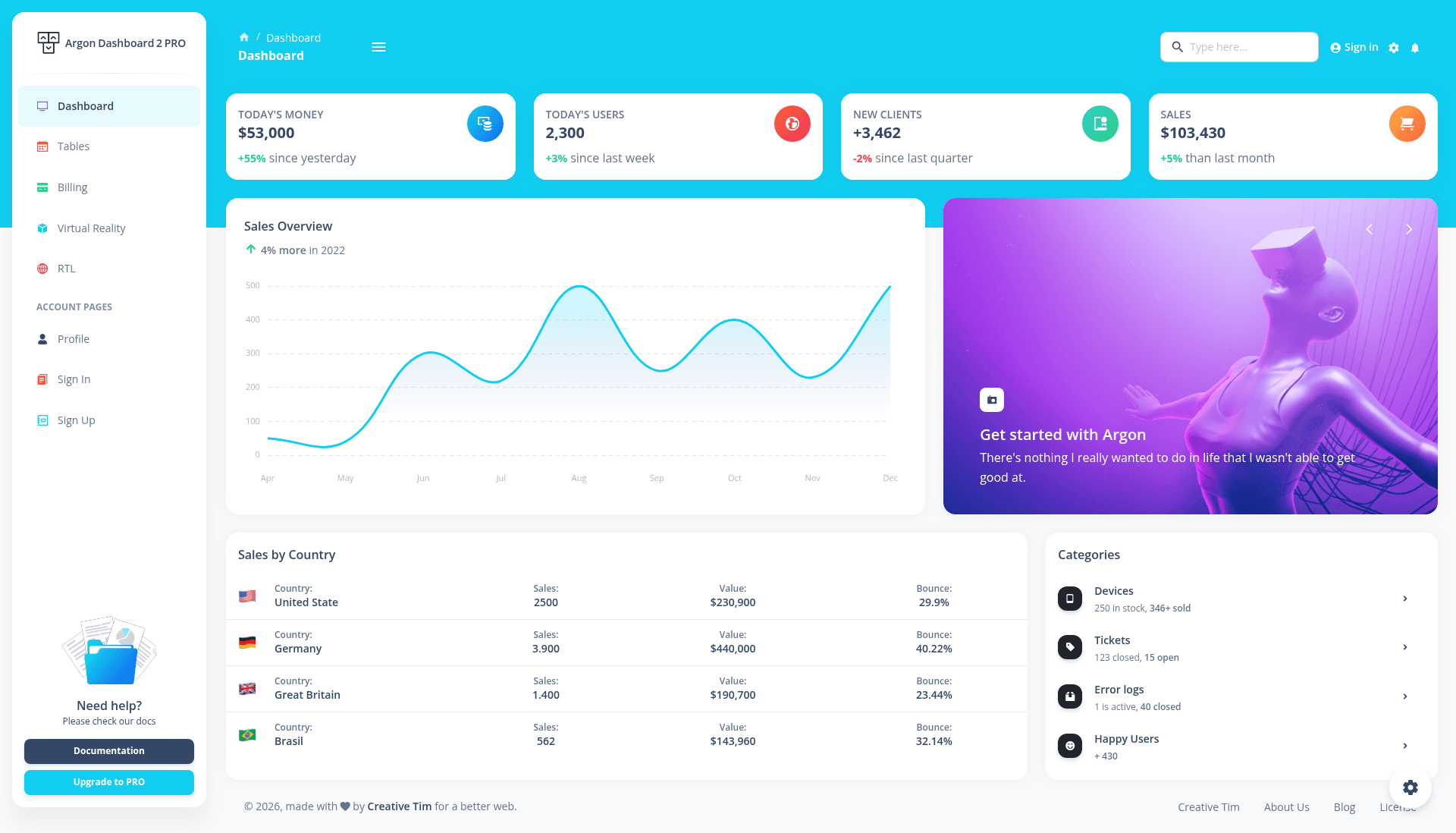
Argon Dashboard 2 MUI is a free admin dashboard template for React built on the Material UI (MUI) design system, created by Creative Tim with more than 70 coded frontend components for building functional admin interfaces.
What is Argon Dashboard 2 MUI?
Argon Dashboard 2 MUI is a React admin dashboard template that uses MUI's styled API and sx prop for component theming, giving developers a starting point for dashboards, profile pages, billing screens, authentication flows, and more. It takes a create-react-app project structure and adds prebuilt pages, a customizable theme with light, dark, and RTL variants, and a set of Argon-branded wrapper components such as ArgonButton, ArgonInput, and ArgonBox. The template is developed and maintained by Creative Tim and is distributed free under the Creative Tim license, with version 3.0.1 shown in the repository.
Key Features
- Over 70 coded components — buttons, inputs, navbars, nav tabs, cards, and alerts that accept color variations through MUI's styled API and sx prop, eliminating the need to build common UI elements from scratch.
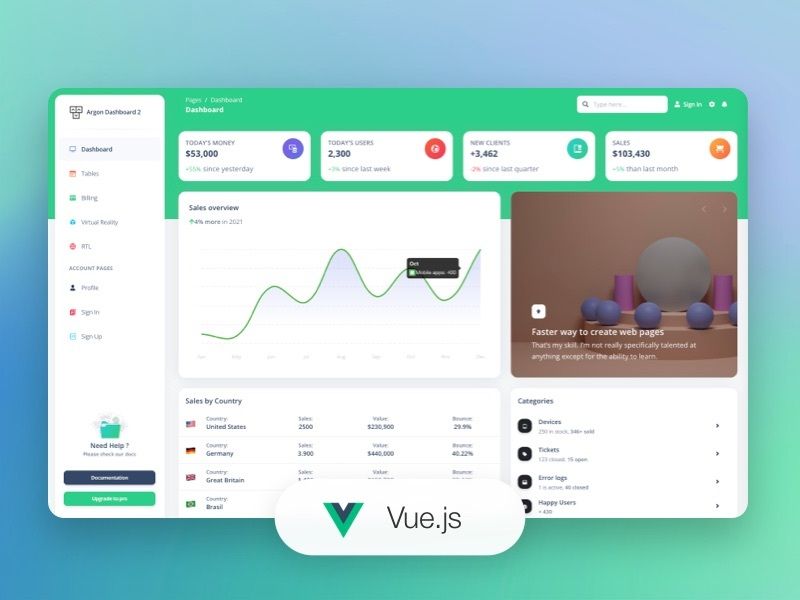
- Prebuilt example pages — includes layouts for dashboard, profile, RTL, sign-in, sign-up, billing, tables, and virtual reality, all accessible from the live demo.
- Dark mode and RTL support — ships with a dedicated theme-dark folder and a theme-rtl.js file so the interface can render in dark colors or right-to-left language layouts.
- Built on MUI with proven libraries — integrates MUI as the UI foundation, plus React Countup for animated numeric displays, React ChartJS 2 for charts, ChromaJS for color conversions, and UUID for generating random IDs.
- One-click deployment to Genezio — the README provides a deploy button that deploys the project to Genezio directly from the GitHub repository.
- Documentation and browser support — each component is documented in Creative Tim's Learning Lab, and the template supports the last two versions of Chrome, Firefox, Edge, Safari, and Opera.
Who is it for?
- React developers — start a new admin project with the preconfigured create-react-app scaffold and the Argon component set instead of wiring up MUI manually.
- Startups and product teams — ship an internal dashboard or customer-facing admin panel quickly by using the prebuilt billing, tables, and virtual reality layouts.
- Developers building for RTL languages — use the included right-to-left layout and theme to present interfaces for Arabic, Hebrew, or other RTL audiences without writing RTL CSS yourself.
- Design-conscious developers — adopt the Argon design trend (a popular UI aesthetic) through this template's pre-styled components and example pages.
What can you do with Argon Dashboard 2 MUI?
- React developers: kickstart a dashboard project by cloning the repository, running
yarn installornpm install, then launching the app with the standard npm start script. - Startups: assemble a working admin interface with the included billing page, profile page, authentication screens, and data tables, so product work can focus on backend logic.
- Frontend developers exploring MUI: study the src/theme directory to see how MUI themes are structured with base styles, component overrides, and function utilities across light and dark variants.
- Freelancers delivering dashboards: use the prebuilt components and example pages as a starting point for client projects, then customize colors and layouts with the sx prop.
How does Argon Dashboard 2 MUI work?
The template is installed by downloading the repository, then navigating to the root directory and running yarn install or npm install to fetch local dependencies. The project is built with react-scripts and react-router, and after installation you can run it locally with the standard npm or yarn start command. For quick hosting, the README includes a one-click deploy button that sends the repository to Genezio.
Pricing
The template is free to download from Creative Tim. It is distributed under the Creative Tim license, which permits use in personal and commercial projects while restricting resale of the template itself.
Alternatives
- Material Dashboard React — another Creative Tim admin template also built on MUI, with a more strictly Material Design visual style.
FAQ
Is Argon Dashboard 2 MUI free?
Yes, Argon Dashboard 2 MUI is free to download from Creative Tim. It is licensed under the Creative Tim license, which allows use in both personal and commercial projects as long as the template itself is not resold.
What pages are included in Argon Dashboard 2 MUI?
The template includes layouts for a dashboard, user profile, RTL view, sign-in and sign-up pages, billing, tables, and virtual reality. These pages are prebuilt and can be accessed from the live demo or the src/layouts directory.
Does Argon Dashboard 2 MUI support dark mode and RTL?
Yes, the template includes a dedicated theme-dark folder for dark mode styling and a theme-rtl.js file for right-to-left layouts. An RTL example page is also included in the layouts directory.
How do I install Argon Dashboard 2 MUI?
First download and install Node.js LTS from the official Node.js site. Then navigate to the product root directory and run yarn install or npm install to install local dependencies. After that, the standard npm or yarn start command launches the development server.