Template details
AsciiDocsy Jekyll Theme
Jekyll/AsciiDoc port of Docsy theme for scalable technical documentation projects
About this template
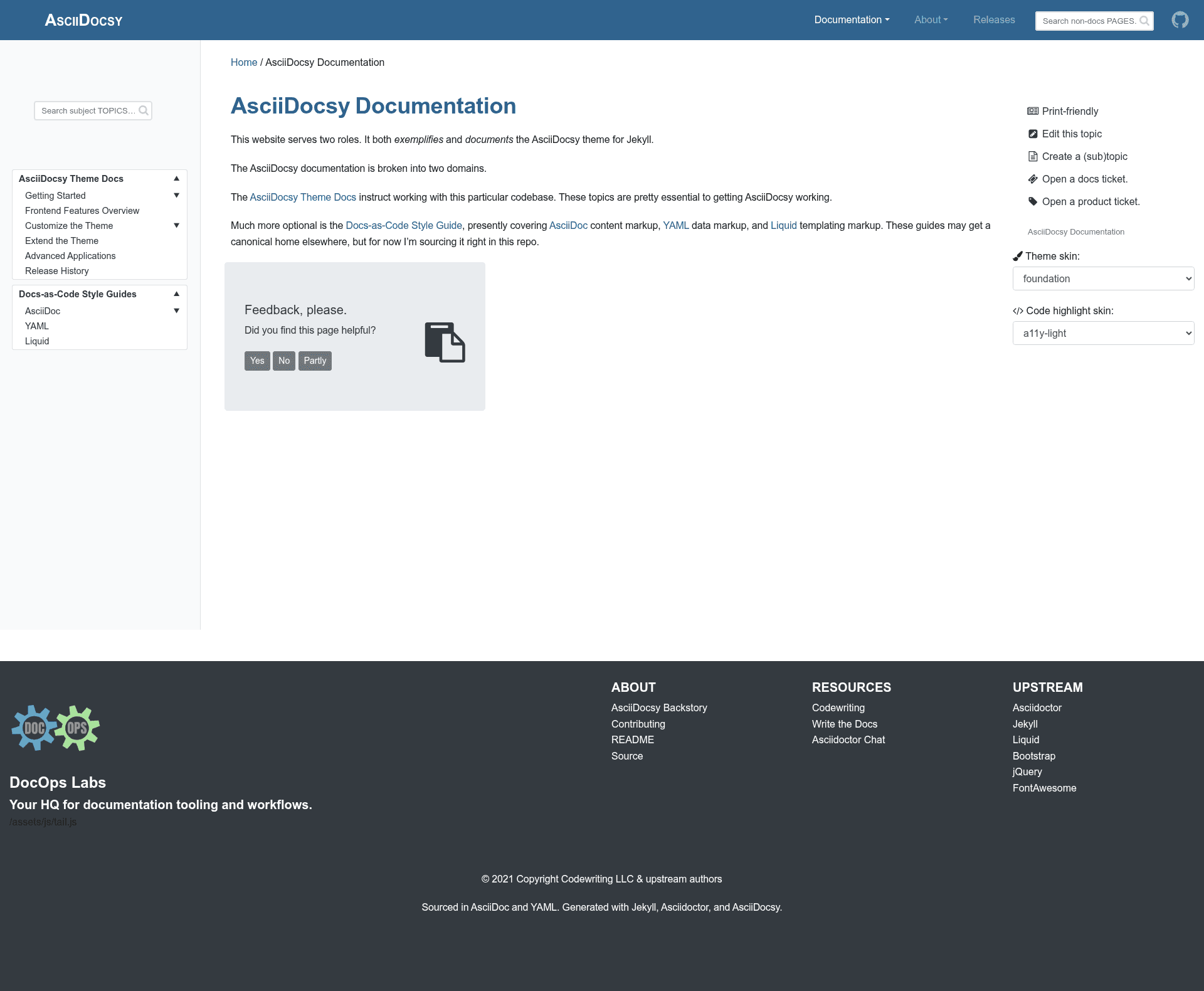
AsciiDocsy Jekyll Theme is an open-source Jekyll theme for technical documentation that adds native Asciidoctor support and Docsy-style features, distributed as a Ruby gem.
What is AsciiDocsy Jekyll Theme?
AsciiDocsy Jekyll Theme is a Jekyll theme that turns AsciiDoc source files into a documentation site with search, versioning, and release notes. It runs on Jekyll 4.0.0 or later with Ruby 2.4.0+, and as of version 0.3.0 it ships as a gem-formatted Jekyll plugin, so all core theme files live inside the gem while your application keeps only overrides. The theme is a port of the Docsy documentation theme and is developed by a technical documentation specialist, with a live demo hosted on Netlify at asciidocsy.netlify.app.
Key Features
- Asciidoctor integration — Built on the jekyll-asciidoc plugin with Asciidoctor styles and skins, so pages can be authored in AsciiDoc instead of Markdown.
- Algolia search — Includes a default search results page using instantsearch, multi-index configuration, and separate fields for site search and subject search; indexing is manual via
bundle exec jekyll algoliawith two index config files. - Versioning suite — Tabbed panes for switching content, toggles to show/hide blocks by class, token swaps for front-end variables, and an HTML DOM amender for altering HEAD elements.
- Data-file configuration — All theme features, settings, and strings are defined in
data-scoped YAML files, eliminating the need to edit templates for most customizations. - ReleaseHX — A release history template and data format for publishing structured release notes.
- Highlight.js syntax highlighting — Code highlighting with multiple syntax styles.
- Inline AsciiDoc semantics — Custom styling for semantic roles, glossary term popovers, and a "terms on this page" listing generated in JavaScript.
- Scrollspy page TOC — A table of contents that follows the reader's position in the page.
Who is it for?
- Technical writers — author documentation in AsciiDoc and publish through Jekyll without writing Liquid templates.
- Software companies — build scalable, multi-product documentation sites with versioning, search, and release notes out of the box.
- Jekyll developers — extend the theme by overriding gem files with local
_includes,_layouts,assets/css, and_datapaths.
What can you do with AsciiDocsy Jekyll Theme?
- Documentation sites — create full technical documentation sites from AsciiDoc files, complete with search, a sidebar TOC, and a landing page layout.
- Versioned product docs — use the versioning suite's tabbed panes and toggles to present different product versions inline.
- Release notes — use the ReleaseHX template to maintain a structured history of releases across versions.
- Glossary-heavy docs — leverage inline semantics and popovers to define terms directly in the page.
How does AsciiDocsy work?
After adding the gem to your Gemfile, install dependencies with Bundler and run a standard Jekyll build or serve command. The jekyll-asciidoc plugin processes AsciiDoc content into HTML, the Algolia index is updated by running bundle exec jekyll algolia with separate config files for pages and topics, and the demo/docs site automatically deploys to Netlify whenever a commit is merged to the main branch.
Alternatives
- Docsy — the Hugo-based documentation theme that AsciiDocsy ports to Jekyll; choose it if your site runs on Hugo rather than Jekyll.
FAQ
Is AsciiDocsy free?
Yes, the theme is open source. All incorporated third-party material is licensed under MIT or Apache 2.0, with the Navgoco jQuery menu component under the BSD-3-clause license. The repository includes a NOTICE file listing attributions.
What Ruby version do I need?
Jekyll 4.0.0 and the jekyll-asciidoc plugin both require Ruby 2.4.0 or later. The README recommends installing the latest stable release, for example Ruby 2.7.x or 3.0.x as of the theme's 0.3.0 release.
Does AsciiDocsy support Algolia search?
Yes, it bundles Algolia search with instantsearch, multi-index support, and separate site and subject search fields. Indexing is manual at present — you must run the jekyll algolia command with the appropriate config file — though the author plans to move it into a GitHub Action.
Can I customize the theme without editing template files?
Yes. As of version 0.2.0, theme configuration is data-file based; settings, strings, and feature configs live in YAML data files. For deeper changes, local files such as _includes/, _layouts/, and assets/css/ override the gem's defaults.
Is backward compatibility guaranteed before version 1.0?
No. Until version 1.0, backward compatibility is not guaranteed. The author intends to avoid breaking changes between major releases starting at 1.0, but the 1.0 roadmap includes significant refactors such as vendor-code integration and new templates.