Template details
Docsy Jekyll Theme
A Jekyll version of the beautiful Docsy!
About this template
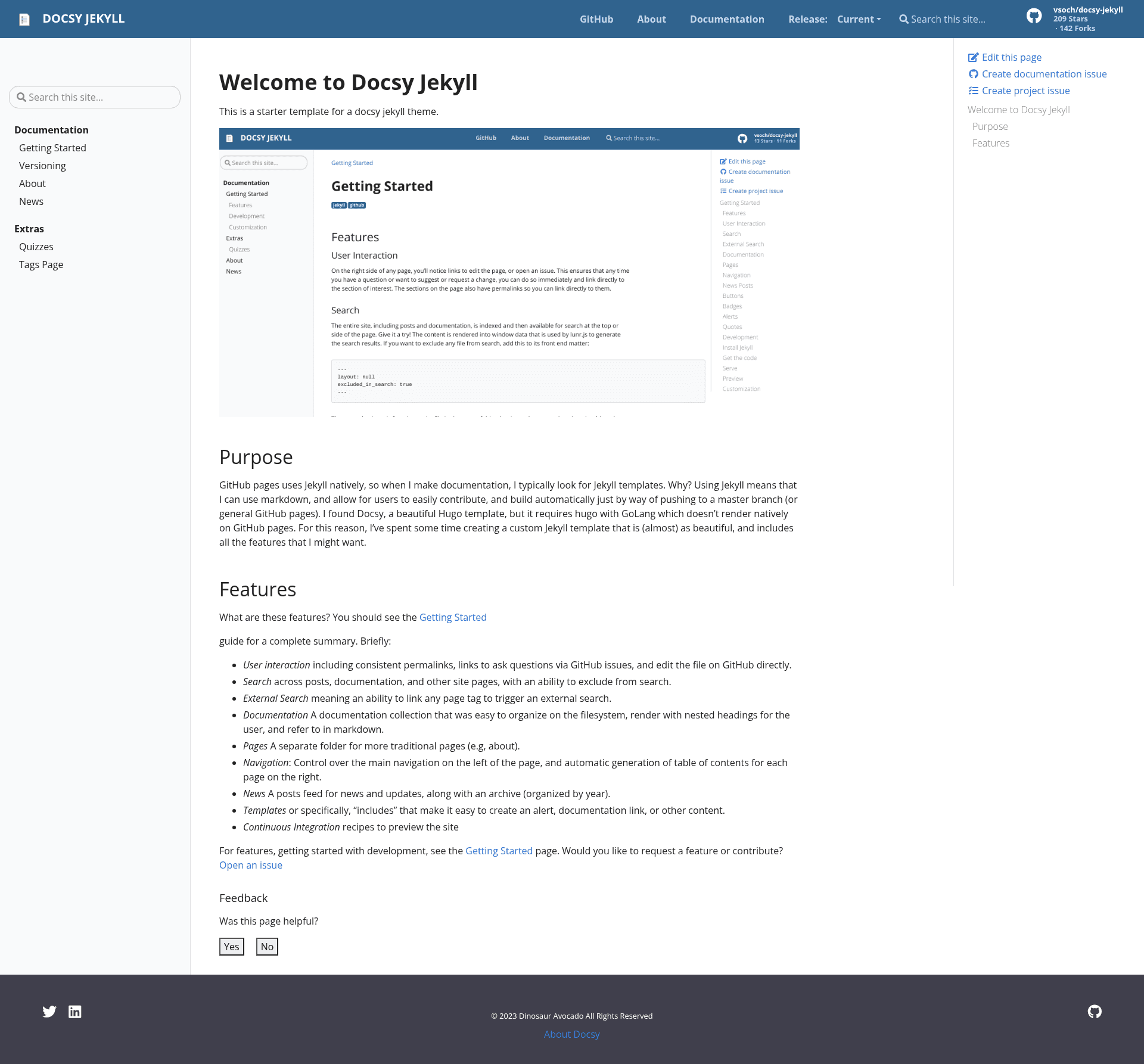
Docsy Jekyll Theme is a documentation starter template that reimplements Google's Docsy theme for Jekyll, giving you a static documentation site designed to deploy natively on GitHub Pages.
What is Docsy Jekyll Theme?
Docsy Jekyll Theme is a Jekyll port of the Docsy design originally built for Hugo, created by @vsoch. It produces a static documentation site from Jekyll markdown and configuration files, with the homepage landing directly on the Documentation view rather than a marketing banner. The template runs on Jekyll and is optimized for GitHub Pages, and it also ships with Docker Compose support for development and production.
Key Features
- Docsy design for Jekyll — The template brings the visual style and layout of Google's Docsy Hugo theme to the Jekyll ecosystem, so you get the same look without using Hugo.
- GitHub Pages native deployment — The project is intended for deployment on GitHub Pages; you can clone it, add your docs, and push to a Pages-enabled branch.
- Configurable navigation — Top navigation is controlled by
_data/navigation.yml, while the table of contents sidebar is managed via_data/toc.yml; page URLs are defined with thepermalinkattribute in each page's front matter. - Content folder structure — Pages live in the
pagesfolder, and the template includes a getting-started guide at/docs/getting-startedthat explains configuration options. - Docker container workflow — A
docker-compose.ymlfile uses thejekyll/jekyll:3.8image to run the site in dev or prod; for production, remove the./vendor/bundle:/usr/local/bundlevolume mount. - Blog post feed — Although the front page focuses on documentation, posts are still served through a feed, so blog content remains supported.
- Apache License — The original Apache License text from the upstream Docsy project is included with the repository.
Who is it for?
- Open source maintainers — Set up a documentation site for their project on GitHub Pages without configuring a separate static site generator.
- Teams already using Jekyll — Adopt the Docsy look while keeping Jekyll workflows such as
_config.ymland Liquid templates. - Developers who prefer lightweight docs — Use the Docker container to preview documentation locally or deploy it in a containerized environment.
Use cases
- Project documentation: Create a multi-page manual with sidebar navigation, permalinks, and a top nav bar for your software project.
- GitHub Pages hosting: Publish a docs site directly from a GitHub repository using Jekyll's built-in Pages support.
- Container-based documentation: Run the site via Docker and Docker Compose when you need an isolated dev environment or a reproducible production build.
How does it work?
Clone the repository to your docs directory, customize _config.yml, add pages to the pages folder, and update the navigation files. Then run jekyll serve (or bundle exec jekyll serve) to serve locally, or docker-compose up -d to start the container at http://localhost:4000.
Pricing
The template is free and open source under the Apache License, matching the license of the original Docsy theme.
Alternatives
- Docsy — The original Hugo theme that this project ports to Jekyll.
- Just the Docs — A Jekyll documentation theme with a different, simpler layout.
FAQ
Is Docsy Jekyll free?
Yes, the repository is released under the Apache License, so you can use, modify, and distribute it freely.
Does it work on GitHub Pages?
It is designed for native deployment on GitHub Pages. The project structure and configuration are set up so you can clone the repo, adjust baseurl as needed, and push to GitHub Pages.
How do I run it locally?
After cloning, run jekyll serve or bundle exec jekyll serve from the project directory. If you get a LoadError about webrick, add the gem with bundle add webrick.
How do I run it with Docker?
Make sure Docker and Docker Compose are installed, then run docker-compose up -d. Open http://localhost:4000 in your browser to see the site. Remove the bundle volume mount for production.
Can I still post blog content?
Yes, posts are provided via a feed even though the homepage goes directly to the Documentation view. Jekyll's normal post workflow in the _posts folder applies.