Template details
Astro Blog
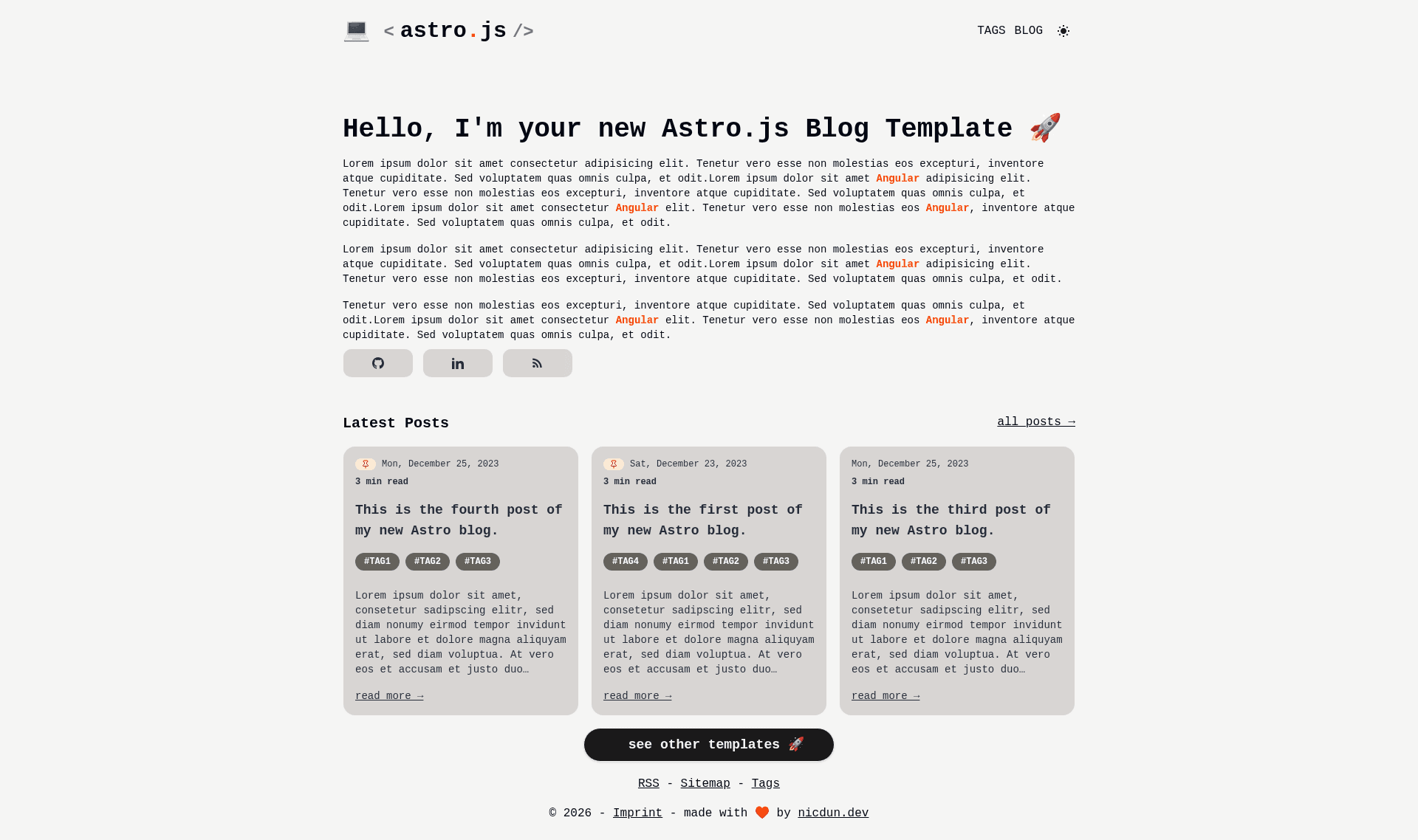
Crisp, minimalistic personal blog theme built with Astro.js and TailwindCSS.
About this template
Astro Blog is a minimalistic personal blog theme built on Astro.js v5 and Tailwind CSS that generates a static, SEO-optimized blog from Markdown files.
What is Astro Blog?
Astro Blog is a starter kit for building a personal blog with Astro.js v5 and Tailwind CSS. It takes Markdown or Astro files placed in src/pages/ and builds them into a static site in ./dist/ when you run npm run build. The template is maintained by nicdun on GitHub under the astro-tech-blog repository and comes preconfigured with RSS, sitemap, syntax highlighting, and Vercel analytics.
Key Features
- Astro.js v5 — Built on Astro 5, the template is 100% Astro-only, with React preinstalled via
@astrojs/react; you can swap in Vue, Svelte, or Preact components insrc/components/. - Tailwind CSS — Uses
@astrojs/tailwindfor a responsive, utility-first styling system. - RSS feed support —
@astrojs/rssgenerates an RSS feed for your posts automatically. - Markdown compatibility — Write posts as Markdown or
.astrofiles; each file insrc/pages/becomes a route. - Syntax highlighting —
rehype-pretty-coderenders readable code blocks, useful for tech tutorials. - SEO-optimized —
@astrojs/sitemapgenerates a sitemap for search engine visibility. - Vercel deployment and analytics — Preconfigured with
@vercel/analytics; deploy directly to Vercel. - Local dev server —
npm run devstarts a development server atlocalhost:3000.
Who is it for?
- Personal bloggers — Publish Markdown posts and get a fast, minimal blog with an RSS feed and sitemap, no database or server needed.
- Developers — Use it as a starter kit to build a custom blog or portfolio; components are plain Astro/React/Vue/Svelte/Preact files you can edit freely.
- Tech writers — The built-in syntax highlighting made by rehype-pretty-code makes code-heavy tutorial posts easy to read.
What can you do with Astro Blog?
- Software developers: publish code tutorials with highlighted snippets and share them via the auto-generated RSS feed.
- Indie hackers: deploy the static site to Vercel with web analytics already wired in, without managing a CMS or backend.
- Designers: customize the Tailwind-styled layout and typography to match a personal brand, then rebuild in minutes.
How does Astro Blog work?
After cloning the repository, run npm install and then npm run dev to launch the local server at localhost:3000. Add Markdown or .astro files to src/pages/ — each file becomes a page at a route matching its filename. Run npm run build to output the production site to ./dist/, and use npm run preview to test the build locally before deploying.
FAQ
Is Astro Blog free?
Yes, the template is open source and hosted on GitHub. You can file issues, submit pull requests, and start discussions to contribute; the author also accepts support through Buy Me a Coffee.
How do I create a new blog post?
Create a new Markdown file in src/pages/ with your post content. Astro will pick it up as a route based on the filename, so no separate content management system is required.
Can I use a different JavaScript framework?
The template ships 100% Astro-only with React preinstalled. Astro supports Vue, Svelte, and Preact components in src/components/, so you can add those frameworks instead of React.
Does the template include SEO and RSS?
Yes, it includes @astrojs/rss for RSS feeds and @astrojs/sitemap for sitemap generation, which covers search-engine visibility and feed subscriptions.
Where can I deploy this blog?
The repository is preconfigured for Vercel, including @vercel/analytics for web analytics. Since the build output is static, you can deploy it to any static hosting service.