Template details
Plain Webcomic
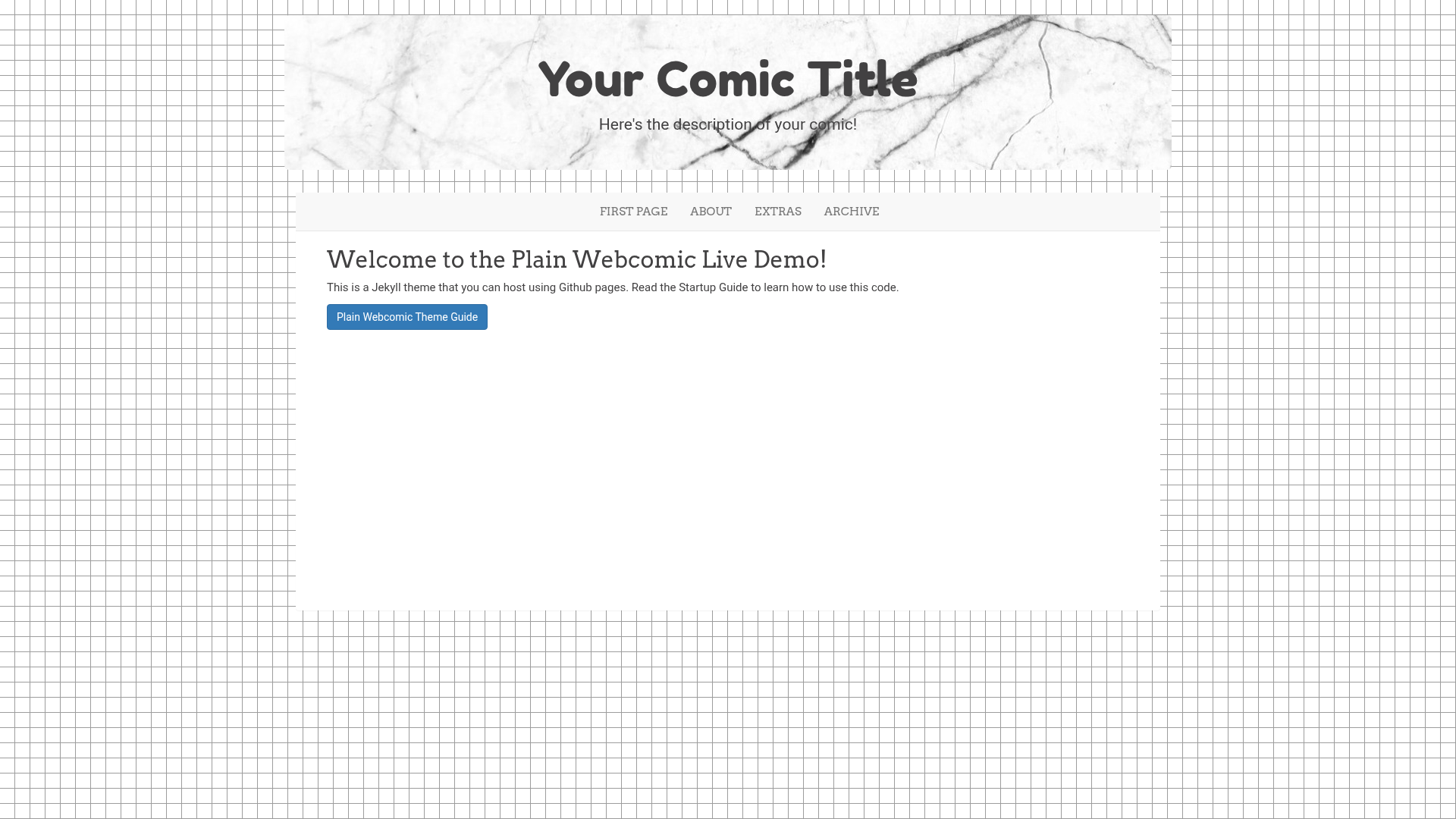
A simple, free webcomic theme for Jekyll built with Bootstrap, aimed at artists with little coding experience.
About this template
Plain Webcomic is a free Jekyll theme that turns a static site generator into a webcomic hosting platform, built on Bootstrap for responsive styling.
What is Plain Webcomic?
Plain Webcomic is a Jekyll theme specifically designed for hosting webcomics on static sites. It accepts comic pages and site content organized in Jekyll's file structure and outputs a complete, browsable website that visitors can read without a database or server-side application. The theme is built on Bootstrap, uses Jekyll as the static site generator, and is distributed as a GitHub repository with a linked user guide.
Key Features
- Jekyll-based — The theme runs on Jekyll, so the final site compiles to static HTML and can be hosted on any static host, including GitHub Pages.
- Bootstrap styling — The layout uses Bootstrap components for a responsive, mobile-friendly reading experience.
- Beginner-friendly — The setup is aimed at artists with little or no coding experience; instructions walk through installing Jekyll with RubyGems, downloading the directory, and running
jekyll serve. - GitHub Pages publishing — A guide to pushing the built site to GitHub Pages is included, making live hosting a command-line exercise.
- Local preview — You can preview the entire comic locally at
http://127.0.0.1:4000by runningjekyll serve. - Free to use — The theme is offered free, and the repository is publicly accessible for download.
Who is it for?
- Webcomic artists who want a free, self-hosted home for their comics without learning web development.
- Beginners who need a step-by-step path from empty folder to live site, with a dedicated how-to guide for adding content.
- Static site enthusiasts who prefer Jekyll workflow and want a ready-made theme instead of building a comic layout from scratch.
What can you do with Plain Webcomic?
- Publish comics: Add your comic strips or pages as content files and the theme renders them in a webcomic layout.
- Preview locally: Run
jekyll serveand open your browser to see the site before it goes live. - Deploy for free: Push the code to a GitHub repository and enable GitHub Pages to make the comic public.
How does Plain Webcomic work?
- Install Ruby and Jekyll on your computer using RubyGems.
- Download the theme directory and navigate to it in Terminal.
- Run
jekyll serveand view the site athttp://127.0.0.1:4000. - Add your comic content by following the how-to page.
- Push the directory to GitHub Pages to publish.
FAQ
Is Plain Webcomic free?
Yes, the theme is offered free. The repository is publicly available, and there are no licensing or payment requirements mentioned.
Do I need to know how to code to use it?
No. The theme was created for artists with little or no coding experience. The main steps are installing Jekyll, downloading the files, and running a few terminal commands.
Can I host it on GitHub Pages?
Yes. The setup instructions explicitly recommend GitHub Pages for going live and point to GitHub's official publishing guide.