Template details
Astro Cactus
A simple opinionated Astro starter for creating an easy-to-use blog or website.
About this template
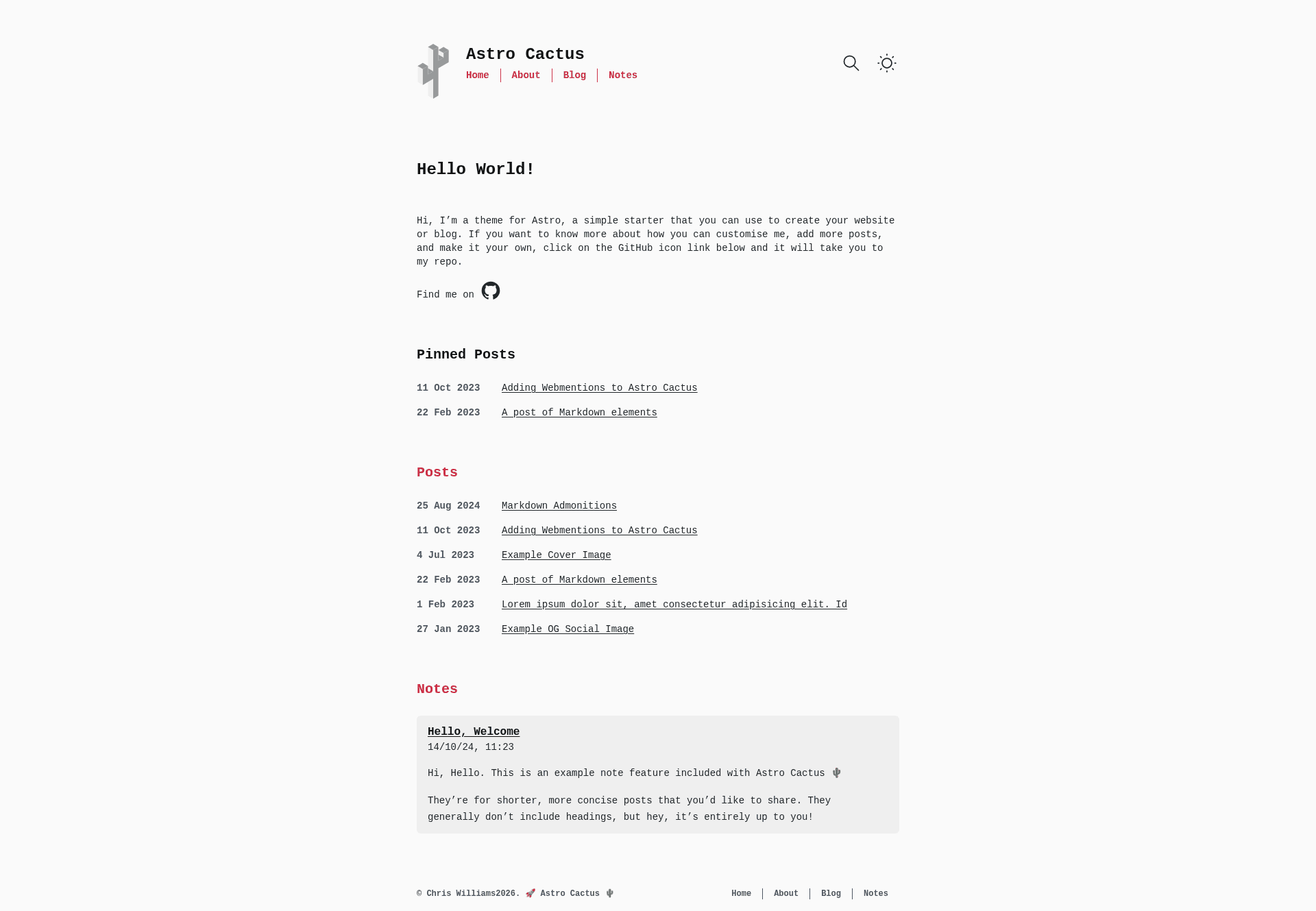
Astro Cactus is an Astro starter theme for building blogs and simple websites with Markdown and MDX content. It outputs a static, SEO-friendly site with automatic RSS, sitemap, robots.txt, and web app manifest generation.
What is Astro Cactus?
Astro Cactus is an opinionated starter created by Chris Williams, built on Astro v6. It takes Markdown or MDX files placed in src/content/post and src/content/note and generates a complete blog or website with tag pages and Open Graph images. The theme uses static output by default, so it deploys to Netlify, Vercel, Cloudflare Pages, or any static host without adding an adapter.
Key Features
- Astro v6 — the starter runs on the latest Astro release and uses static output with prerendered pages.
- Tailwind CSS v4 — styling is handled by Tailwind, with light and dark modes and a customizable theme in
src/styles/global.css. - Markdown & MDX — content collections in
src/content/postandsrc/content/notesupport .md and .mdx files, including Astro admonitions. - Satori OG images — the theme generates open graph PNG images for every post automatically via Satori, with an optional
ogImagefrontmatter property to override. - Pagefind search — a static full-text search library indexes posts and notes through a postbuild script, with tag filtering.
- Webmentions — built-in support for webmention.io so you can display reactions on your posts.
- Expressive Code — code blocks and syntax highlighting use Expressive Code with dark (dracula) and light (github-light) themes.
- Auto-generated files — sitemap, robots.txt, web app manifest, and RSS feeds are created from your content.
Who is it for?
Astro Cactus suits developers who want a fast, minimal blog starter with opinionated defaults. Personal bloggers can publish Markdown posts and notes without touching configuration beyond src/site.config.ts. Technical writers can use MDX for interactive examples and code blocks. Portfolio owners can adapt the blog layout and tag pages to present projects. Anyone needing static search can add Pagefind, which only requires running the included postbuild command.
Use cases
- Personal bloggers: create a blog with light/dark mode, RSS, and SEO meta by adding .md files to the post collection.
- Technical writers: write MDX posts with admonitions and Expressive Code highlighted code blocks, then get auto-generated OG images for social sharing.
- Portfolio sites: replace the social links in
SocialList.astroand use the tag system to organize projects by category. - Self-hosted search: run
pnpm build && pnpm postbuildto generate a static Pagefind index that filters posts by tags.
How does Astro Cactus work?
The template uses Content Collections with a schema in src/content.config.ts to type-check frontmatter for posts, notes, and tags. You create .md or .mdx files in the post or note folders; the filename becomes the slug. Run pnpm dev for local development, pnpm build to output to ./dist/, and pnpm postbuild to build the Pagefind index. Configuration lives mainly in src/site.config.ts, where you set your domain and choose date locale.
Alternatives
Astro Cactus is inspired by Hexo Theme Cactus, a blog theme for the Hexo static site generator. Unlike Hexo Cactus, Astro Cactus runs on Astro v6 and includes Tailwind CSS, Satori OG images, and Pagefind search out of the box.
FAQ
Is Astro Cactus free?
Yes, the theme is open source under the MIT license, and you can create a repository from the template via GitHub's "Use this template" feature.
How do I add a new post?
Add a Markdown or MDX file to src/content/post with required frontmatter: title, description (50 to 160 characters), and publishDate in ISO 8601 format. The filename becomes the slug, and tag pages are generated automatically for any tags you add.
Does Astro Cactus support MDX?
Yes, both Markdown and MDX are supported for posts and notes. MDX enables interactive components and Astro's MDX-only features, such as admonitions.
What deployment platforms work?
Because the theme uses static output, it works on Netlify and Vercel (with one-click deploy buttons available), plus any static host. Cloudflare Workers requires a Wrangler configuration file for the OG image endpoints, and subdirectory deployments are not supported out of the box.
Does the template include analytics?
No analytics provider is bundled. The theme leaves the head tag in Base.astro and BaseHead.astro open so you can add your own snippet from Vercel, Netlify, or Cloudflare Web Analytics.