Template details
Charm
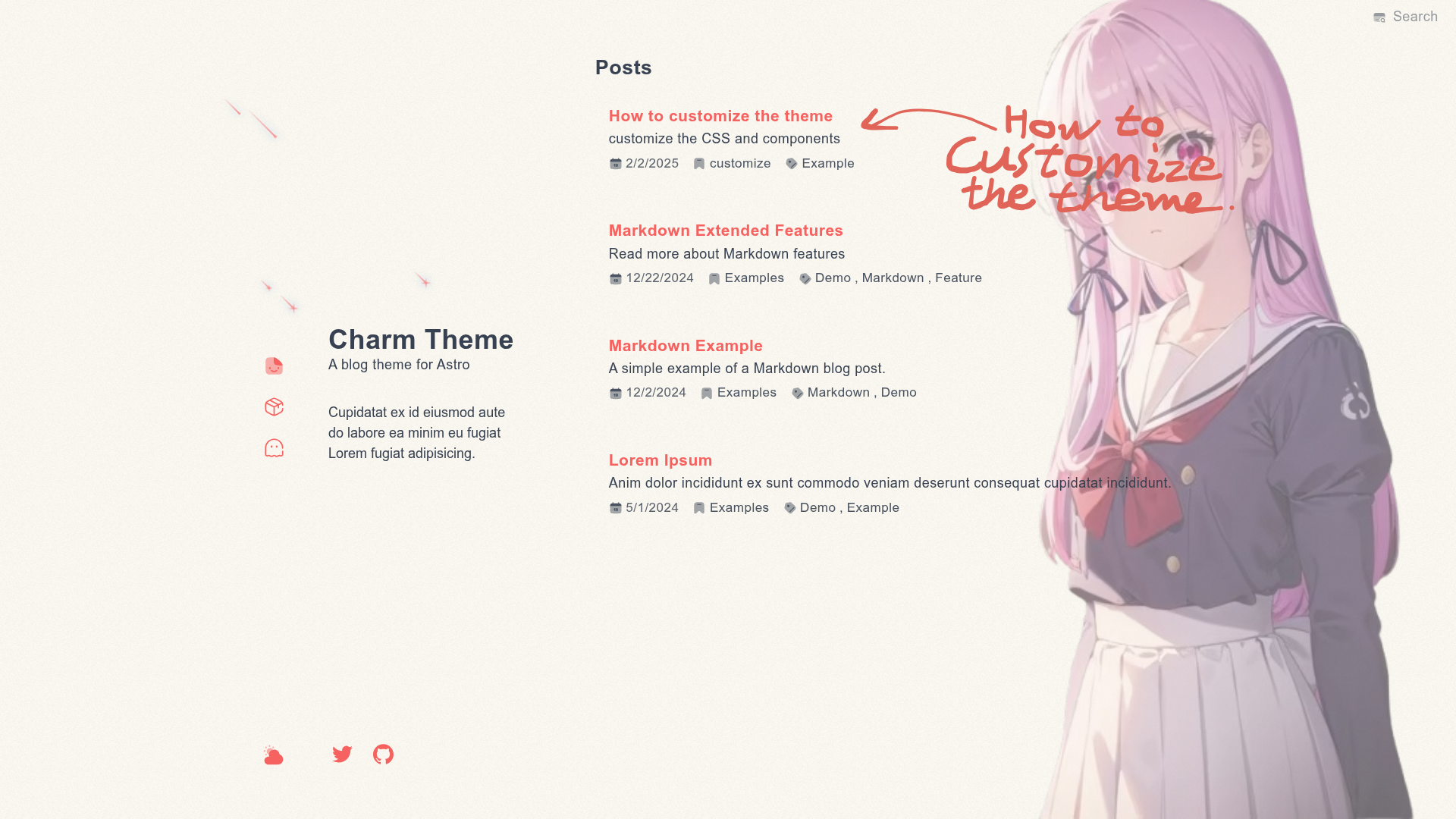
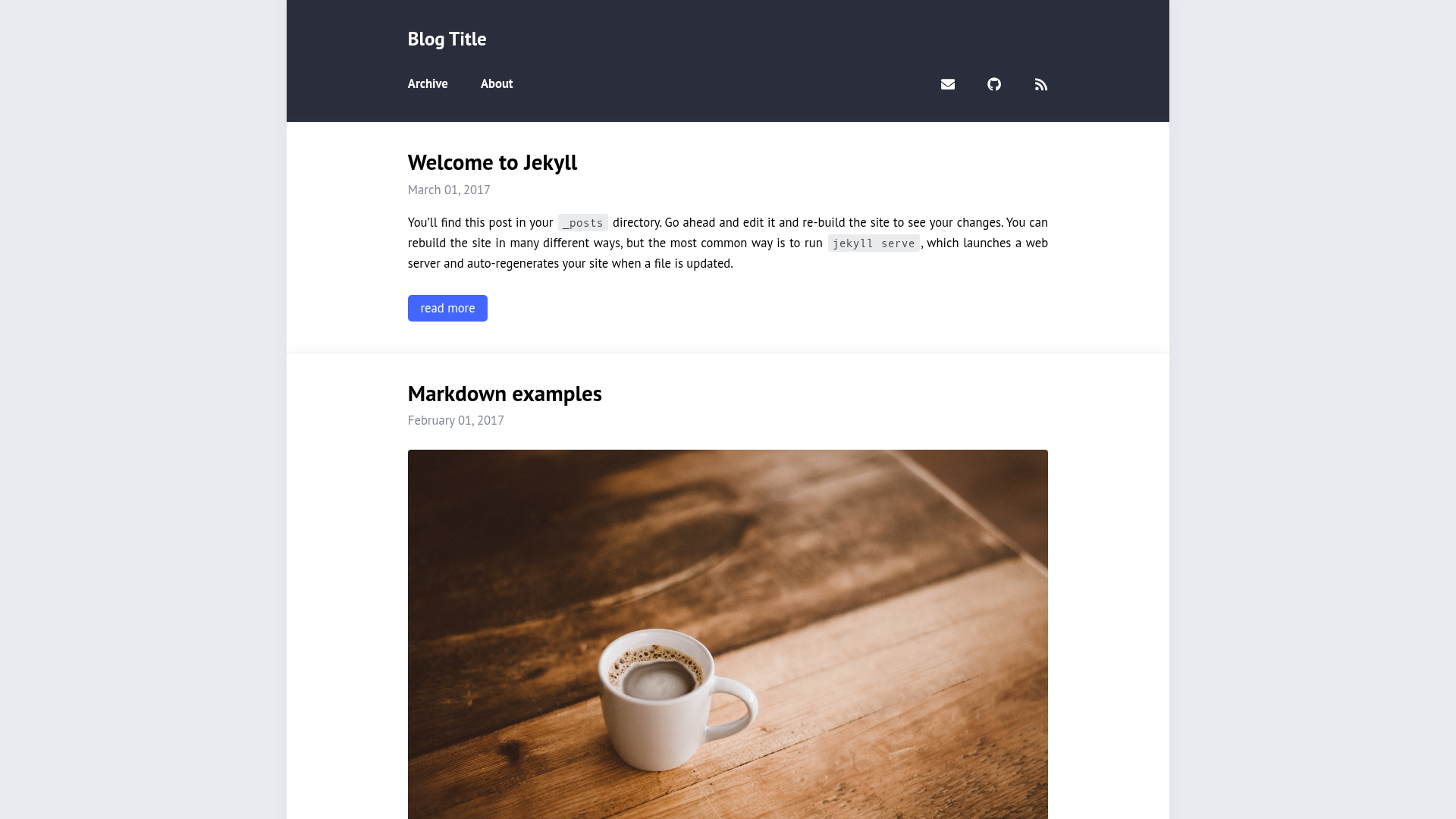
Beautiful, simple and easy-to-use blog theme for Astro v5 with dark mode, search, giscus comments, and RSS.
About this template
Charm is an open-source blog theme for Astro v5, distributed as the astro-charm integration, that turns a folder of Markdown posts into a fast static blog with search, dark mode, category and tag pages, RSS, sitemap, and GitHub-backed comments.
What is Charm?
Charm is a blog theme built as an Astro integration for Astro v5. It takes Markdown content from an Astro project's content collection and generates a static blog site with built-in category and tag listing pages, a light/dark mode toggle, client-side search, and RSS and sitemap support. The theme is created by Yuhanawa, hosted on GitHub, and has a live demo deployed on Vercel.
Key Features
- Astro v5 integration — Installed via
pnpm astro add astro-charmor by creating a new project withpnpm create astro-theme@latest use astro-charm. - Category and tag pages — Automatically generated from the taxonomy in your Markdown frontmatter, with dedicated listing pages for each term.
- Dark mode — Toggleable light and dark themes, with separate giscus comment themes for each mode.
- Built-in search — Client-side search across all posts, requiring no external search service.
- PageSpeed score of 100 — The live demo reported a perfect PageSpeed score as of December 29, 2024.
- Code block enhancements — Optional Twoslash support for TypeScript examples and colorized brackets, activated by explicit triggers such as
twoslashorcolorize-bracketsin code fence info strings. - giscus comments — GitHub Discussions–based comment system configured with repository, category, mapping, reactions, and input position options.
- SEO, sitemap, and RSS — Includes Google Analytics support, automatic sitemap generation, and an RSS feed, all requiring the
siteURL inastro.config.ts.
Who is it for?
- Astro developers — Set up a personal blog in minutes without hand-coding layouts, SEO tags, or feed generation.
- Technical writers — Publish Markdown tutorials with Twoslash-powered TypeScript snippets and an auto-generated table of contents.
- Performance-conscious bloggers — Get near-perfect PageSpeed scores from a lightweight static theme with minimal JavaScript.
What can you do with Charm?
- Launch a new blog — Run the one-line project creation command, add Markdown files with
titleandpublishedfrontmatter, and deploy the generated static site. - Customize the theme — Adjust the config schema in
astro.config.tsfor language, title, description, sidebar bio, navigation links, font behavior, and TOC settings. - Add GitHub-powered comments — Connect a GitHub repository through the giscus configuration to let readers leave Discussion-based comments on your posts.
- Track and syndicate — Enable Google Analytics by adding your ID, and publish RSS and sitemap automatically.
How does Charm work?
After installation, Charm registers an Astro integration that reads your site config and Markdown content collections. You add the provided collections from astro-charm/content to your project's src/content.config.ts, and you must set site in astro.config.ts for sitemap and RSS. The theme then generates static pages from posts in src/content/posts/.
FAQ
Is Charm free?
Yes. The theme is publicly available on the GitHub repository, contributions and pull requests are welcome, and there are no paid tiers mentioned.
How do I install Charm?
Create a new project with pnpm create astro-theme@latest use astro-charm, or add it to an existing Astro project with pnpm astro add astro-charm and merge the collection config as shown in the README.
How do I add comments to my blog?
Charm uses giscus, which relies on GitHub Discussions. You must provide the repository name, repository ID, category, and category ID in the giscus config object. The theme then injects the comment widget into each post.
What frontmatter do my posts need?
Each Markdown post needs at least a title and a published date. Posts are stored in src/content/posts/, and the theme provides the collection schema through astro-charm/content.
Can I customize the theme's appearance?
Yes, the config schema supports options for language, title, description, sidebar title and bio, navigation and footer icons, font mode (including auto and disabled), TOC depth and minimum length, and a shooting star animation toggle.