Template details
Hugo Contrast
Minimalistic Hugo theme adapted from the Contrast Jekyll theme, featuring configurable menus and excerpt toggles.
About this template
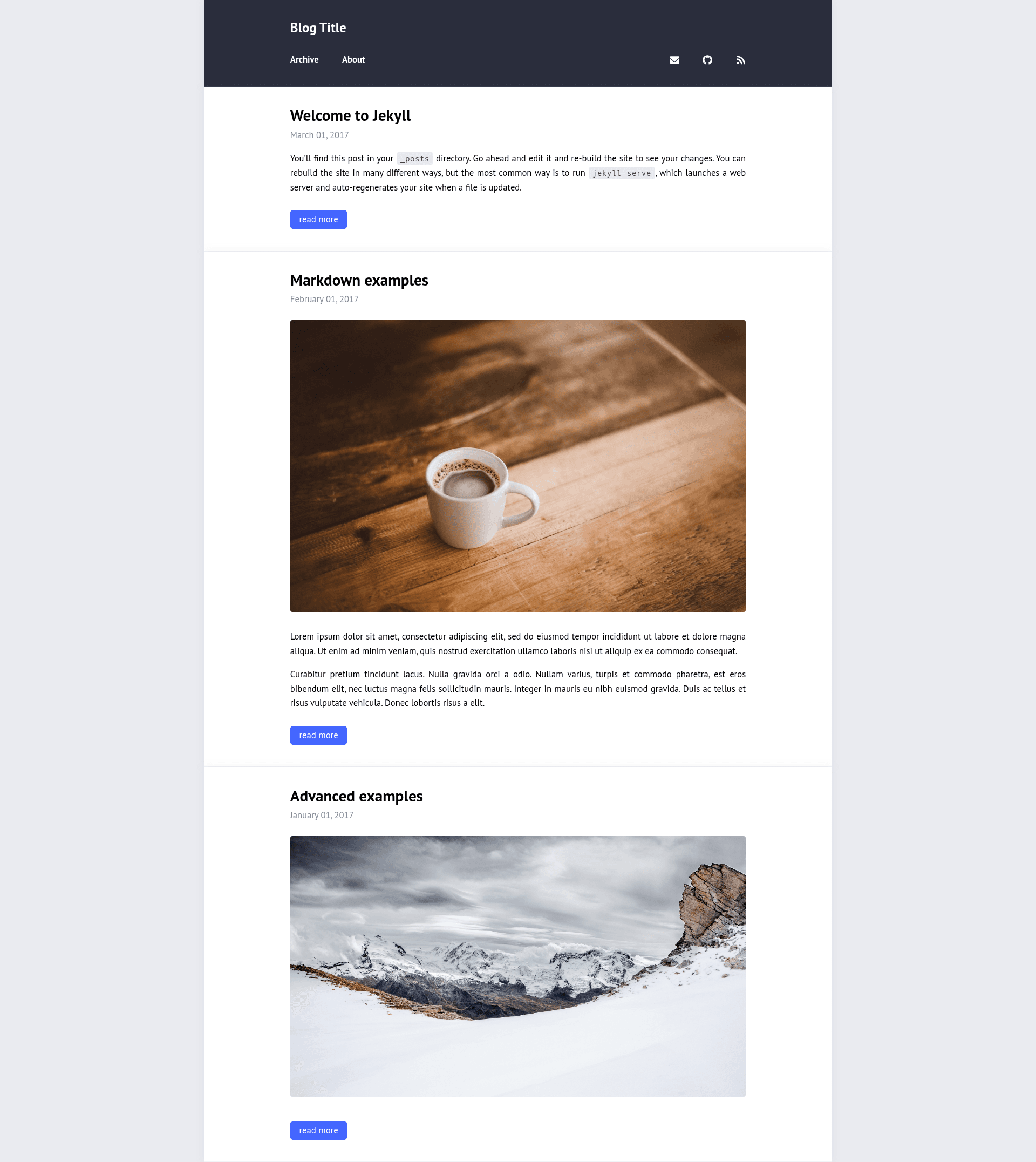
Hugo Contrast is a minimalistic Hugo theme that adapts the Contrast Jekyll theme by Niklas Buschmann into a Hugo static site generator template for lightweight blogs.
What is Hugo Contrast?
Hugo Contrast is a minimalistic Hugo theme adapted from the Contrast Jekyll theme, available from the GitHub account niklasbuschmann at github.com/niklasbuschmann/contrast-hugo. It takes Hugo site content — markdown posts, menu definitions, and YAML configuration — and generates a static blog with a simple, content-first layout. The theme is distributed as a repository and is installed by cloning it into the themes/ directory of a Hugo project, then declaring it in hugo.yaml.
Key Features
- Minimalistic layout — The design is centered on readable text with no sidebars or visual decoration.
- Excerpts toggle — Set
params.excerptstofalseinhugo.yamlto show full posts on the index page, or leave it unset for excerpt-style summaries. - Configurable main menu — Define navigation links such as Home and About through
menu.mainentries with name, URL, and weight values. - Social menu — Add social icons for Mail, GitHub, and RSS via
menu.social, using anidentifierkey to select the icon and a weight for ordering. - RSS support — A subscribe link can point to
/index.xml, giving visitors a feed of your posts. - No build dependencies — The theme relies only on Hugo itself; there is no npm, webpack, or JavaScript framework required.
Who should use Hugo Contrast?
Hugo users who want a minimal blogging setup with minimal configuration will find the theme straightforward. Bloggers migrating from Jekyll can get a similar look to Contrast Jekyll while moving to Hugo. Developers who like to customize their theme can clone the repository and edit the templates directly since the codebase is small.
What can you do with Hugo Contrast?
- Publish a personal blog — Set up a homepage and an about page using the main menu, and offer RSS subscription to readers.
- Link your online profiles — Add email, GitHub, and RSS icons to the header so visitors can reach you or follow your content.
- Control post display — Toggle the excerpts parameter to choose between full-text front page and excerpt lists.
How does Hugo Contrast work?
Installation follows a two-step process. First, clone the repository into the themes/ directory: git clone https://github.com/niklasbuschmann/contrast-hugo.git. Second, add theme: "contrast-hugo" to hugo.yaml and configure menus as needed. The example configuration shows menu.main with Home and About entries and menu.social with Mail, Github, and Subscribe.