Template details
Astro Church
Free, open-source Astro theme for church websites with sermon management, blog, Google Calendar, and newsletter features.
About this template
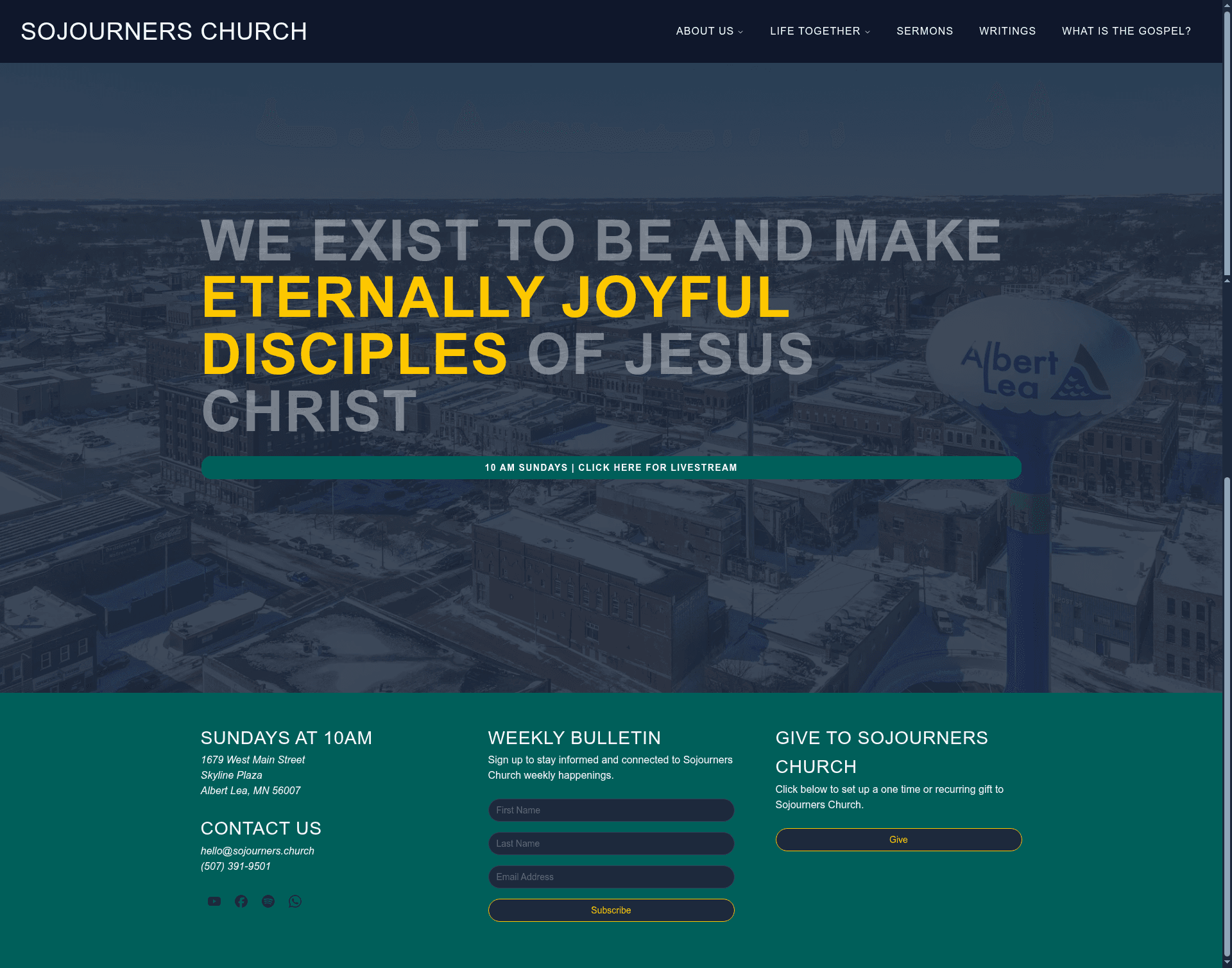
Astro Church is a free, open-source website theme for Astro that gives churches a high-performance site with a built-in sermon library, event calendar, blog, and newsletter signup in one starter template.
What is Astro Church?
Astro Church is a starter theme built on the Astro framework and created by Tyler Mykkanen. It generates a complete church website from local Markdown files and a single settings file, producing a static site that includes sermon management, a blog, an event calendar, and custom pages. The theme is distributed under the MIT License, is free for personal and commercial use, and includes a low-code setup guide so non-developers can configure it without writing code.
What makes Astro Church stand out?
- Sermon management library — a built-in sermon archive with search by title or Scripture reference, filtering by series or preacher, and audio/video embedding from Spotify or YouTube on sermon pages.
- Markdown-based content — all sermons, blog posts, and pages are stored as local Markdown files, so churches own their data without a database.
- Google Calendar integration — live sync of church events onto the site.
- Newsletter subscription form — powered by Resend for email signups.
- Integrated blog engine — publish updates, devotionals, and news through a full blogging workflow.
- Custom pages — add About Us, Leadership, Beliefs, or Location pages via a settings file.
- Themeable design — colors can be adjusted to match branding; the UI uses Tailwind CSS and shadcn/ui components.
- Modern tech stack — built with Astro, React, TailwindCSS, shadcn/ui, Tanstack Form, and Resend, and deployable to Netlify.
Who should use Astro Church?
- Church staff and pastors — launch a professional website without hiring a developer, using the low-code configuration guide and the live demo at sojourners.church.
- Ministry volunteers — manage the sermon archive, embed audio/video from Spotify or YouTube, and keep the event calendar current through Google Calendar.
- Small to mid-size churches — replace generic website platforms with an open-source site they fully own, with no monthly tool fees beyond hosting.
What can you do with Astro Church?
- Publish and organize sermons — add Markdown files for each message, and visitors can search by title or Scripture reference and filter by series or preacher.
- Broadcast events — connect a Google Calendar to automatically display church events on the site.
- Build a blog and newsletter — write posts as Markdown files and collect email subscribers with the Resend-powered form.
- Customize the site — edit a settings file to change colors, add pages, and configure integrations without touching code.
How does Astro Church work?
Create a new project with npm create astro@latest -- --template tmykkanen/astro-church, copy the example environment file, edit it with your church information, and run npm run dev to see the site locally at localhost:4321. The theme reads all content from local Markdown files and an .env configuration, so there is no database to manage.
Pricing
Astro Church is completely free and open source under the MIT License, with no licenses, subscriptions, or hidden costs. It is free for personal and commercial use.
FAQ
Is Astro Church really free?
Yes. The theme is released under the MIT License, so it is free for personal and commercial use with no licenses, subscriptions, or hidden costs. Attribution is not required, though a link back to the repository is appreciated.
Do I need coding experience to use Astro Church?
No. The project includes a low-code setup guide, and everything is configured through a settings file. You do need to run a few npm commands in a terminal to install and start the site, but no custom coding is required for standard use.
What integrations does Astro Church include?
It includes Google Calendar integration for events, a newsletter form powered by Resend, and sermon audio/video embedding from Spotify and YouTube. The site is built to deploy to Netlify and uses Tanstack Form for its forms.