Template details
Astro Fox
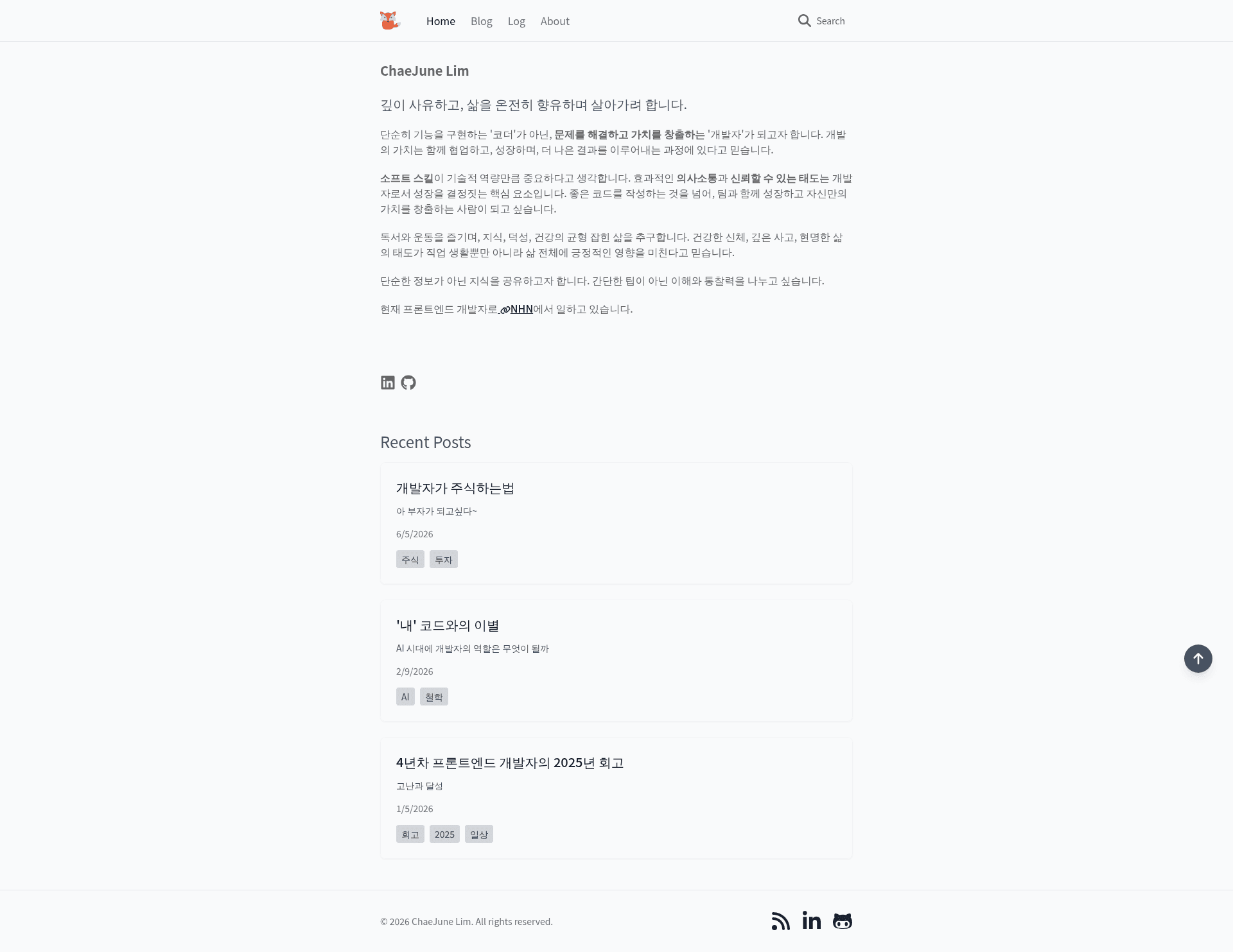
Astro Fox is a fast, lightweight Astro template generator for blogs and portfolios, with CLI tools and built-in SEO, search, and RSS.
About this template
Astro Fox is a fast, lightweight Astro template for building blogs and portfolios, shipped with a CLI generator that scaffolds a complete project and creates content entries from the terminal. It runs on the Astro static site generator, uses TailwindCSS for styling, and renders interactive components with SolidJS.
What is Astro Fox?
Astro Fox is an open-source template generator based on Astro's SSG model. Running astro-fox init my-blog produces a project with source folders for blog, log, and project content, plus pages for the home page, blog list and detail, log list and detail, project list and detail, and an about page. The output is a static website that deploys to Vercel, Netlify, or Cloudflare Pages. The project is maintained by LimChaeJune and released under the MIT license.
Key Features
- CLI Generator — Commands include
astro-fox initfor scaffolding,astro-fox blogfor posts,astro-fox logfor log entries, andastro-fox projectsfor project pages, each accepting flags for description, tags, company, and dates. - Perfect Lighthouse Score — The template reports 100/100 in Performance, Accessibility, Best Practices, and SEO.
- SEO Optimized — Includes meta tags, Open Graph support, sitemaps, and an automatically generated RSS feed.
- Dark/Light Mode — Automatically detects system theme and provides a manual toggle, styled through TailwindCSS.
- Integrated Search — Uses Pagefind for fast, static content search.
- Markdown and MDX Content — Blog, log, and project entries live in
src/contentwith a frontmatter schema defined insrc/content/config.tsvia Astro's Content Collections API. - Modular SolidJS Components — Interactive UI pieces are organized into blog, log, project, common, and about components.
- Responsive and Animated — Layout adapts to all devices with smooth transition effects.
Who should use Astro Fox?
- Developers: Scaffold a content site in one command with
astro-fox init, then customize the Tailwind config and content collections. - Bloggers and technical writers: Author posts in Markdown or MDX with required frontmatter (title, summary, date, tags, categories) and get RSS, search, and SEO out of the box.
- Freelancers and job seekers: Build a portfolio with project showcase pages and an about page, deployable to static hosting without servers.
Use cases
- Personal blogging: Generate a site, then add posts with
astro-fox blog "My New Post" -d "A short description" -t "tag1,tag2"and publish with RSS and search enabled. - Project portfolio: Use
astro-fox projects "Project Alpha" -c "MyCompany" -s "2024-01-01" -e "2024-12-31"to create dated project entries with detail pages. - Activity logging: Record daily notes with
astro-fox log "Daily Log" -d "What I did today" -t "work,learning"and view them on a dedicated log page.
How does Astro Fox work?
There are two setup paths. You can install the CLI globally with npm install -g @cj.lim/astro-fox and run astro-fox init project-name, or you can clone the GitHub repository and install dependencies with pnpm. Both lead to a local dev server via pnpm run dev, production builds with pnpm run build, and static deployment to Vercel, Netlify, or Cloudflare Pages. Additional scripts handle preview, ESLint, and Prettier.
FAQ
Is Astro Fox free?
Yes, Astro Fox is open source under the MIT license, so it is free to use, modify, and distribute. The source is public on GitHub and accepts pull requests.
What frontmatter does a blog post require?
Posts in src/content/blog need title, summary, date, tags, and categories. Optional fields are image and draft. The schema is enforced by Astro's Content Collections in src/content/config.ts.
Which package manager should I use?
The template defaults to pnpm but supports npm and yarn. The available scripts for dev, build, and preview are the same no matter which manager you choose.
Can I deploy Astro Fox to multiple hosts?
Because it is a static site generator, output can be deployed to Vercel, Netlify, or Cloudflare Pages by connecting a Git repo or uploading the build folder.
How do I change the design?
Edit tailwind.config.mjs to adjust colors, fonts, and design tokens, and replace public/favicon.svg for the favicon. The astro.config.mjs file controls the site URL and build format, including format: "file" and inlineStylesheets: "auto".
Alternatives
- Astro Sphere — The theme that inspired Astro Fox; it focuses on a minimal blog aesthetic but does not offer a CLI content generator.