Template details
Goyangin
Simple Hexo theme with Bulma Framework CSS.
About this template
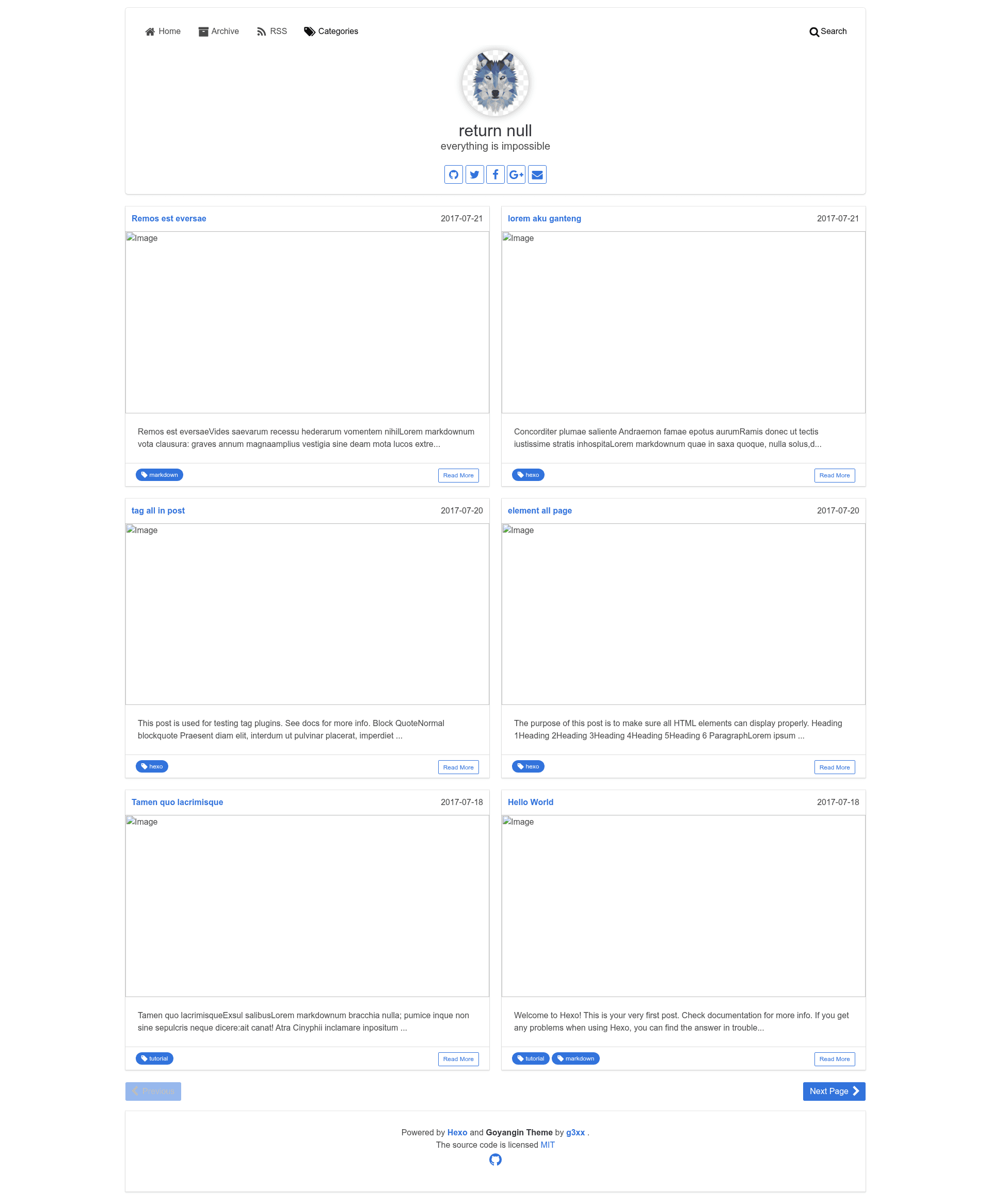
Goyangin is a minimal, responsive Hexo theme built on the Bulma CSS framework that uses post tags instead of categories for organizing content.
What is Goyangin?
Goyangin is a theme for the Hexo static site generator that turns Markdown posts into a fast, responsive blog. It reads posts with YAML front matter and outputs a two-column grid of article cards with thumbnails. The theme is authored by g3xx and distributed on GitHub under the MIT license.
The theme configuration lives in a _config.yml file where you set the menu, grid columns, logo, author name, social links, Disqus shortname, Google Analytics ID, and code highlight style.
Key Features
- Responsive layout — the index page uses a configurable grid (default 2 columns) and collapses on smaller screens.
- Tag-based categories — add tags in each post's front matter; the theme groups posts on archive and index without needing a separate category field.
- Google Analytics — enter a UA tracking ID in the theme config to enable site analytics.
- Disqus comments — set a Disqus shortname to add threaded comments to posts.
- Font Awesome menu icons — header menu entries are automatically paired with Font Awesome icons.
- Code highlighting themes — choose from Tomorrow-family highlight styles such as
default,night, ornight eighties. - Thumbnail support — define a
thumbsimage path in post front matter, or fall back to a placeholder image from lorempixel. - Social media links — add Github, Twitter, Facebook, Google-plus, email, and other profiles to the header/footer.
Who is it for?
- Hexo bloggers — publish Markdown posts and organize them with tags instead of setting up categories, then add analytics and comments from one config file.
- Static site developers — get a lightweight Bulma-based starting point that can be customized by editing the theme
_config.ymland Stylus files. - Privacy-conscious website owners — host their blog on any static hosting service since no server-side processing is required.
What can you do with Goyangin?
- Personal bloggers — write posts in Markdown, add tags like "markdown" or "Github", and get a clean blog with thumbnails and Disqus comments.
- Tech writers — enable a dark code highlight theme (e.g.
night eighties) and publish code-heavy tutorials. - Site maintainers — wire up Google Analytics and social links in the theme config, then regenerate the static site.
How does Goyangin work?
Install Goyangin by cloning the repository into themes/goyangin, setting theme: goyangin in the site config, then editing the theme _config.yml. Create posts with hexo new Post "your title" and add tags in the front matter; the theme will list posts on the index and archive pages. Run hexo generate to produce the static files.
Pros and cons
- Pros — simple and fast, MIT licensed, responsive, no database required, and configuration is contained in one YAML file.
- Cons — the theme is labeled beta, social meta tags for Facebook/Twitter are not yet built in, and there is no built-in category feature (tag-only organization may not suit every site).
FAQ
Is Goyangin free?
Yes, Goyangin is released under the MIT license, so you can use, modify, and redistribute it freely, including for commercial projects.
How do I install Goyangin?
Clone the repository to themes/goyangin inside your Hexo site, change the theme setting in the site _config.yml to goyangin, and then customize the theme _config.yml.
Does Goyangin support categories?
No, Goyangin intentionally uses tags as the only taxonomy. Each post should define tags in its front matter; there is no category field in the theme.
How do I enable comments in Goyangin?
Set the disqus_shortname value in the theme _config.yml to your Disqus site shortname. The theme then loads Disqus on post pages.
What code highlight themes are available?
The theme includes Tomorrow-family highlight styles: default, normal, night, night eighties, night blue, and night bright. Configure via the highlight_theme setting.