Template details
End2end
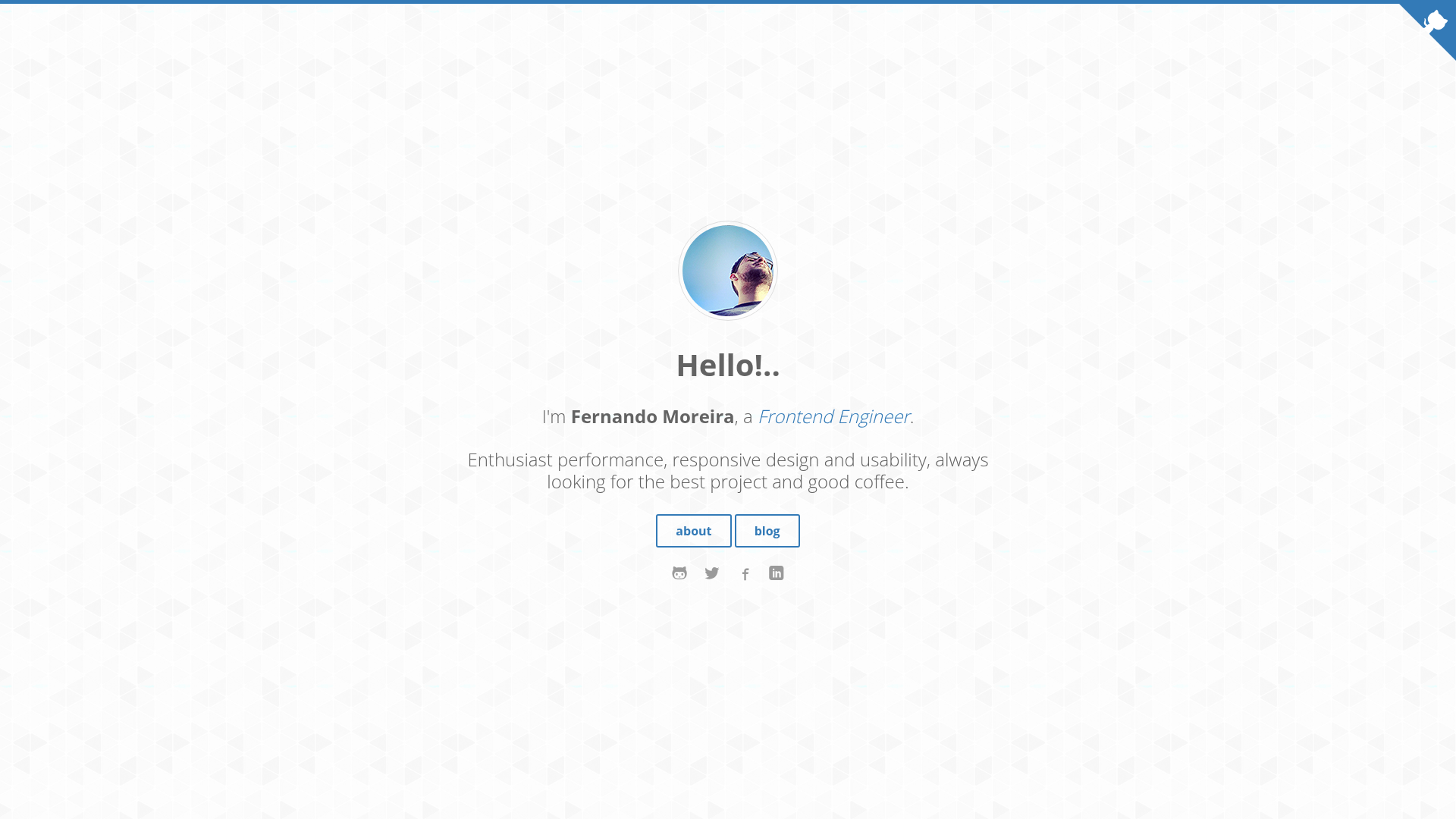
A clean, responsive Jekyll blog theme with SASS, pagination, Disqus comments, and GitHub Pages deployment via Rake tasks.
About this template
End2end is a free, MIT-licensed Jekyll theme for clean, responsive blogs, built with SASS and deployable to GitHub Pages via Rake tasks.
What is End2end?
End2end is a free Jekyll blog theme created by nandomoreirame, distributed under the MIT license. It takes standard Jekyll content (posts and pages) and renders a clean, responsive site with SASS-compiled CSS, pagination, syntax highlighting, and Disqus comments. The theme is built on Jekyll's static-site generator and uses a Gemfile for dependency management plus a Rakefile for automation.
Key Features
- Responsive clean layout — A minimal, mobile-friendly design that works across screen sizes.
- SASS preprocessor — Styles are written in SASS and compiled, with minified CSS output.
- Pagination — Built-in support for splitting blog posts across multiple pages.
- Syntax highlighting — Code blocks are highlighted out of the box.
- Author configuration — Site authors can be defined in the theme's config.
- Disqus comments — Comments are integrated via Disqus for posts.
- Rake task automation — Commands like
rake page name="contact.md"andrake post title="My Post"scaffold new content. - GitHub Pages deployment — A Rakefile with
rake publishbuilds and publishes to GitHub Pages after settingGITHUB_REPONAMEandGITHUB_REPO_BRANCH.
Note: Search posts and share posts are explicitly listed as not implemented (unchecked checkboxes).
Who is it for?
- Jekyll bloggers — Writers who want a clean, dependency-managed theme with pagination and Disqus comments without extra setup.
- Developers publishing to GitHub Pages — Those who want a two-step Rake-based deploy workflow from a local clone.
- Theme customizers — Users comfortable editing SASS and Jekyll layouts who want a base theme under MIT license to modify freely.
What can you do with End2end?
- Start a blog quickly — Clone the repo, run
bundle installandbundle exec jekyll serve, then access it at localhost:4000/end2end. - Create posts and pages via Rake — Use
rake post title="TITLE"andrake page name="filename.md"to scaffold new content files. - Publish to GitHub Pages — Set the repository variables in the Rakefile and run
raketo build and publish the site.
How does End2end work?
End2end runs as a standard Jekyll site with a Ruby Gemfile. After cloning, you install dependencies with bundle install, then serve locally with bundle exec jekyll serve. For production, edit the Rakefile to point at your GitHub repository and run rake or rake publish to build and push the _site output to GitHub Pages.
Pros and cons
Pros:
- Free and MIT licensed.
- Responsive layout with SASS and minified CSS.
- Includes pagination, syntax highlighting, author config, and Disqus.
- Convenient Rake tasks for content creation and deployment.
Cons:
- Does not include search or share post features (checkboxes unchecked in the README).
- The README warns that you must manually remove
noindexmeta tags fromsource/_layouts/default.htmlbefore going live.
FAQ
Is End2end free?
Yes, End2end is released under the MIT license, so it is free to use and modify.
Does End2end support search?
No. The README lists "Search posts" as an unchecked feature, meaning search is not implemented. Same for "Share posts".
How do I deploy End2end to GitHub Pages?
Edit the Rakefile to set the GITHUB_REPONAME and GITHUB_REPO_BRANCH variables, then run rake or rake publish from the command line. This builds the site and publishes it.
What Ruby setup is required?
You need Ruby and Bundler. After cloning the repository, run bundle install and then bundle exec jekyll serve to start the local server.
How do I create a new post?
Use the Rake task rake post title="TITLE OF THE POST" from the project root. This scaffolds a new post file with the given title.