Template details
Astro Starter Theme
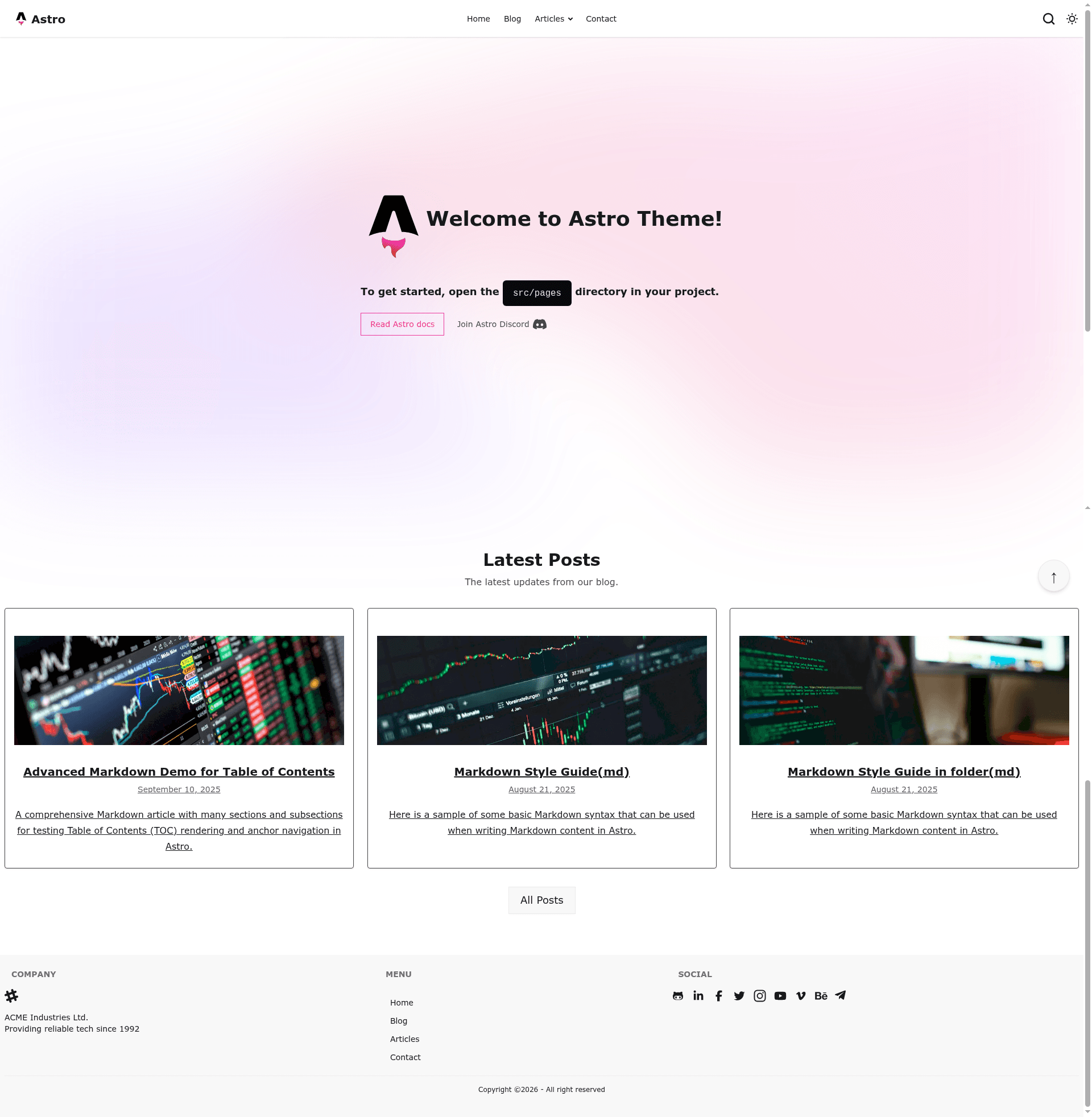
Free Astro 5 starter template with Tailwind CSS 4, DaisyUI, Pagefind search, and multi-platform deployment.
About this template
Astro Starter Theme is a free, MIT-licensed boilerplate for building static websites with Astro 5, Tailwind CSS 4, and the DaisyUI component library, producing a deploy-ready site with blog, contact, and SEO features.
What is Astro Starter Theme?
Astro Starter Theme is a pre-configured project template that takes Markdown and MDX content in the src/data/blog directory plus metadata in src/consts.ts and outputs a static site into ./dist with sitemap, RSS feed, and Pagefind search index. It runs on Astro 5 and is maintained by the GitHub user mnyorba. The template includes documentation, GitHub Actions CI/CD, and one-click deployment buttons for Netlify and Vercel.
Key Features
- Astro 5 + Tailwind CSS 4 — Uses the latest Astro version with zero-JS default output, Tailwind CSS 4 for utility styling, and DaisyUI for accessible components.
- Pagefind search — The build generates a static search index that must be deployed with the site; no external search service or API key is required.
- Flexible contact forms — Supports Formspree, Netlify Forms, EmailJS, and custom server-side processing with validation, all documented in
docs/contact-form.md. - Content collections with MDX — Blog posts can be written in
.mdor.mdxfiles with frontmatter validation, categories, tags, auto-generated table of contents, and pagination. - SEO and metadata — Generates meta tags, Open Graph, Twitter Cards, a sitemap, and an RSS feed automatically on build.
- Dark/light mode — Theme switching follows the user's system preference with no extra setup.
- Developer tooling — TypeScript throughout, Prettier code formatting, a custom 404 page, mobile-first responsive components, and a pre-configured GitHub Actions workflow for deployment.
Who is it for?
- Bloggers — publish Markdown or MDX posts and get a paginated blog with categories, tags, search, RSS, and a sitemap, with no server-side infrastructure.
- Portfolio owners — use the responsive layouts, social media icon integration, and contact form to showcase work and collect inquiries.
- Small business sites — assemble a marketing site with service listings, contact information, and analytics via Google Analytics/Tag Manager through Partytown.
- Developers — customize a TypeScript-based Astro project with documented components, a docs folder, and deployment presets for GitHub Pages, Netlify, Vercel, Cloudflare Pages, AWS Amplify, Railway, and DigitalOcean.
What can you do with Astro Starter Theme?
- Indie bloggers: create a static blog with pagination, search, RSS, and sitemap simply by adding
.mdor.mdxfiles to thesrc/data/blogcollection. - Freelancers: use the included contact form integrations (Formspree, Netlify Forms, EmailJS) to receive client messages without building a backend.
- Startup teams: create a landing page with dark mode support and deploy through one-click buttons to Netlify or Vercel in minutes.
- Technical writers: take advantage of the auto-generated table of contents and content collections to structure long-form documentation.
How does Astro Starter Theme work?
Create a new project with npm create astro@latest -- --template mnyorba/astro-starter, then install dependencies and run npm run dev. Configuration happens in three places: site metadata in src/consts.ts, contact data in src/data/contacts.json, and navigation in src/components/navigation/NavbarMenuItems.astro. The build command outputs a production-ready static site to ./dist.
Deployment options
The template includes pre-configured deployment for GitHub Pages via a GitHub Actions workflow (set the base path to your repository name). One-click deploy buttons are available for Netlify and Vercel, and the documentation covers Cloudflare Pages, AWS Amplify, Railway, DigitalOcean App Platform, and custom VPS setups.
FAQ
Is Astro Starter Theme free?
Yes, it is open source under the MIT license and free to use for personal or commercial projects. The repository includes the full license file.
What versions of Astro and Tailwind does it use?
The template uses Astro 5 and Tailwind CSS 4, with DaisyUI as the component library. This is stated on the project page and in the repository metadata.
How do I add search to my site?
Pagefind is already integrated. During npm run build, a static search index is generated inside the dist folder, and you must deploy that folder along with the rest of the site for search to work.
Which contact form services are supported?
The template supports Formspree (recommended for static sites), Netlify Forms, EmailJS for client-side sending, and custom server-side processing with validation. Setup instructions are provided in the documentation.
Can I deploy to GitHub Pages?
Yes, there is a pre-configured GitHub Actions workflow. You need to set the base path in src/consts.ts to your repository name, enable Pages with GitHub Actions as the source, and push to the main branch.
Does it support analytics?
Yes, Google Analytics and Google Tag Manager can be added and are loaded via Partytown so they do not block rendering.