Template details
Astro Tailwind Starter
A small and slightly opinionated template using Astro and Tailwind CSS.
About this template
Astro Tailwind Starter is a small, slightly opinionated boilerplate for building Astro websites with Tailwind CSS, preconfigured with responsive typography, the .flow spacing utility, the Poppins font, and basic light and dark mode.
What is the Astro Tailwind Starter?
Astro Tailwind Starter is a minimal starter template that combines the Astro static-site framework with Tailwind CSS for styling. It consists of an Astro project with a single homepage at src/pages/index.astro, which is the file you edit to begin customizing the site. The template was created by an individual developer as a personal jumping-off point for new projects, and it is distributed publicly as a GitHub repository. The author describes it as "largely un-opinionated," although the included .flow class and Poppins font represent a few deliberate style choices.
Key Features
- Responsive font sizing — typography scales automatically with the viewport, so text remains readable across screen sizes without hand-written media queries.
- The
.flowclass — a spacing utility that addsmargin-block-startto every direct sibling child element, maintaining a consistent vertical rhythm; it falls back to1emwhen theclamp()syntax is not supported. - Poppins Google Font — the Poppins font is wired into Tailwind's
fontSansclass, so headings and body copy load Poppins by default. - Basic light and dark mode — the starter includes a light and dark color scheme, ready for you to expand into a full theme system.
- Astro and Tailwind integration — Tailwind CSS is configured inside the Astro project, letting you style
.astrocomponents directly with utility classes.
Who is it for?
- Front-end developers who want a quick start on an Astro site without spending time wiring up Tailwind themselves.
- Tailwind CSS users who like having a defined font stack and spacing rhythm already in place.
- Developers new to Astro who want a minimal example to see how a single
.astropage compiles into styled HTML.
What can you do with the Astro Tailwind Starter?
- Start a new Astro project: clone the repository and edit
src/pages/index.astroto replace the starter content with your own homepage. - Build a responsive layout baseline: rely on the built-in responsive font sizing and the
.flowclass to space content consistently without writing custom CSS. - Add a dark mode theme: extend the included light/dark mode settings to style your entire site for both color schemes.
How does the Astro Tailwind Starter work?
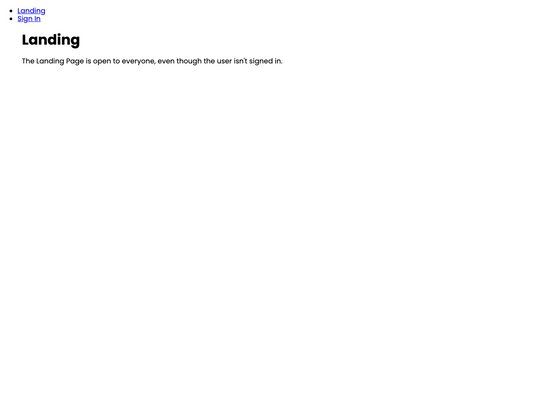
The only onboarding step described on the page is to edit src/pages/index.astro. The starter is built on Astro's file-based routing, so the page at src/pages/index.astro becomes the site's homepage. During the build, Astro compiles the component to static HTML while Tailwind generates the utility classes, including the custom .flow spacing rule.