Template details
Mintlify docs rewrite (vercel.ts)
Serve Mintlify-hosted docs from your main domain using vercel.ts rewrites, building a product site with integrated documentation.
About this template
The Mintlify docs rewrite (vercel.ts) template is a Next.js example from Vercel that rewrites the /docs path on your main domain to a Mintlify-hosted documentation site, keeping product and docs under one URL. It belongs to the vercel/examples repository and is designed to be deployed to Vercel with minimal configuration.
What is the Mintlify docs rewrite (vercel.ts) template?
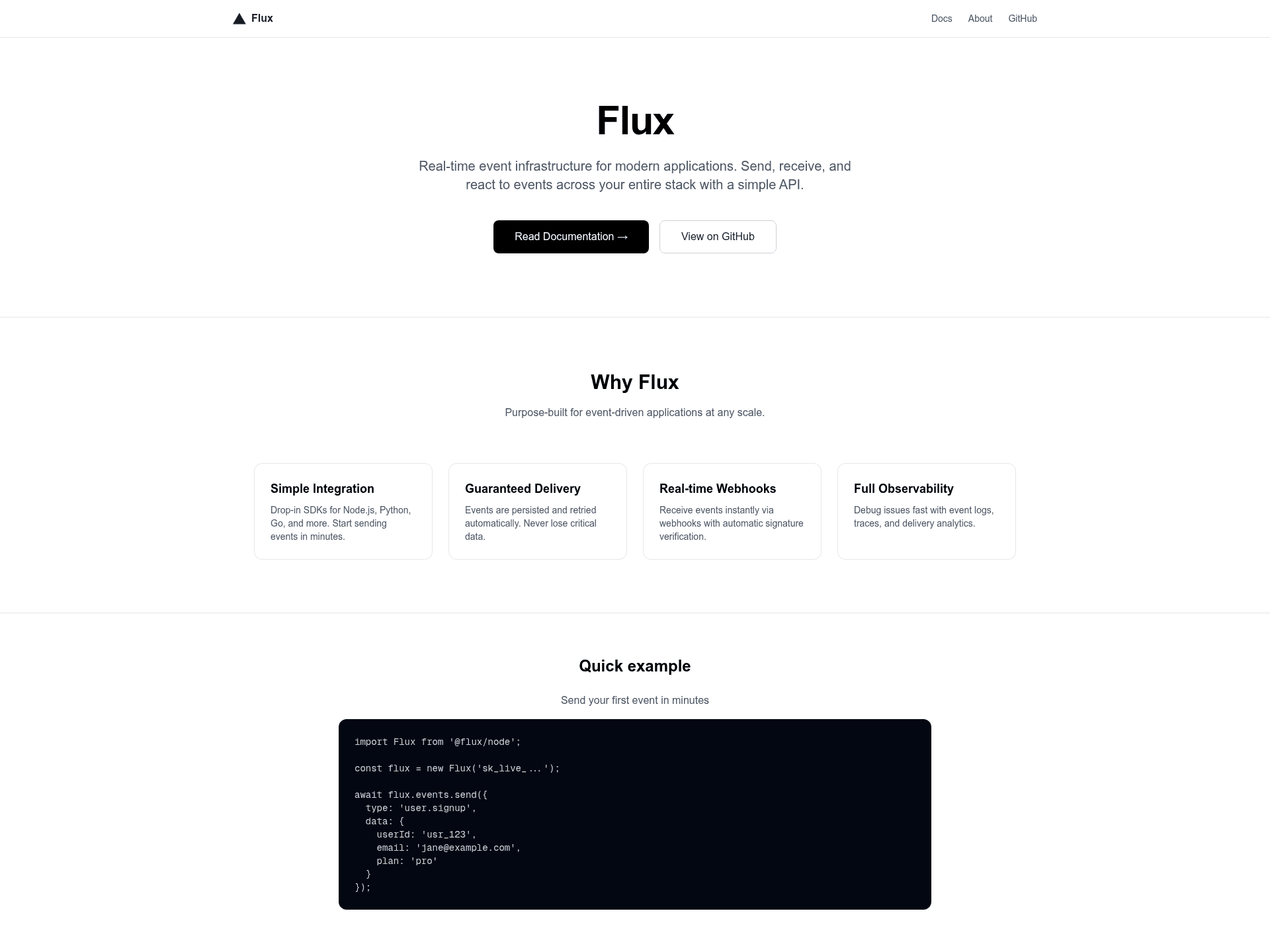
This template is part of Vercel's official examples repository and demonstrates how to serve documentation hosted on Mintlify from your primary domain instead of a separate subdomain. It takes as input a Mintlify custom domain URL via the MINTLIFY_DOCS_URL environment variable and produces a Next.js application where requests to /docs are proxied to that URL at the edge. The demo site, named "Flux", shows a fictional product site with documentation accessible at the /docs route. The template runs on Next.js and deploys to Vercel, using vercel.ts configuration for rewrites.
What makes this template stand out?
- Edge rewrite configuration — The vercel.ts file exports rewrite rules for /docs and /docs/:match*, so all documentation subpaths are forwarded without changing the visible URL in the browser.
- Environment variable driven — Set MINTLIFY_DOCS_URL to your Mintlify custom domain (for example, https://your-subdomain.mintlify.dev) to point rewrites at the right destination.
- One-click deployment — The repository includes a direct Deploy button that clones the example into Vercel with the environment variable preconfigured.
- Local development — Bootstrap with pnpm create next-app using the example URL, then run pnpm dev to test rewrites locally against a Mintlify URL.
- Unified branding — Docs appear at yourdomain.com/docs, preserving your site's design and navigation rather than sending users to an external documentation site.
- SEO consolidation — Hosting docs on your main domain concentrates link equity on one root domain instead of splitting it across a docs subdomain.
- No CORS complications — Because the content is served from your own domain, the template avoids cross-origin issues that can arise with embedded iframes or external calls.
- Mintlify maintains hosting — Mintlify continues to manage hosting infrastructure, CDN delivery, and documentation updates while you only configure a rewrite.
Who should use this template?
- SaaS product teams that write documentation in Mintlify and want it accessible at /docs on their primary product site for a continuous user experience.
- Next.js developers looking for a reference implementation of vercel.ts rewrites and edge proxying patterns to apply to other domains.
- Marketing and growth teams that care about SEO and prefer keeping documentation on the main domain rather than a subdomain like docs.example.com.
Use cases
- Product launches: Stand up a demo site with live documentation in a single deploy, showing both the product and its docs under one domain.
- Docs migration: Move existing Mintlify-hosted documentation to a custom domain on your Vercel site by only adding an environment variable.
- Agency prototypes: Use the template to preview client projects that need instant documentation integration without building custom doc infrastructure.
How does this template work?
You first configure a custom domain in Mintlify, such as your-subdomain.mintlify.dev. Then you set that URL as the MINTLIFY_DOCS_URL environment variable in your Vercel project or a .env.local file. The vercel.ts configuration exports rewrite rules that map /docs and all its subpaths to that URL, causing Vercel to proxy incoming requests at the edge to Mintlify while preserving the original path in the browser. As a result, visitors see yourdomain.com/docs as if the documentation were part of your main site.
FAQ
How do I deploy this template?
Use the one-click Deploy button in the repository to create a new Vercel project with the example cloned, or run pnpm create next-app with the example URL, then set the MINTLIFY_DOCS_URL environment variable and deploy.
Where do I set the MINTLIFY_DOCS_URL environment variable?
Set it in your Vercel project settings under Environment Variables, or locally in a .env.local file, using the custom domain URL Mintlify gives you (for example, https://your-subdomain.mintlify.dev).
Does the rewrite cover all doc subpaths?
Yes, the vercel.ts configuration includes a rewrite pattern for /docs and /docs/:match*, so nested pages inside your Mintlify docs are also proxied through your main domain.
Is there a live demo?
Yes, the demo site is running at docsrewrite.vercel.app. It uses a fictional product named Flux and serves the Mintlify-hosted documentation at the /docs route.