Template details
Astro Theme Cody
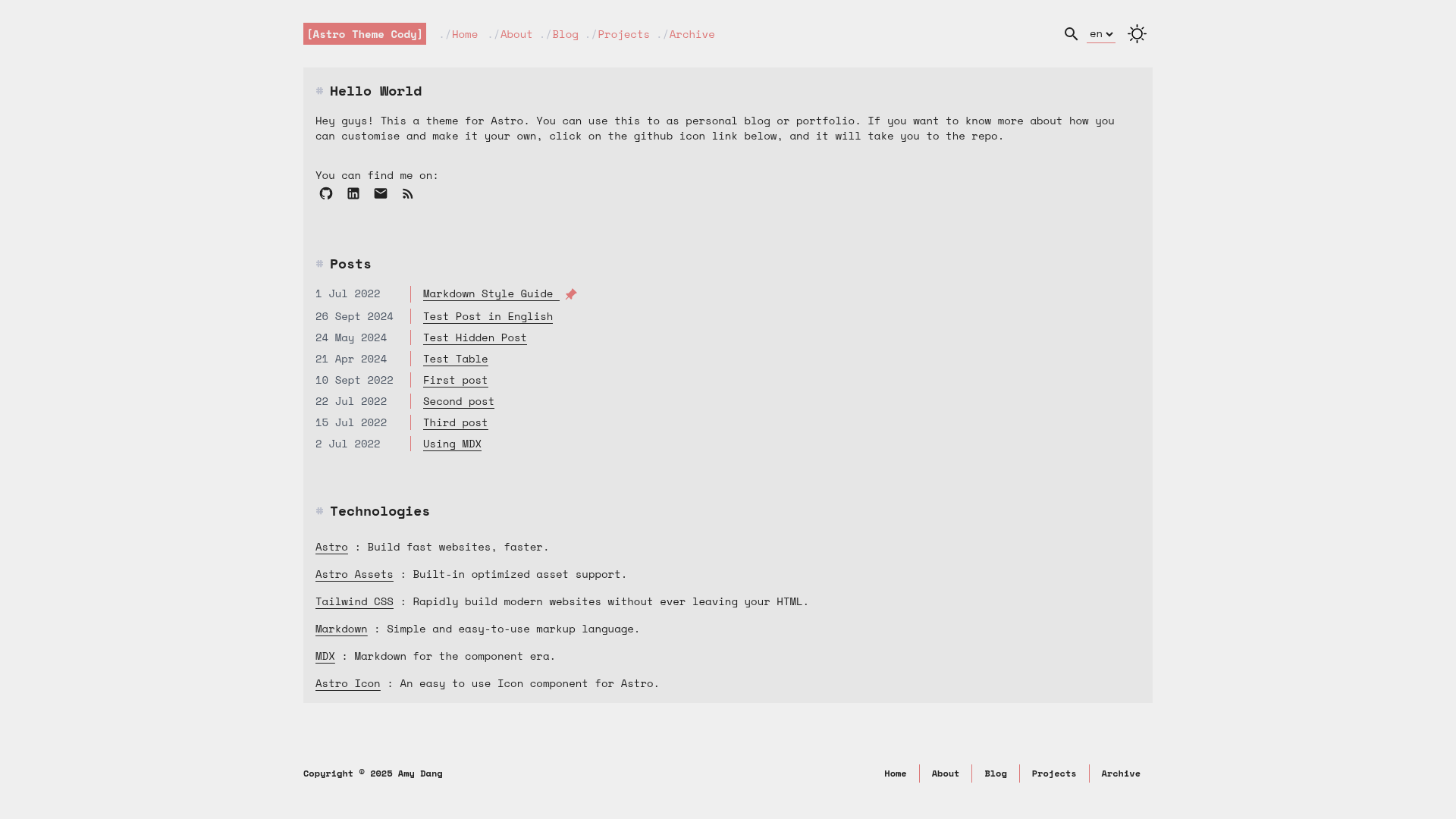
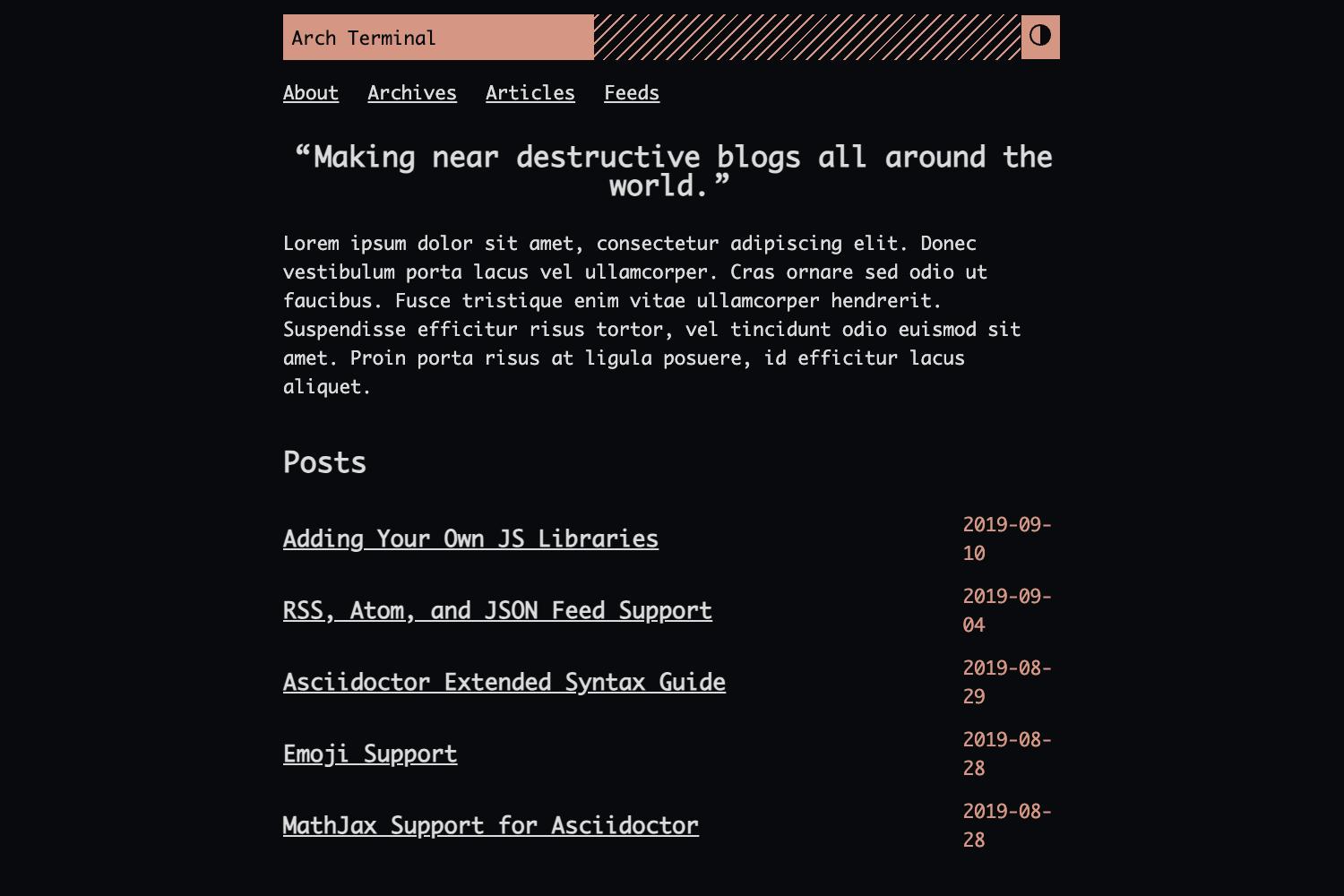
A minimalist blog theme built with Astro. A quick and easy starter build for anyone who wants to start their own blog.
About this template
Astro Theme Cody is a minimalist blog theme for Astro v4, created by GitHub user kirontoo, that provides a terminal-inspired personal blog with Tailwind CSS, MDX content collections, and PageFind search out of the box.
What is Astro Theme Cody?
Astro Theme Cody is a free, open-source blog starter that runs on Astro v4 and generates a static site from Markdown or MDX content. It takes content files organized in Astro Content Collections, validates their frontmatter against a schema in src/content/config.ts, and outputs a blog with post pagination, tags, series, an archive, project pages, an RSS feed, and a sitemap. The theme is based on Astro Cactus and Hugo Risotto and is maintained by GitHub user kirontoo.
Key Features
- Astro v4 static generation — Produces a fast static site with optimized images via the Astro Assets Integration; no runtime framework is required for the default pages.
- Tailwind CSS utility classes — Styling is handled with TailwindCSS utility classes, and dark/light mode uses Tailwind plus CSS variables.
- Content Collections with typed frontmatter — Blog and project files live in
src/content/blogandsrc/content/project, validated by a schema; frontmatter supports titles, descriptions, published/updated dates, hero images, ogImage, tags, series, drafts, and an order field for pinning up to five items. - PageFind client-side search — Visitors can search posts through an integrated PageFind search without relying on an external search service.
- Multi-language support — A wiki guide covers multi-language setup, with language, site title, description, social links, and navbar links centralized in
src/consts.ts. - SEO and accessibility fundamentals — Includes responsive, semantic HTML, an auto-generated sitemap, an automatic RSS feed, and per-post descriptions for search engines.
- One-command setup — Initialize the theme with
npm create astro@latest -- --template kirontoo/astro-theme-codyor the pnpm equivalent, then deploy to any Astro-compatible host; the live demo runs on Netlify.
Who is it for?
Astro Theme Cody is aimed at developers and writers who want a code-centric blog without building a frontend from scratch. Developers can launch a personal blog with a terminal/dev aesthetic, tech writers can publish MDX tutorials organized by tags and series, open-source maintainers can showcase projects with stack icons and GitHub links, and multilingual bloggers can follow the wiki guide to publish in several languages.
What can you do with Astro Theme Cody?
- Personal bloggers: write posts in Markdown or MDX, add optional hero images and tags, and let PageFind index the content for search.
- Open-source maintainers: create project pages with a
stacklist of SVG icons, a demo/platform link, and a GitHub repo link, and pin up to five featured projects. - Multilingual authors: set up a multi-language blog following the wiki, then change language and social links in
src/consts.ts.
How does Astro Theme Cody work?
The theme is a ready-to-run Astro project. You create a new repository from the template or run create-astro, then edit src/consts.ts to set site title, description, social media links, and navbar links. Add Markdown or MDX files to the content collections with the documented frontmatter, run pnpm run dev for local preview, and pnpm run build to generate a static site in ./dist/.
Pricing
Astro Theme Cody is free and open source, released under the MIT License, with no paid tiers or hosted version.
Alternatives
Astro Cactus is a similar Astro blog theme and is the direct base for this project; Hugo Risotto is a Hugo theme with the same minimalist inspiration.
FAQ
Is Astro Theme Cody free?
Yes, Astro Theme Cody is open source under the MIT License, and the source code is public on GitHub.
What do I need to install it?
You need Node.js with npm 7 or later, or pnpm. The theme is initialized with the create-astro CLI using the kirontoo/astro-theme-cody template.
How do I add a new blog post?
Create a new Markdown or MDX file in src/content/blog with required frontmatter: title, description, and pubDate. Optional fields include hero images, tags, series, draft status, and an order value for pinning.
Does Astro Theme Cody support multiple languages?
Yes, multi-language support is documented in the theme's wiki. You configure the default language and content through the site config and follow the multilingual guide.
Where is the demo?
The live demo is hosted at https://astro-theme-cody.netlify.app and shows the theme's blog layout, projects, and search in action.