Template details
Hugo Theme Arch Terminal
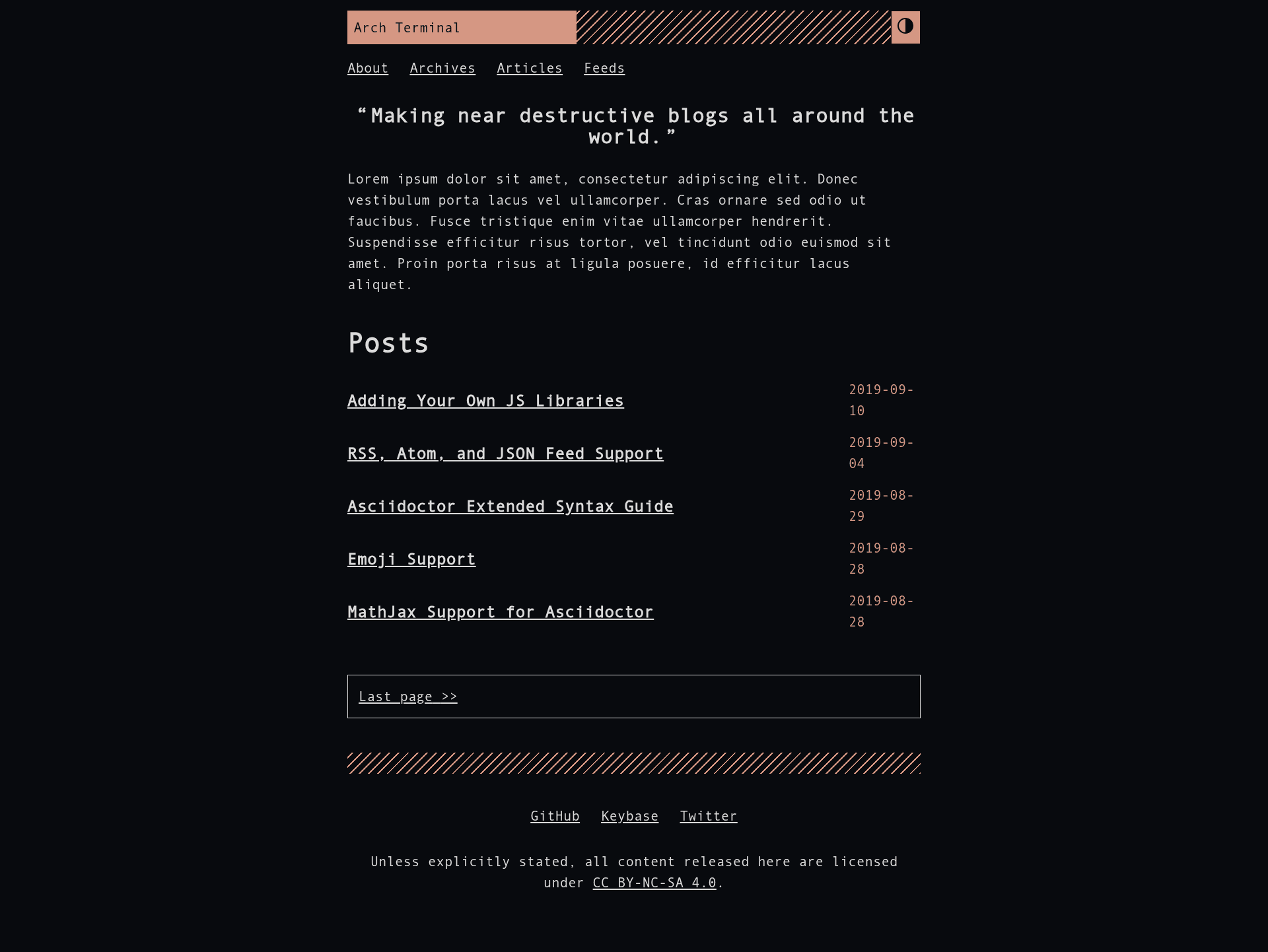
A remake of the Hugo Terminal theme with replaced features and a focus for Asciidoctor-based content.
About this template
Arch Terminal is a free, open-source Hugo theme that rebuilds the classic Hugo Terminal theme with Asciidoctor support, a minimal base, and dozens of opt-in features for single-author blogs and portfolios. It takes your Hugo site content — written in Markdown or Asciidoctor — and produces a static site with RSS, Atom, and JSON feeds, built-in search, and a terminal-inspired design. The theme is a complete remake of the original Hugo Terminal theme by panr, and requires Hugo v0.58.0 or newer, with the extended version recommended for editing SCSS.
What is Hugo Theme Arch Terminal?
Hugo Theme Arch Terminal is a free, open-source Hugo theme for building minimal single-author blogs and portfolio sites, released under the MIT License and maintained by foo-dogsquared. It takes your Hugo site content — written in Markdown or Asciidoctor — and produces a static site with RSS, Atom, and JSON feeds, built-in search, and a terminal-inspired design. The theme is a complete remake of the original Hugo Terminal theme by panr, and requires Hugo v0.58.0 or newer, with the extended version recommended for editing SCSS.
Key Features
- Asciidoctor content support — Arch Terminal is built with Asciidoctor-based content in mind, so technical writers can author posts in AsciiDoc instead of only Markdown.
- Multiple feed formats — Outputs RSS, Atom, and JSON feeds, with configurable media types for separate suffixes.
- Lazy syntax highlighting — Uses PrismJS to load highlighting on demand, avoiding the Hugo
highlightshortcode. - MathJax support — Enable
params.enableMathjaxto render LaTeX equations in posts. - Built-in search — Includes a search index and widget powered by Fuse.js, plus a quick taxonomy search query list.
- Theme toggle — Dark/light mode switch controlled by
params.enableThemeToggle, with an automatically generated alternate palette from your SCSS variables. - Content reader mode — Custom reader view for improved readability of posts.
- SEO and integration options — Google Analytics, Disqus, JSON-LD schema, Open Graph, Twitter cards, and image zoom are all configurable.
It is built on Hugo (v0.58+), uses SCSS with Hugo extended, requires the Go runtime for Hugo modules, and supports adding custom JS libraries for the whole site or individual posts.
Who is it for?
- Technical writers who author Asciidoctor content and want a Hugo theme that renders it natively.
- Programmers and tech enthusiasts building a minimal single-author blog with DIY spirit.
- Portfolio owners who need a simple homepage plus blog, with features like social links and 404 customization.
What can you do with Hugo Theme Arch Terminal?
- Technical bloggers: Write posts in AsciiDoc and publish them with lazy syntax highlighting, MathJax, and content counters.
- Indie developers: Set up a single-author portfolio with a tagline, hide posts on the homepage, and list site sections instead.
- Multilingual authors: Use the built-in multilingual mode support to publish content in multiple languages.
How does Hugo Theme Arch Terminal work?
Install the theme by cloning the repo, adding it as a Git submodule, or importing it as a Hugo module; then run hugo serve -t arch-terminal to preview. Configuration lives in config.toml, where you enable optional params like enableThemeToggle, enableLazySyntaxHighlighting, and enableMathjax. For styling, copy themes/arch-terminal/assets/scss/config.scss to assets/scss/config.scss and override variables.
Pricing
Hugo Theme Arch Terminal is free and open source, released under the MIT License. The original theme's copyright belongs to panr, and foo-dogsquared's modifications are also MIT-licensed.
Alternatives
- Hugo Terminal — the original theme by panr that Arch Terminal is forked from; it lacks Asciidoctor focus and the extra opt-in features.
FAQ
Is Arch Terminal free?
Yes, Arch Terminal is free and open source under the MIT License. You can use, modify, and redistribute it, including for commercial projects, as long as you retain the copyright notices.
Does Arch Terminal support Asciidoctor?
Yes, Arch Terminal explicitly focuses on Asciidoctor content support, so you can write posts in AsciiDoc format alongside Markdown. The project's documentation is itself written in Asciidoctor.
How do I enable dark mode?
Set params.enableThemeToggle = true in your config.toml. The theme will generate an alternate theme palette automatically from your SCSS variables, or you can define your own.
What Hugo version do I need?
Arch Terminal requires Hugo v0.58.0 or newer. For editing SCSS files, you need the extended version of Hugo; otherwise, you can overwrite the compiled CSS at scss/main.min.css.
Are all features enabled by default?
No. Arch Terminal is deliberately minimal, and most features — theme toggle, syntax highlighting, MathJax, breadcrumbs, content pagination, image zoom, and more — must be manually activated through config.toml parameters.