Template details
Blog in a Box
A quick, all in one stop for someone to get a blog presence up and running.
About this template
Blog in a Box is a Jekyll-based GitHub template that packages a complete blog publishing workflow for GitHub Pages, automating builds, deployments, comments, and scheduled posts.
What is Blog in a Box?
Blog in a Box is an open-source template from Excellalabs for launching a blog on GitHub Pages with Jekyll as the static site generator. It accepts a GitHub repository and produces a deployed blog with posts written in Markdown, comments via Giscus, and scheduled publishing through GitHub Actions. The template's source lives in a /docs folder, which is the directory GitHub Pages can publish directly from the main branch.
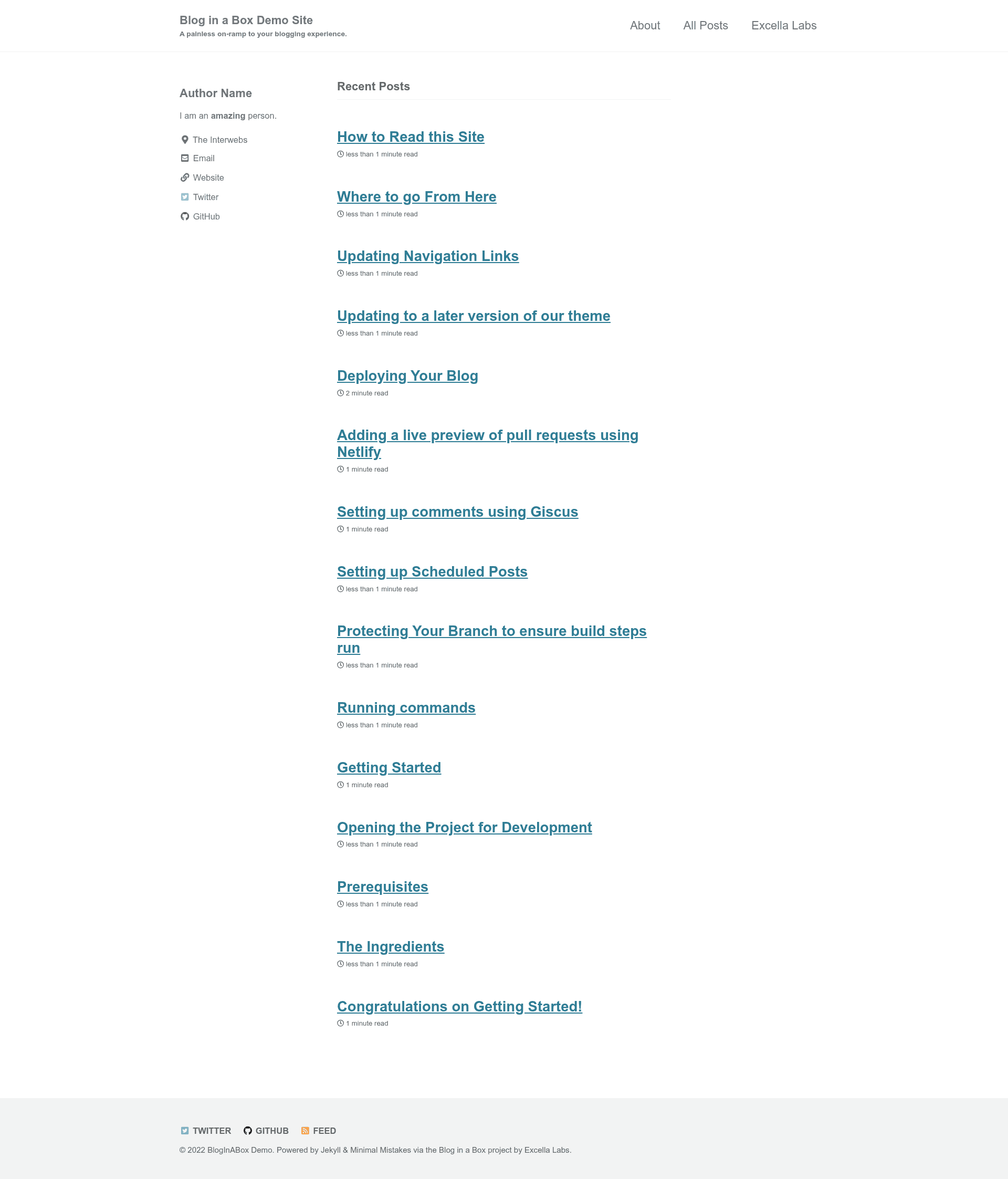
Beyond the code, the repository publishes a series of setup articles on its demo site at bloginaboxdemo.com, covering everything from forking the project to updating the theme.
Key Features
- GitHub Pages deployment — The template targets GitHub Pages and uses GitHub Actions to build the Jekyll site and deploy it from
/docson the main branch. - Scheduled posts — Includes documentation for setting up pre-scheduled publishing via GitHub Actions, so posts go live on a timer.
- Giscus comment integration — The setup guide explains how to connect Giscus, which uses GitHub Discussions, to add comments to posts.
- Netlify pull-request previews — There is a guide for adding Netlify to generate live previews for pull requests before merging.
- Theme updates — A documented procedure for updating to a newer version of the included theme.
- Markdownlint for both CI and editor — Two config files:
.markdownlintrcfor the GitHub Actions build, and.markdownlint.jsonfor the VS Code extension. - Batteries-included guides — The template's demo blog contains 14 step-by-step topics, including prerequisites, running commands, protecting branches, deployment, and updating navigation links.
- Open-source with issue support — The repository is open source, tagged Hacktoberfest, and invites users to open issues with questions.
Who is it for?
Blog in a Box is aimed at developers and writers who want a blog without manually wiring together a static site generator, hosting, and comment system.
- GitHub users — Fork the repo, write Markdown posts, and push to main; the built-in Actions workflow handles the rest.
- Technical writers — Use the documented workflow to publish articles, review pull requests with Netlify previews, and manage content as code.
- New bloggers — The step-by-step topics guide you through forking, setting prerequisites, opening the project, running commands, and deploying, so no prior Jekyll knowledge is needed.
What can you do with Blog in a Box?
- Launch a personal or project blog — Fork the template, write posts in Markdown, and deploy to GitHub Pages with a single push to the main branch.
- Schedule posts ahead of time — Configure the scheduled-posts workflow so content publishes on a chosen date.
- Add reader comments — Wire Giscus to GitHub Discussions, letting readers comment using their GitHub accounts.
- Preview contributions — Use Netlify to create live previews of pull requests, so you can review changes before they go live.
How does Blog in a Box work?
You start by forking or copying the repository, then follow the setup guide to configure GitHub Pages and Actions. The blog source lives in /docs, and after you push Markdown posts to the main branch, the GitHub Actions workflow builds the Jekyll site and deploys it to GitHub Pages. For scheduled posts, a separate workflow handles publishing on a timer.
FAQ
Why is the blog in a /docs folder?
GitHub Pages only deploys from specific directories on the main branch: the repository root or /docs. The template uses /docs to keep configuration files and Actions workflows out of the published site.
Why are there two markdownlint configuration files?
.markdownlintrc is used by the GitHub Actions build step to check markdown, while .markdownlint.json is for the VS Code extension that shows underlines as you edit. They exist separately because they target different tools.
Does Blog in a Box use Jekyll?
Yes. Jekyll is the static site generator in this template, and it's configured in the repository with the build and deployment handled by GitHub Actions.
Can I preview pull requests before merging?
Yes, the template includes a guide for adding Netlify, which provides live previews for each pull request against your blog.
Who maintains Blog in a Box?
The template is maintained by Excellalabs on GitHub, and users are encouraged to open issues for any question, no matter how simple.