Template details
Bedrock
Bedrock is a static site generator to create large-scale HTML prototypes and document design systems
About this template
Bedrock is an MIT-licensed static site generator for building large-scale HTML prototypes and documenting design systems, running on Node.js and created by the team at Mono. It turns a folder of source files into a deployable static site in a dist folder, with built-in support for a navigable page tree and generated styleguide documentation.
What is Bedrock?
Bedrock is a static site generator that helps teams prototype complex web applications and document design systems using plain HTML. It runs on Node.js (version 14 or later) and outputs static files that can be deployed to any web server. The project was made by Mono (mono.company) and initially written by Thomas Tuts. The repository is currently unmaintained, and the documentation website has been closed down, though the source code remains online for reference.
Key Features
- Static site generation — Bedrock compiles a prototype into static HTML files placed in the
distfolder when you runnpm run build. - Page tree navigation — A hidden page tree can be toggled with Ctrl+M in the demo, letting users jump between prototype pages.
- Styleguide documentation — The tool generates a styleguide section (for example, at
/styleguide/docs/introduction.html) to document design system components. - Simple start commands — Install a copy via degit with
npx degit usebedrock/bedrock my-bedrock-project, thennpm installandnpm startto run the prototype locally. - CLI-based upgrades — A separate tool,
bedrock-cli, can be installed globally withnpm i -g bedrock-cliand used to runbedrock upgrade(orbedrock upgrade --devfor the development branch). - Optional icon fonts — Icon font generation can be enabled by setting
icons.generateIconFonttotrueinbedrock.config.js. - MIT licensed — The project is free to use and modify under the MIT license.
Who should use Bedrock?
- UX designers — Create clickable HTML prototypes of complex web apps without writing production code.
- Front-end developers — Quickly scaffold a prototype environment and generate a build for deployment.
- Design system teams — Document components and guidelines in a generated styleguide section alongside the prototype.
- Agencies — Use the degit-based setup to spin up throwaway prototypes for client work.
Use cases
- Prototyping complex web applications: Build multi-page prototypes with a navigable page tree, then export them as static files for stakeholder review.
- Documenting design systems: Generate an HTML styleguide that lists components, styles, and usage notes in one place.
- Creating throwaway demos: Use the degit command to create a fresh project in seconds and delete it when the prototype is no longer needed.
How does Bedrock work?
- Run
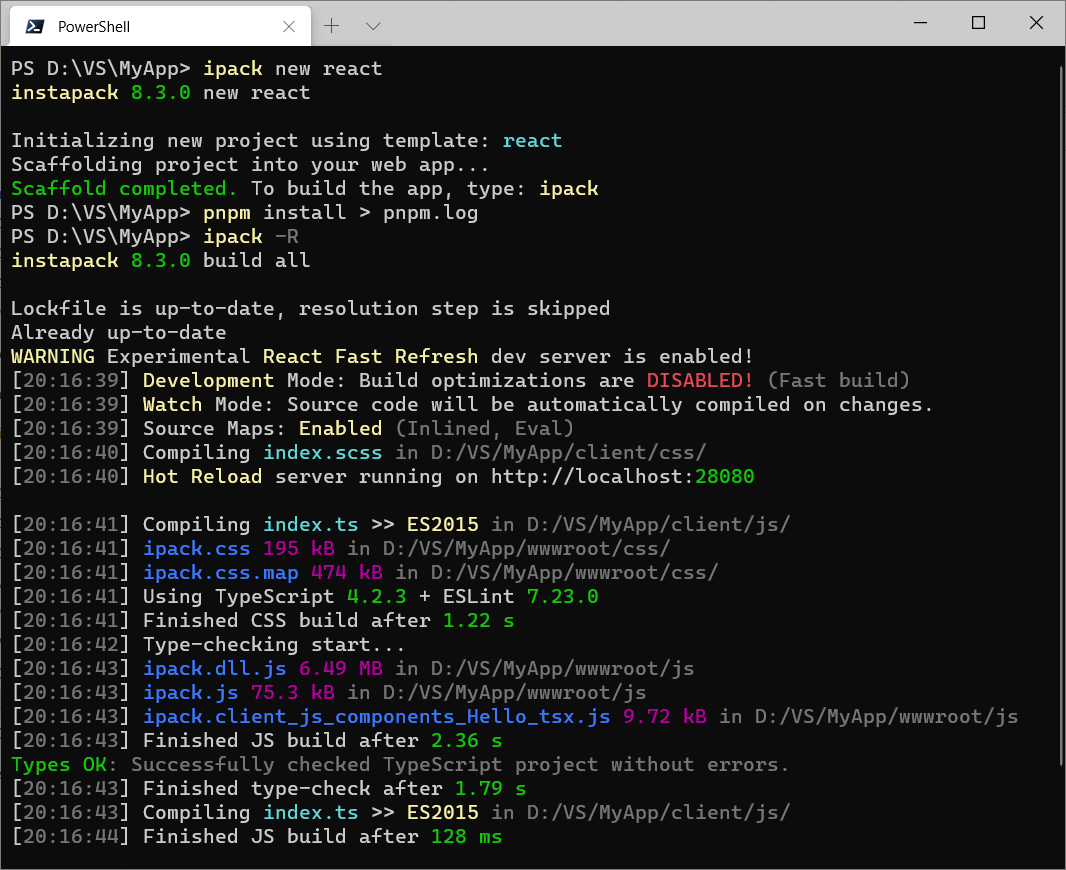
npx degit usebedrock/bedrock my-bedrock-projectto copy the latest template without cloning the full repository. - Move into the project folder and run
npm installto install dependencies. - Use
npm startto run the prototype locally, ornpm run buildto generate a deployable static build in thedistfolder.
Pricing
Bedrock is free and open source under the MIT license. There are no paid tiers; you can use it commercially without licensing fees.
FAQ
Is Bedrock still maintained?
No. The project is unmaintained, and the documentation website has been closed down. The GitHub repository remains online, but there is no active development. Bedrock was used for internal prototypes at Mono.
Is Bedrock free?
Yes, Bedrock is MIT licensed, so it is free to use, modify, and distribute, including for commercial projects.
Does Bedrock support Windows?
Windows is not officially supported. The README notes that it has been used successfully on Windows, but Windows-related bugs may not be fixed.
How do I upgrade a Bedrock prototype?
You can upgrade by installing the CLI tool globally with npm i -g bedrock-cli and then running bedrock upgrade. To get the development branch, use bedrock upgrade --dev.
What do I need to run Bedrock?
You need Node.js version 14 or later. The README recommends installing the LTS version from Nodejs.org.