Template details
Bef
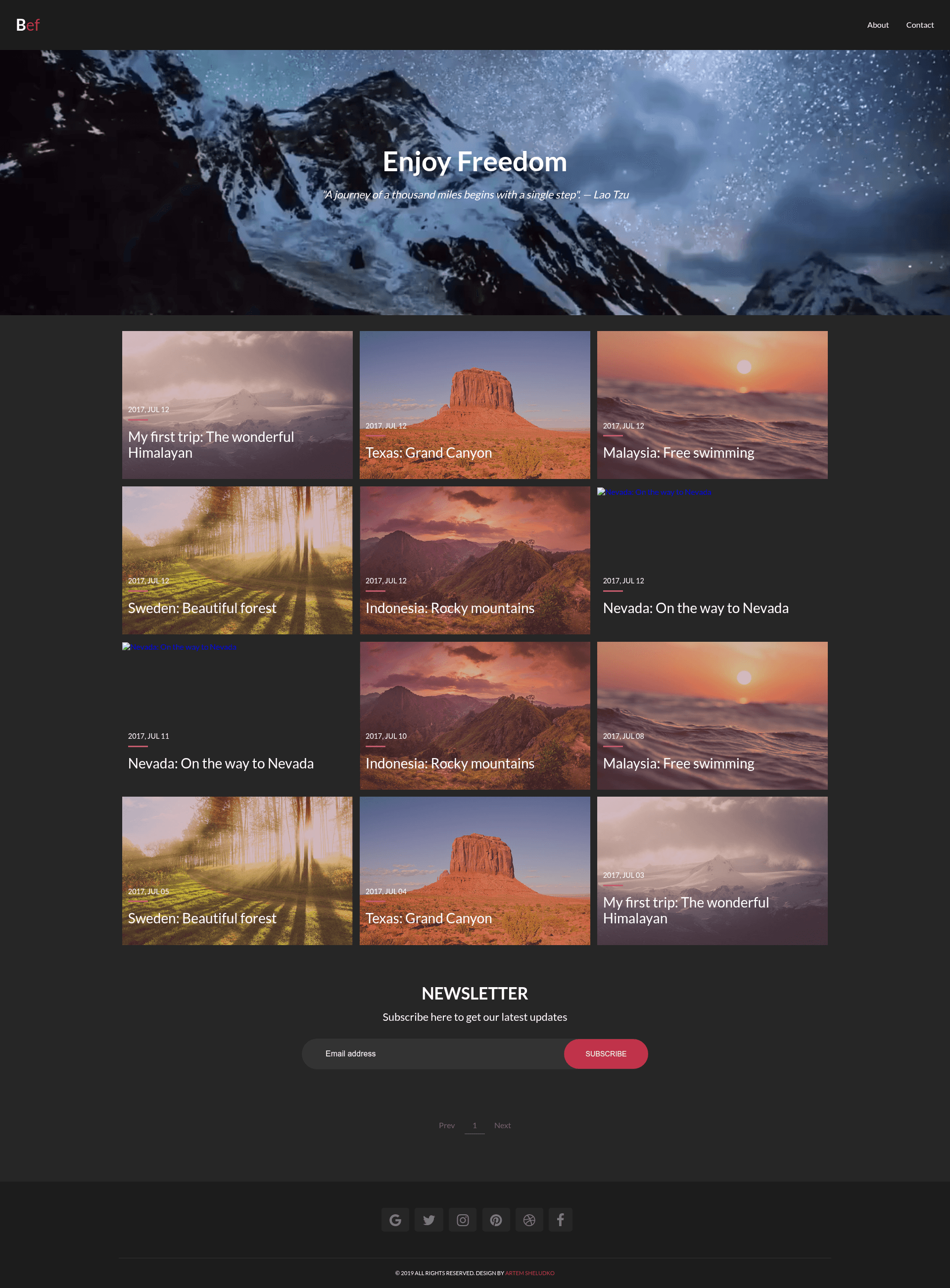
Bef is a responsive Jekyll blog theme with Google Fonts, Disqus, MailChimp, and video backgrounds.
About this template
Bef is a responsive Jekyll blog theme by Artem Sheludko that pairs a clean layout with built-in integrations for comments, newsletters, and analytics.
What is Bef?
Bef — short for "Blog Enjoy Freedom" — is a responsive Jekyll theme created by Artem Sheludko for personal blogging. It accepts Jekyll site content (Markdown posts and HTML layouts) and renders a static website with an adaptive layout. The theme is built on HTML5 with Sass (SCSS) styling and is released under the GNU General Public License v3.0. It includes a demo at artemsheludko.github.io/bef and is hosted on GitHub with 169 stars at the time of writing.
Key Features
- Google Fonts — Typography is pulled from Google Fonts, so you can change fonts by editing the theme's configuration.
- Font Awesome — Icons are supplied by Font Awesome, giving access to hundreds of scalable vector icons.
- Vide — This jQuery plugin powers full-screen background videos for a dynamic visual effect.
- Disqus — Commenting is handled through Disqus, a third-party service that works with static sites.
- MailChimp — A newsletter signup form integrated with MailChimp lets you collect email subscribers.
- Formspree — The contact form uses Formspree to send messages to your email without a backend server.
- Analytics — Google Analytics support is included, so you can track page views and visitor behavior.
- Share Buttons — Social sharing buttons are included so readers can post links to social networks.
- Recent Post — A widget displays your latest posts in the sidebar or footer.
- Section Author — Posts can show an author section, which is useful for multi-author blogs.
Who is it for?
Bef suits personal bloggers who want a simple, responsive theme for a Jekyll-based blog. Jekyll developers can use it as a starting point to build custom sites, since the theme already wires up Disqus, MailChimp, and Google Analytics. Photographers and creative writers who want a background video or clean typography can also benefit from the built-in Vide and Google Fonts integrations.
What can you do with Bef?
- Personal bloggers: publish Markdown posts and have them displayed in a responsive layout with share buttons and an author section.
- Newsletter publishers: embed a MailChimp signup form to grow your email list directly from your blog.
- Site owners who need contact forms: use the Formspree contact form to receive messages without writing server-side code.
How does Bef work?
The installation is done by forking the master branch from the GitHub repository and deleting the gh-pages branch. The master branch is used as the source for Jekyll, and a fresh gh-pages branch is created to host the compiled site on GitHub Pages.
Pricing
Bef is free and open source under the GNU General Public License v3.0. You can use it for personal or commercial projects, and the source code is available on GitHub.
FAQ
Is Bef free to use?
Yes, Bef is free and released under the GNU General Public License v3.0. You can download, modify, and use it for personal or commercial sites.
What features does Bef include?
Bef includes Google Fonts, Font Awesome, Vide for background videos, Disqus comments, MailChimp newsletter form, Formspree contact form, Google Analytics, share buttons, a recent post widget, and an author section.
Does Bef work with GitHub Pages?
Yes, the installation instructions describe using a gh-pages branch, and the demo is hosted on GitHub Pages at artemsheludko.github.io/bef.
How do I install Bef?
Fork the master branch, delete the existing gh-pages branch, and create a new gh-pages branch. Then configure your Jekyll site and push to GitHub Pages.
Can I customize the colors and layout?
The theme uses Sass, so you can adjust styling variables to change colors and fonts. The README does not provide a full customization guide, but the codebase is open for modification.