Template details
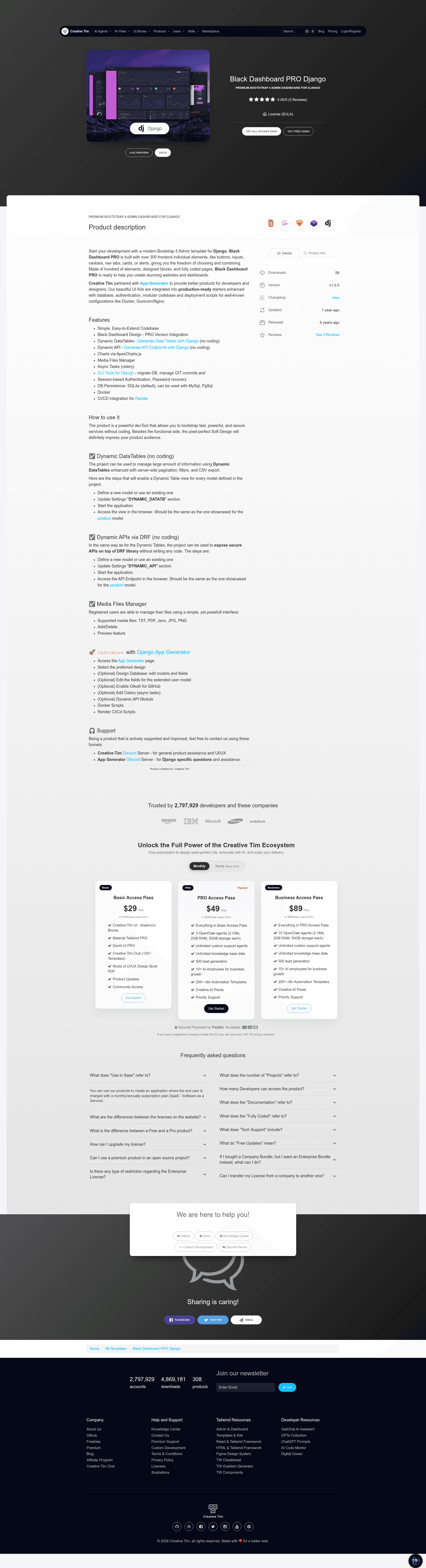
Black Dashboard PRO Django
Black Dashboard PRO - Premium Django Template | Creative-Tim
About this template
Black Dashboard PRO Django is a premium Django admin dashboard template from Creative Tim and App-Generator, built on the Black Dashboard PRO Bootstrap 5 design, that ships with authentication, charts, dynamic tables, and a file manager to accelerate building administrative interfaces.
What is Black Dashboard PRO Django?
Black Dashboard PRO Django is a paid Django starter produced by Creative Tim in partnership with App-Generator. It wraps the Black Dashboard PRO Bootstrap 5 admin theme inside a standard Django project structure, providing a ready-made dashboard with login, password recovery, OAuth support, charts, dynamic API and datatable apps, and a file manager. The project runs on Django and defaults to SQLite, with MySQL and PostgreSQL as alternative database options. It is distributed with documentation hosted on app-generator.dev.
Key Features
The template includes a set of pre-built modules and integrations that are documented in the README and the linked docs. The most notable features are:
- Black Dashboard PRO Design Integration — A modern Bootstrap 5 admin theme with a dark style, used as the default frontend for the dashboard.
- Dynamic API — A dedicated Django app that lets you create API endpoints dynamically from your models, with documentation linked to app-generator.dev.
- Dynamic Tables — A pre-built app for presenting database records in data-driven HTML tables.
- Charts — An included charts app for visualizing data inside the dashboard.
- Authentication and OAuth — Session-based login with password recovery, plus OAuth for GitHub and Google.
- Database Flexibility — SQLite works out of the box; the configuration supports switching to MySQL or PostgreSQL.
- Django CLI Package — Adds commands for Git commit/rollback, database backup and restore, environment management, and dependency management.
- Deployment and Asset Tooling — Docker configuration, a CI/CD blueprint for Render, and Vite for assets management.
Who should use Black Dashboard PRO Django?
Because it ships with a full Django project scaffold, this template suits developers and teams who want to skip frontend and auth boilerplate.
- Django developers who need a functional admin dashboard quickly and want a clean, extensible codebase.
- Full-stack teams building internal tools or client portals that need authentication, charts, and dynamic data views.
- Freelancers and agencies delivering custom admin panels; the modular apps and CLI tools speed up project setup.
- Startups deploying to Render, since the template includes Docker and CI/CD configuration to streamline go-live.
What can you do with Black Dashboard PRO Django?
After configuration, the template supports several practical workflows from the README:
- Launch a login-ready dashboard: Run the quick-start commands, create a superuser, and start the server to get an admin UI with authentication.
- Expose model data via APIs: Use the dynamic API app to generate endpoints for your Django models.
- Display records in tables: The dynamic tables app renders data from the database in the admin interface.
- Manage files in the browser: The included file manager app provides a web-based interface for file operations.
How does Black Dashboard PRO Django work?
The quick start process is: unzip the purchased sources, create a virtual environment, install requirements.txt, copy .env.sample to .env, run makemigrations then migrate, create a superuser, and finally run manage.py runserver. The project is structured into config and apps directories, and deployment to Render uses the Blueprint workflow described in the README.
Pricing
Black Dashboard PRO Django is a paid product. The quick start instructions state that unzipping the sources requires a purchase from the official product page on Creative Tim. The exact price is not listed in the README, so you need to check the vendor site.
FAQ
Does Black Dashboard PRO Django support OAuth?
Yes. The template includes OAuth authentication for both GitHub and Google, alongside session-based authentication and password recovery.
What databases can I use with Black Dashboard PRO Django?
The default database is SQLite, which works out of the box. The configuration can be adjusted to use MySQL or PostgreSQL, offering flexibility for larger deployments.
Is Black Dashboard PRO Django free?
No, it is a premium template. The README notes that unzipping the sources requires a purchase from the official product page.
How do I deploy Black Dashboard PRO Django to Render?
The README provides a Blueprint deployment method: create a Blueprint instance, connect your repository, fill in the service group name, and click the Update Existing Resources button to start the deployment.
Which browsers are supported?
The template officially supports the last two versions of Chrome, Firefox, Edge, Safari, and Opera.