Template details
Visual Admin
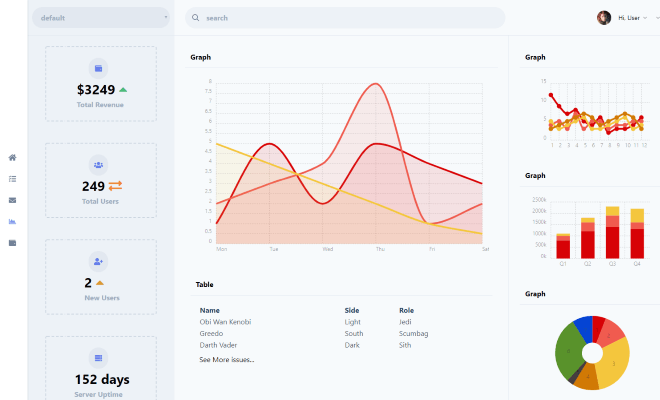
Free responsive Bootstrap v3.3.4 dashboard admin template with a 2-column, multi-page layout from Templatemo.
About this template
Visual Admin is a free, responsive dashboard HTML template from Templatemo (template ID 455) built on Bootstrap v3.3.4 for creating administration panels and back-office interfaces.
What is Visual Admin?
Visual Admin is a downloadable HTML/CSS dashboard template released by Templatemo, a site known for free web templates. The template provides a multi-page, 2-column layout and is tagged as mobile-ready and responsive, meaning it adapts to different screen sizes. It ships as static HTML files that you can edit locally and upload to any web host, with no server-side runtime required. Templatemo permits free commercial and non-commercial use, and it has been downloaded over 42,000 times since it was added on 14 May 2015.
Key Features
- Bootstrap v3.3.4 — The template's layout and components are built on Bootstrap version 3.3.4, so you get the classic 12-column grid, responsive utilities, and JavaScript widgets included with that release.
- Responsive and mobile-ready — The page explicitly tags the template as responsive and mobile, so the design can reflow for phones, tablets, and desktops.
- 2-column layout — A two-column structure is indicated by the template's tags, giving you separate areas for navigation and main content.
- Multi-page structure — Tagged as multi-page, the template is designed for organizing a dashboard across several HTML pages rather than a single-scrolling page.
- Color scheme of darkgray, green, and white — The tag list specifies these colors, so you can expect a dark gray and green interface on a white background.
- Free for commercial and non-commercial use — Templatemo states the template is 100% free to download, edit, and use in any project.
Who is it for?
- Web developers — Developers can use the Bootstrap-based, multi-page structure as a starting point for building a custom admin panel for a web app.
- Startups — Early-stage companies can quickly put together an internal dashboard for managing users, orders, or analytics by editing the provided HTML files.
- Freelancers — Freelance web designers can adapt the 2-column layout and color palette to match a client's brand and deliver a clean HTML/CSS interface.
What can you do with Visual Admin?
- Build a web application dashboard: Set up a main content area with sidebar navigation for displaying metrics, tables, and management tools.
- Create an internal back-office tool: Use the multi-page structure to split a dashboard into multiple HTML files, each handling a different section of your application.
- Prototype an admin interface: Quickly mock up an administration screen for client demonstrations without writing all the UI from scratch.
Pricing
Visual Admin is free. There are no paid upgrades or subscription plans mentioned on the Templatemo page; you simply download the ZIP file and use it.
FAQ
Is Visual Admin free to use?
Yes, Templatemo says the template is 100% free for anyone. You can download, edit, and use it on commercial or non-commercial sites.
What version of Bootstrap does Visual Admin use?
The template is built on Bootstrap v3.3.4. This affects the included grid system and JavaScript components, so keep that in mind if you plan to integrate newer Bootstrap features.
What does the 2-column layout refer to?
The 2-column tag indicates a two-column composition, commonly a sidebar plus a main content area in dashboard designs.
Can I use Visual Admin for a client project?
Yes, the license explicitly allows commercial use, so you can adapt the template for client work and charge for your services.
How popular is Visual Admin?
The Templatemo page shows 179,522 views and 42,557 downloads, which suggests it is a widely used free dashboard template.