Template details
Blog Template
Responsive Blog Template in HTML, CSS, and JavaScript
About this template
Blog Template is a free, ready-to-use responsive blog template built with plain HTML, CSS, and JavaScript, created by Bharat (bharatagsrwal) and published as an open-source GitHub project.
What is Blog Template?
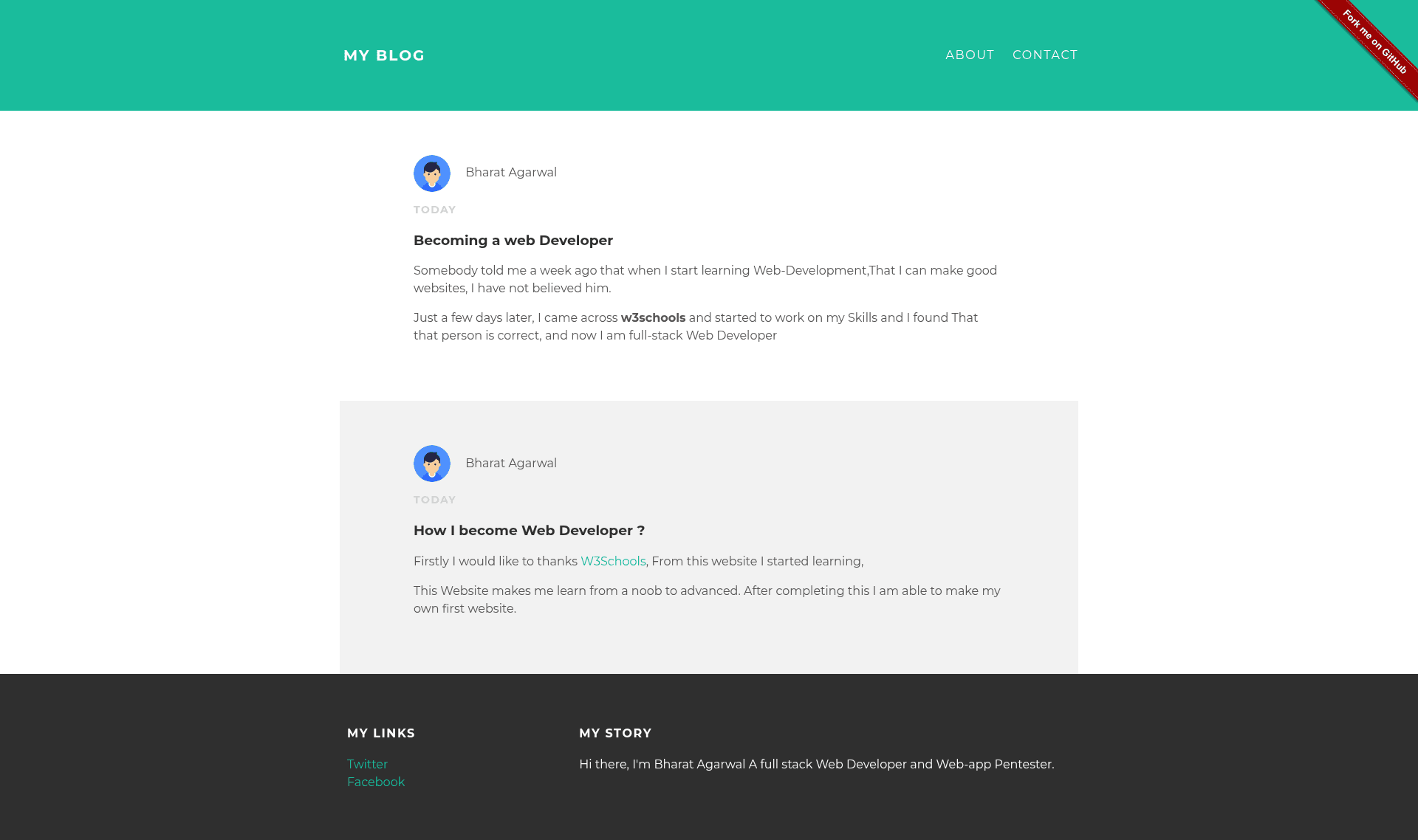
Blog Template is a complete, ready-to-use responsive blog template implemented in HTML, CSS, and JavaScript. It is a static website layout that you can download or fork, customize, and host anywhere. The template is live online at https://blogtemplate.iambharat.me/, where you can preview the default blog design before using it. It was created and is maintained by Bharat (bharatagsrwal), who also provides contact through Facebook, Twitter, LinkedIn, and a personal website.
Key Features
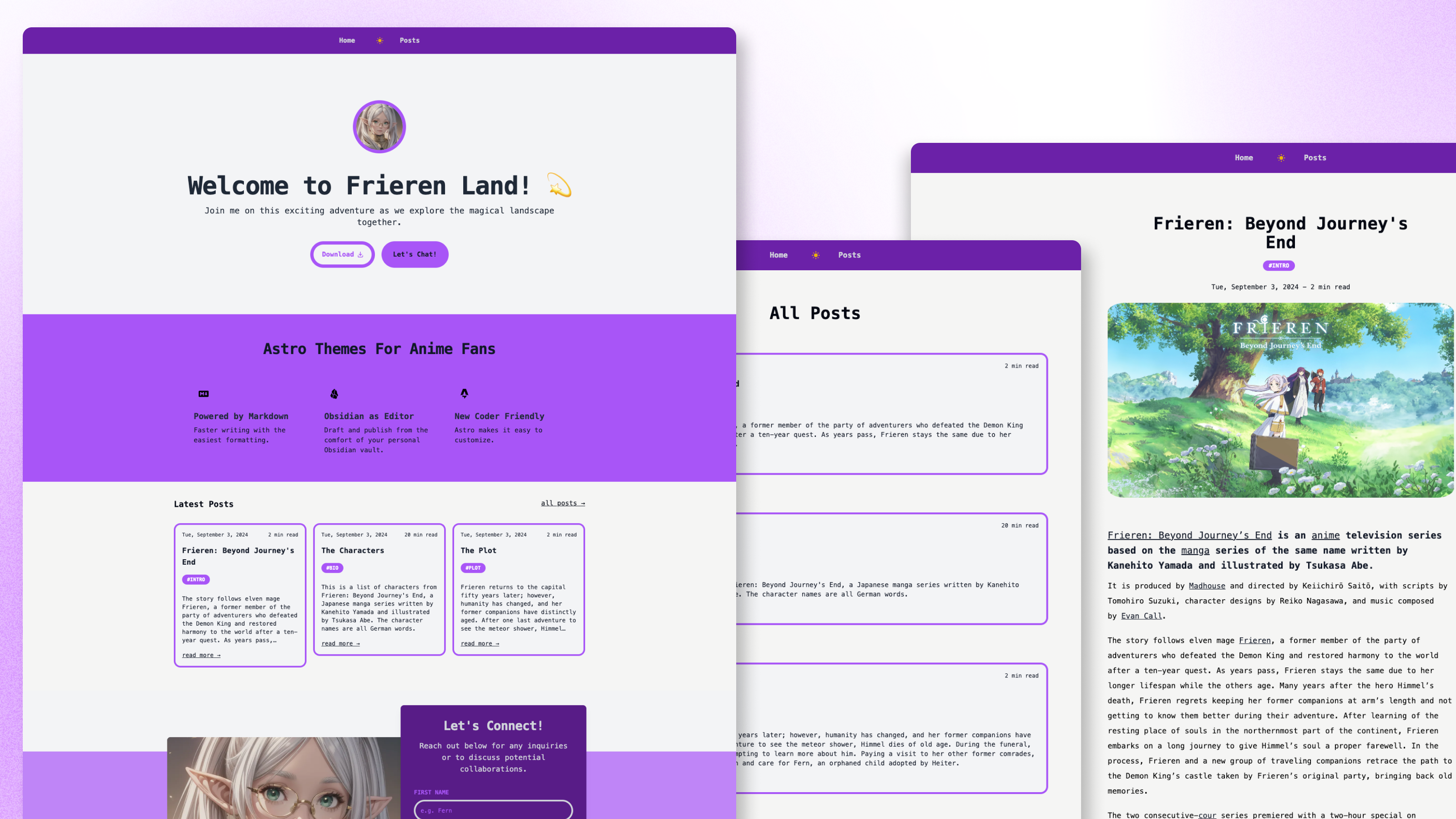
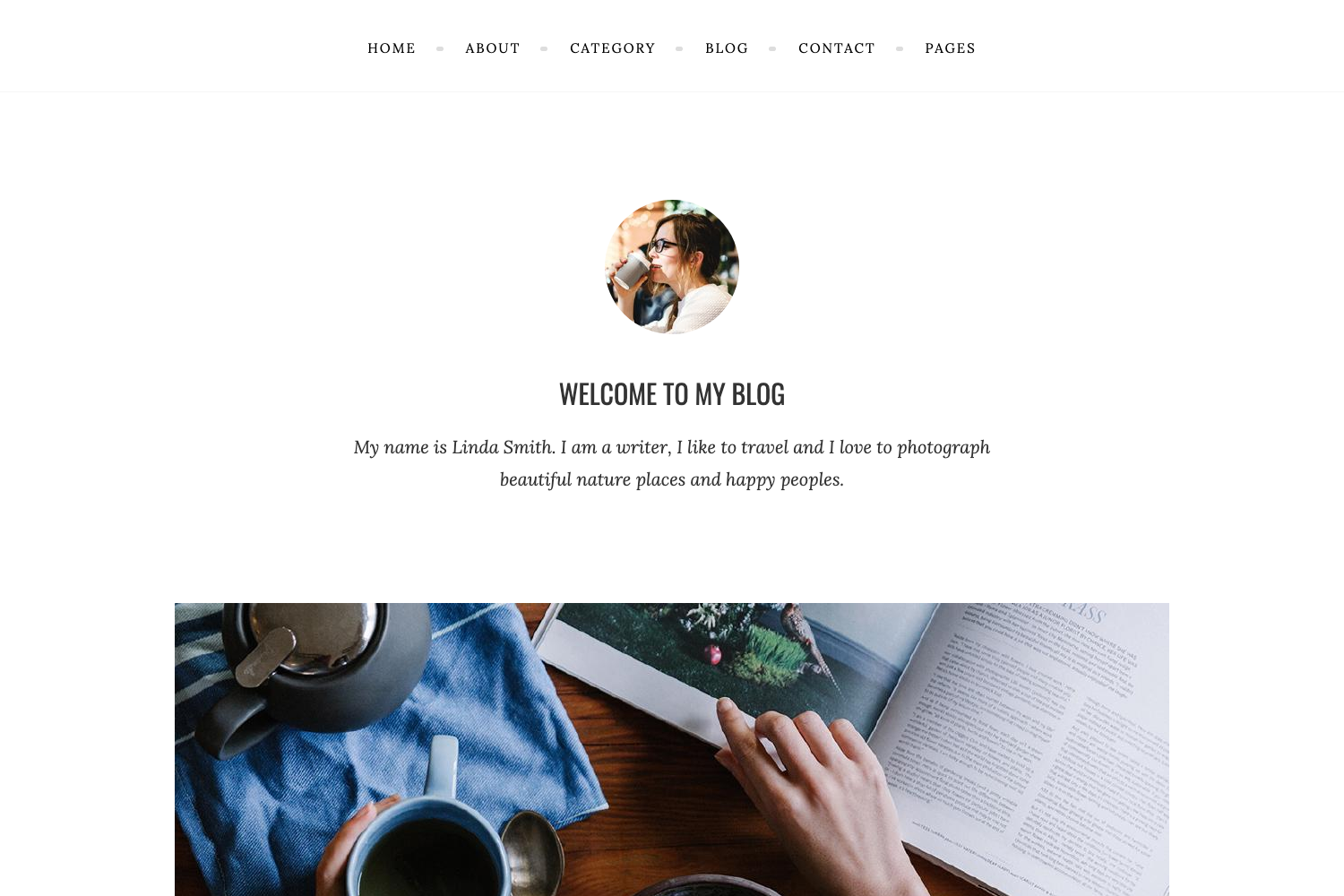
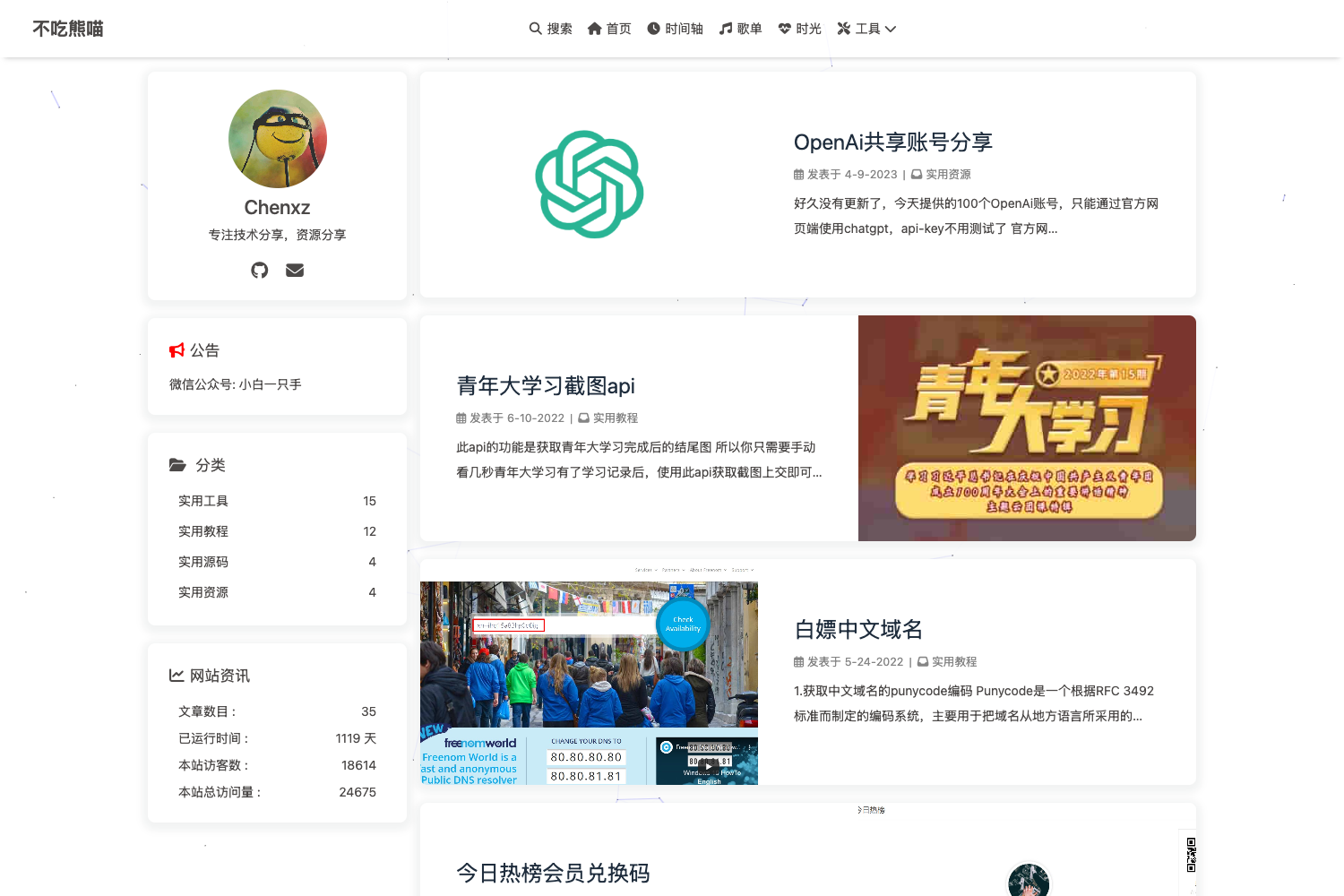
- Responsive layout — The template adapts to both desktop and mobile screens; screenshots show three desktop views (blog1, blog2, blog3) and three mobile views (blog4, blog5, blog6).
- Plain tech stack — Built with HTML, CSS, and JavaScript only, with no front-end framework, build tool, or package manager required.
- Live demo — A working version is available at https://blogtemplate.iambharat.me/ so you can test the template in a browser immediately.
- Tested in Google Chrome — The author states the project is tested in the Google Chrome browser, confirming the layout works in that environment.
- Open-source contribution — Pull requests are welcome; the repository has clear guidelines for submitting changes against the develop branch, and issues are responded to within 10–21 hours.
Who is it for?
- Beginner web developers — Learn how a minimal responsive blog is structured by reading the straightforward HTML and CSS files without framework overhead.
- Personal bloggers — Launch a simple blog by editing the static files and uploading them to any web host or static site service.
- Open-source contributors — Practice contributing to a small project by adding features, fixing bugs, and submitting pull requests according to the documented workflow.
What can you do with Blog Template?
- Personal bloggers: Set up a clean, responsive blog homepage by editing the template content and hosting the files on any static server.
- Front-end learners: Study a no-build-step codebase to understand how media queries or JavaScript can create a mobile-friendly layout.
- Hobbyist developers: Use the template as a starting point for a portfolio or personal site by swapping the blog text and styling.
Pricing
The template is freely available in a public GitHub repository, and the live demo is free to view online. No pricing tiers or paid plans are mentioned.
Pros and cons
- Pros: simple static files, responsive design, live demo, and a clear contribution process.
- Cons: the project is explicitly only tested in Google Chrome, so cross-browser behavior is not verified; the template is basic and has no built-in CMS or advanced features.
FAQ
Is Blog Template free?
Yes. The full code is in a public GitHub repository and the live demo at https://blogtemplate.iambharat.me/ is free to visit. No sign-up, licensing fee, or paid plan is required.
What technologies does Blog Template use?
It uses plain HTML, CSS, and JavaScript. There is no Node.js dependency, no bundler, and no front-end framework, so you can open the HTML file directly in a browser or host the folder on any static file server.
Is Blog Template responsive?
Yes, the template is described as completely responsive. The author included separate screenshots for desktop and mobile viewports to demonstrate that the layout changes appropriately on smaller screens.
How do I customize Blog Template?
Clone or download the repository, edit the HTML, CSS, and JavaScript files, and then host the static site wherever you prefer. For changes you want merged upstream, follow the contribution guide: fork, create a feature branch, commit, push, and open a pull request against the develop branch.
Which browsers are supported?
The author states the project is tested in Google Chrome. Other browsers are not mentioned in the documentation, so compatibility is only confirmed for Chrome.