Template details
Bloghacks
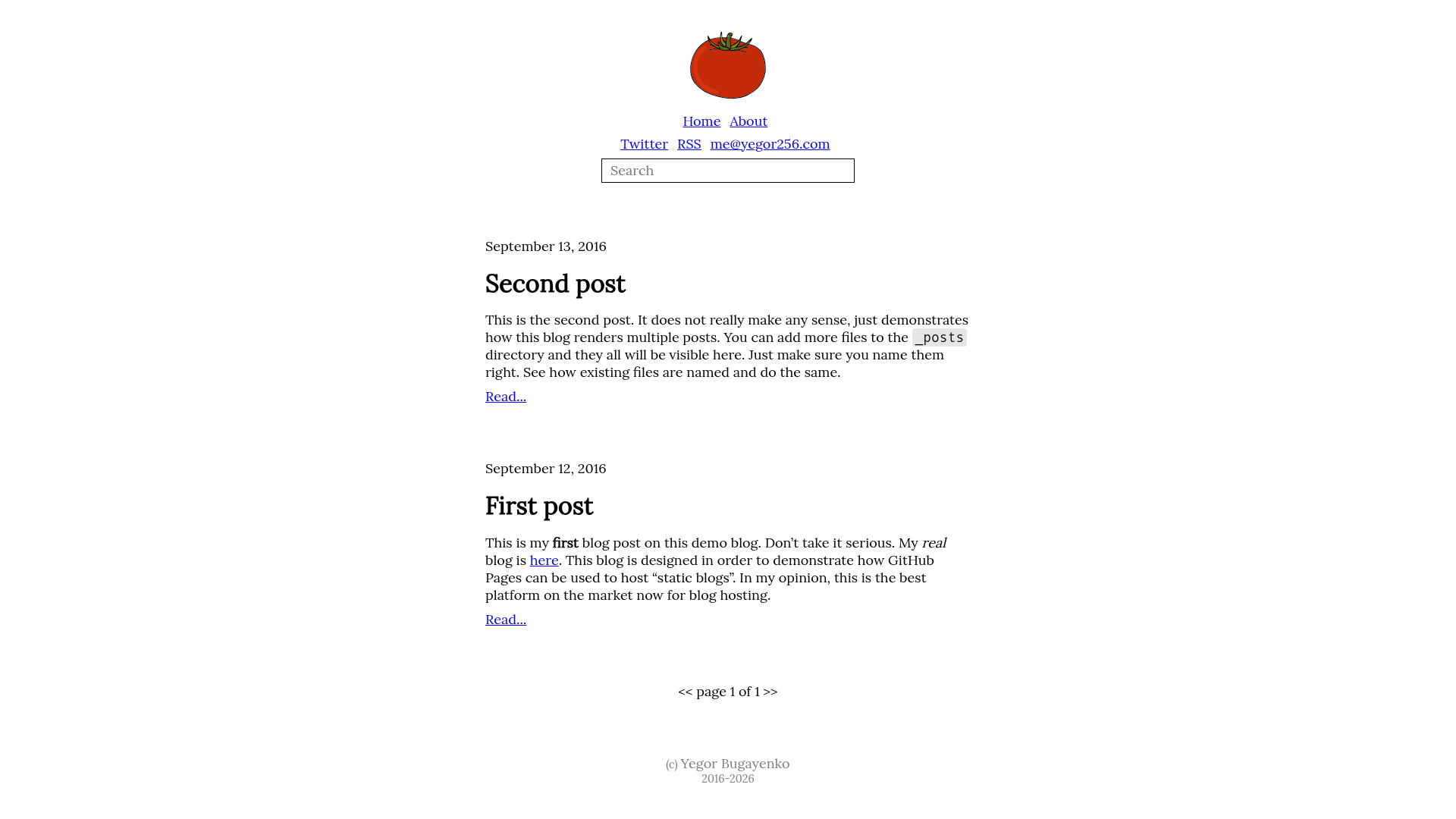
Jekyll demo blog for the '256 Bloghacks' book, deployable via Docker.
About this template
Bloghacks is a Jekyll static blog template created by Yegor Bugayenko as a companion demo for the "256 Bloghacks" book, live at bloghacks.yegor256.com.
What is Bloghacks?
Bloghacks is a Jekyll-based static blog example that demonstrates the blogging practices from the "256 Bloghacks" book. It takes Markdown posts as content input and generates a static HTML site via the Jekyll static site generator, with no database required. The source is published on GitHub under the yegor256/bloghacks repository, includes a GitHub Actions workflow (jekyll.yml) for automated builds, and supports a Docker-based local serving workflow using the yegor256/blog-image Docker image.
Key Features
- Jekyll static generation — Converts Markdown posts into a static HTML blog; content is plain Markdown files and the output is a folder of HTML pages, ready to host anywhere.
- Docker local development — The documented run command mounts the blog source directory into the yegor256/blog-image container, executes bundle update, and starts jekyll serve with the --drafts and --future flags so you can preview unpublished and future-dated posts.
- GitHub Actions CI — The repository contains a jekyll.yml workflow, indicated by a workflow status badge in the readme, which automates building the Jekyll site on GitHub's infrastructure.
- Live demo deployment — The template is publicly accessible at bloghacks.yegor256.com, allowing you to inspect the finished site without setting up anything locally.
- Book companion — Built specifically to support the "256 Bloghacks" book by Yegor Bugayenko; the book's official page is linked from the repository and explains the blogging techniques the demo illustrates.
Who is it for?
- Jekyll developers — Use Bloghacks as a minimal reference for structuring a Jekyll blog, including the Dockerized local server command and GitHub Actions build setup.
- Readers of "256 Bloghacks" — Follow the book's advice by referencing a working implementation of the recommended blogging hacks and workflow.
- Technical bloggers — Clone the repository and adapt the Markdown posts, layouts, and configuration to bootstrap your own static blog with a local preview and CI build in place.
What can you do with Bloghacks?
- Preview drafts locally: Run the provided docker run command to serve the blog on port 4000 with --drafts and --future, showing you exactly how unpublished and scheduled posts will look before you publish them.
- Learn Jekyll conventions: Explore the repository's file layout, including where posts, layouts, and the Jekyll configuration live in a practical blog project.
- Automate builds: Use the bundled GitHub Actions workflow to rebuild the static site automatically whenever changes are pushed to the repository.
How does Bloghacks work?
The recommended setup runs entirely through Docker. The command mounts your blog directory (the repo source) into the yegor256/blog-image container at /b, runs bundle update to install Ruby dependencies, and then starts bundle exec jekyll serve with --drafts, --future, and --host=0.0.0.0, binding the site to http://localhost:4000.
FAQ
How do I run Bloghacks locally?
Use the Docker command from the readme: docker run -it --rm -v "$(readlink -f /code/blog):/b" -p 4000:4000 yegor256/blog-image 'cd /b && bundle update && bundle exec jekyll serve --drafts --future --host=0.0.0.0'. This serves the blog on port 4000 with drafts and future posts enabled.
Is Bloghacks open source?
Yes — the repository is public on GitHub at yegor256/bloghacks, meaning the source code is freely viewable and cloneable. No license file is mentioned in the readme, so check the repository for licensing terms.
Does Bloghacks require Docker?
The readme only documents the Docker-based workflow, so Docker and the yegor256/blog-image image are the supported path. Since Bloghacks is a standard Jekyll site, running bundle exec jekyll serve on a machine with Ruby and the Gemfile dependencies installed should also work, but that is not described in the page.
What is the "256 Bloghacks" book?
It is a book by Yegor Bugayenko about blogging, with a companion page at yegor256.com/256-bloghacks.html. Bloghacks is the demonstration blog built to accompany the book and show the recommended practices in action.