Template details
Lotse
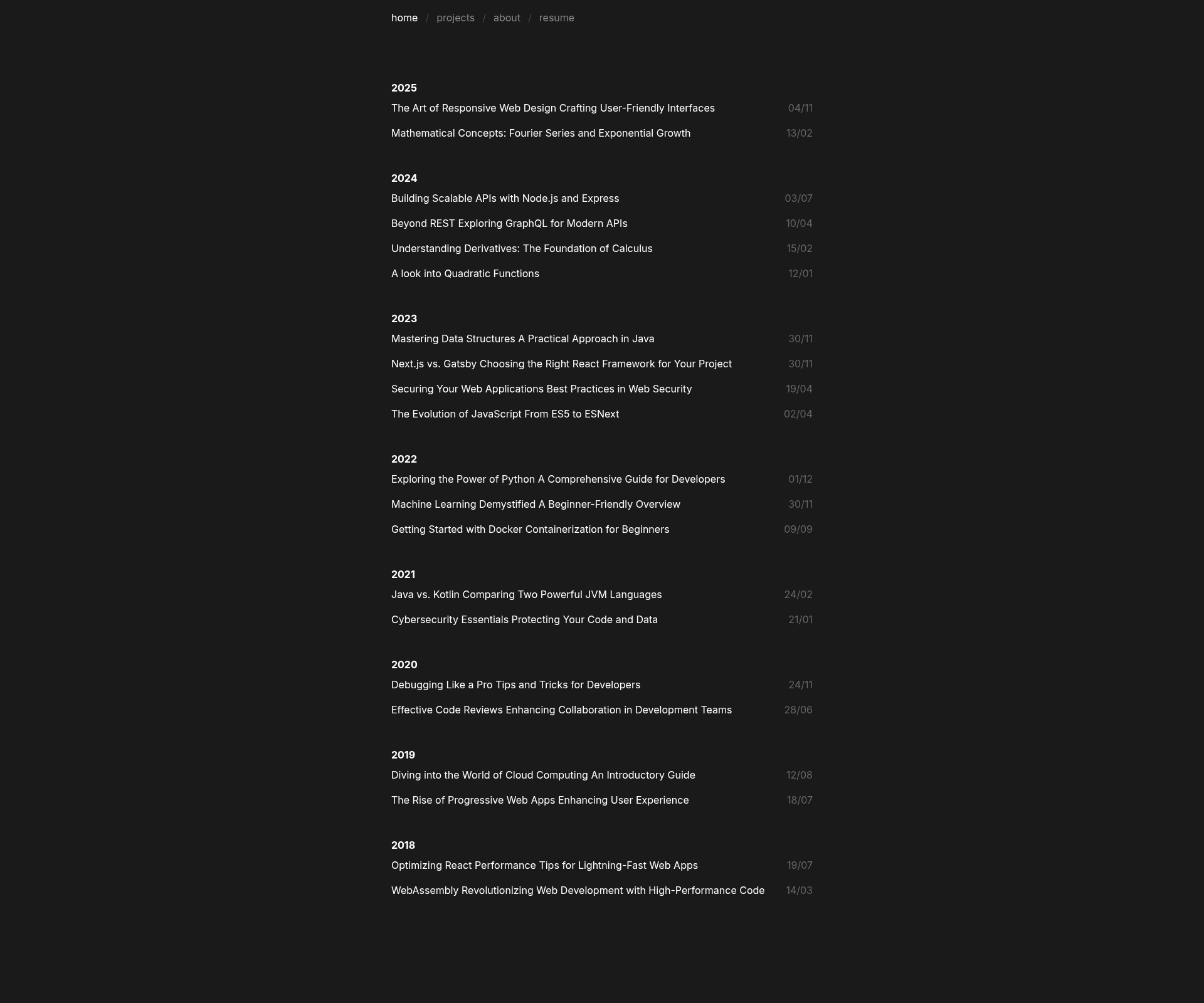
Minimalistic dark mode blogging and portfolio template built with Next.js and TailwindCSS.
About this template
Lotse is a minimalistic dark-mode blogging and portfolio template built with Next.js and TailwindCSS, designed for developers who want a fast, SEO-optimized personal site.
What is Lotse?
Lotse is an open-source, MIT-licensed template for building a personal blog and portfolio. It takes Markdown/MDX content files as input and produces a server-rendered Next.js site that can be deployed to Vercel or Netlify. The template is created by marpeand and hosted on GitHub, with a live demo at lotse.vercel.app. It uses Contentlayer to compile MDX content, KaTeX for mathematics, and is built around a single dark background color that you configure in blog.config.js.
Key Features
- Contentlayer integration — MDX files in the content/posts and content/projects directories are compiled into typed, queryable content with fields defined in contentlayer.config.js.
- Ultra-minimalistic dark mode design — a single dark background color (default #1a1a1a) is set in blog.config.js, keeping the layout clean and uncluttered.
- Next.js & TailwindCSS stack — the site runs on the Next.js App Router and is styled entirely with TailwindCSS utility classes.
- KaTeX math support — write mathematical equations in MDX posts using LaTeX-like syntax and have them rendered by KaTeX.
- SEO optimized — the template targets nearly perfect Page Speed Insights scores and includes meta tags for better search visibility.
- One-click deployment — the README includes deploy buttons for Vercel and Netlify that clone the repository and start a deployment directly.
- Configurable site data — edit blog.config.js to set the site title, description, base URL, dark background color, and optional resume link.
- Built-in about and resume pages — write your bio in content/about.mdx and optionally link a resume PDF from the /public folder.
Who is it for?
- Developers who want a personal blog without building a site from scratch, using Markdown/MDX they already know.
- Students and researchers who need to display math-heavy posts and a portfolio of projects with KaTeX support.
- Freelancers and job seekers who want a minimal, fast portfolio with a downloadable resume and a showcase of projects.
- Open-source contributors who want a template they can fork, customize, and deploy to Vercel or Netlify for free.
What can you do with Lotse?
- Publish blog posts — create .mdx files in content/posts with frontmatter for title, date, and draft status, and they appear on the site automatically.
- Showcase projects — add .mdx files to content/projects with a title to create a portfolio grid.
- Customize branding — change the site title, description, and dark background color in blog.config.js without touching React components.
- Deploy instantly — use the Vercel or Netlify deploy buttons in the README to get a live site in minutes.
How does Lotse work?
The quick start guide in the repository shows a simple workflow. First, fork the repo. Then edit blog.config.js with your site title, description, base URL, and colors. Replace the favicon. Write your about content in content/about.mdx. Finally, import the repository to Vercel or Netlify and deploy. Posts and projects are created by adding MDX files to the corresponding content directories.
FAQ
Is Lotse free to use?
Yes. The template is open source under the MIT License, so you can use it for personal or commercial projects without cost.
Do I need to know React to use Lotse?
No, not for basic use. You can create posts and projects by writing Markdown/MDX files and editing blog.config.js, which is a plain JavaScript object. Customizing the design further would require some React knowledge.
Can I use Lotse with a custom domain?
Yes. Since the site is a standard Next.js app, you can add a custom domain in your Vercel or Netlify dashboard after deployment.
Does Lotse support dark/light mode toggle?
No. The template is dark mode only, using a single configurable background color (default #1a1a1a). There is no built-in light mode toggle.
How do I add mathematical equations to my posts?
Lotse integrates KaTeX, so you can include LaTeX-style equations in your MDX files. The required fields for each post are title (in quotes), date in YYYY-MM-DD format, and draft set to true or false.