Template details
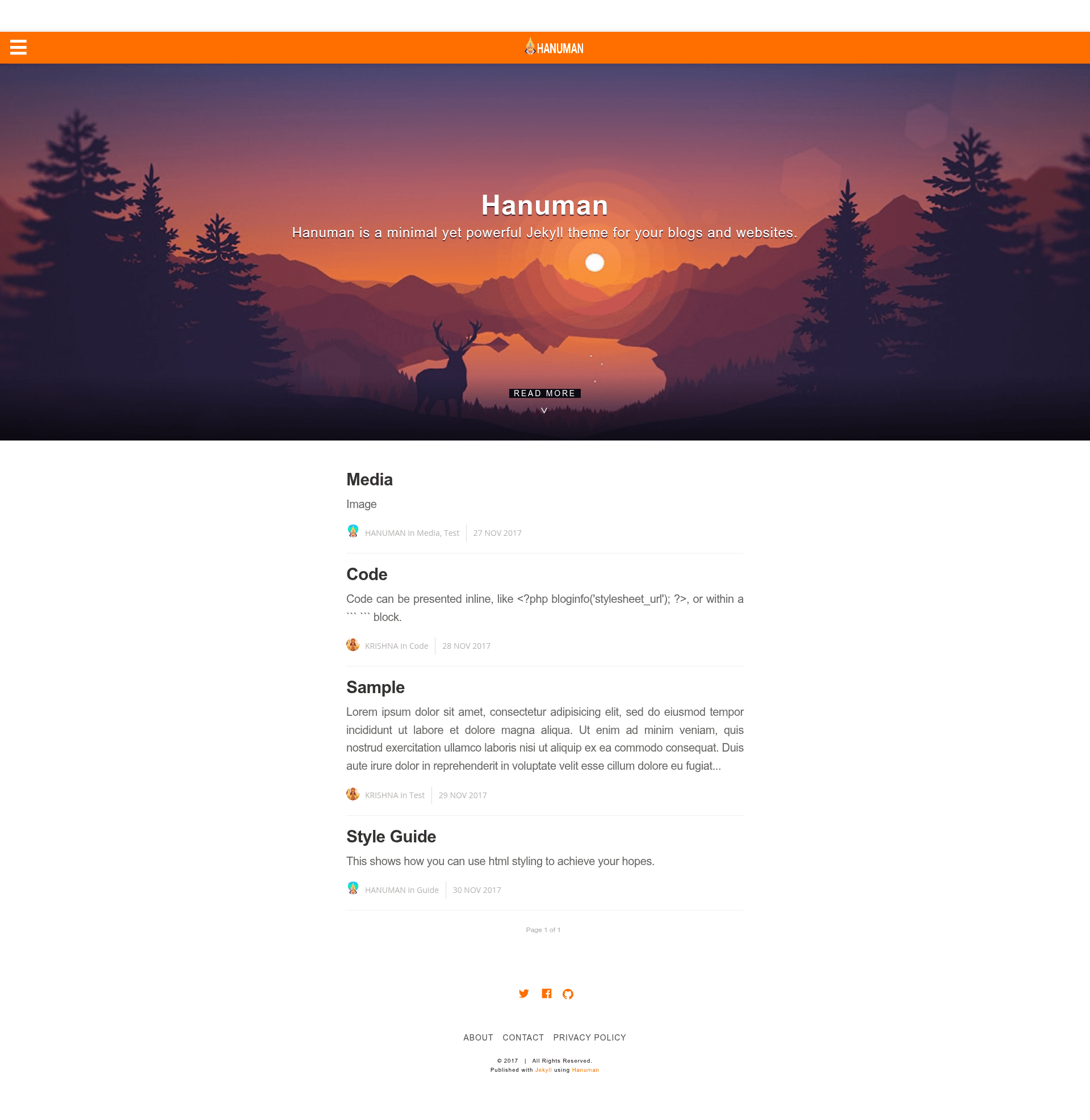
Hanuman
A minimal, AMP-powered Jekyll theme for fast blogs and websites.
About this template
Hanuman is a minimal Jekyll theme built on Google's AMP Start framework that outputs Accelerated Mobile Pages for fast-loading blogs and websites.
What is Hanuman?
Hanuman is an open-source Jekyll theme created by Samanyou Garg and based on the amplify theme, designed to make every page compliant with Google's AMP standard. It takes standard Jekyll content — posts, site configuration in _config.yml, and data files like navigation.yml and author.yml — and generates static AMP HTML pages. The theme is distributed under the MIT License and can be installed as a Ruby gem, by cloning the repository, or through Jekyll Remote Theme on GitHub Pages.
Key Features
- AMP-first architecture — Built on the AMP Start framework, so all generated pages use AMP components such as amp-img and amp-youtube, which are validated for fast mobile rendering.
- Multiple installation methods — Installable via the "hanuman" Ruby gem, by cloning the repository and editing _config.yml, or by adding
remote_theme: "hanuman"for GitHub Pages. - Syntax highlighting — Code blocks are highlighted in posts, which is a standard Jekyll feature.
- Cover images — Supports cover images for both the homepage and individual blog posts.
- Social sharing — Includes social sharing links to spread posts across networks.
- Authors and tags — Multiple authors can be listed in author.yml, and posts can be organized with tags.
- Google Analytics — Built-in analytics support: add your tracking ID to _config.yml and remove comment tags in the default.html layout to enable.
- Customizable styling — Site-wide color is controlled by a single $theme-color variable in the styles.scss file within the includes directory.
Who is it for?
- Bloggers who want a clean, minimal layout that loads quickly on mobile devices and meets AMP validation guidelines.
- Jekyll developers who prefer a gem-based theme for easy updates and want to customize navigation, authors, and styling via data files and SCSS.
- GitHub Pages users looking for an AMP-compliant theme that deploys either by pushing the destination folder to a branch or automating builds with Travis CI.
Use cases
- Personal blogs: Publish posts with cover images, syntax-highlighted code, and multiple author attribution, all served as AMP pages from GitHub Pages.
- Developer portfolios: Use the tag and navigation system to organize projects and write about them, with the speed benefit of AMP for mobile visitors.
- AMP experimenters: Validate pages in the browser by appending #development=1 to any URL, and see the "AMP Validation Successful" message in the developer console.
How does Hanuman work?
- Install the theme via gem, clone, or remote theme, then update _config.yml with your site's name, description, and analytics ID.
- Write posts in _posts using Markdown or AMP components for media, referencing the AMP documentation for tags like amp-img and amp-youtube.
- Build with
bundle exec jekyll serveand deploy the resulting _site folder, or set up Travis CI to build and push to gh-pages automatically.
Pros and cons
Pros
- Free and open source under the MIT License.
- AMP-compliant by default, which can improve mobile page speed and search visibility.
- Flexible installation options, including a Ruby gem and Jekyll Remote Theme.
- Active community contributions are welcomed via GitHub pull requests.
Cons
- AMP's restrictions mean you cannot use standard Markdown for images and videos; you must use AMP-specific tags such as amp-img and amp-youtube.
- All CSS must be inline because of AMP constraints, so styling is managed entirely in the styles.scss include file.
Alternatives
- Amplify — The Jekyll theme Hanuman is based on, offering a similar AMP-driven approach.
FAQ
Is Hanuman free?
Yes, Hanuman is free and open source under the MIT License. You can use it for personal or commercial projects without any licensing fees.
Does Hanuman work with GitHub Pages?
Yes, Hanuman supports GitHub Pages. You can push the generated destination folder to your gh-pages branch, use Travis CI for automated deployment, or add remote_theme: "hanuman" to work with Jekyll Remote Theme.
Can I use standard Markdown inside Hanuman posts?
For text yes, but for media you must use AMP components. AMP does not permit regular HTML img or video tags; instead use amp-img and amp-youtube with required width and height attributes.
How do I change the default color of the theme?
Open the styles.scss file in the includes directory and change the hex value of the $theme-color variable. This single variable controls the site's primary color throughout the theme.
How do I enable Google Analytics in Hanuman?
Set your Analytics Tracking ID in _config.yml, then remove the comment tags (the curly-brace comment syntax) in the default.html file in the layouts directory. Analytics will then track page views.