Template details
Boucle
Jekyll theme for simple blog with tailwindcss
About this template
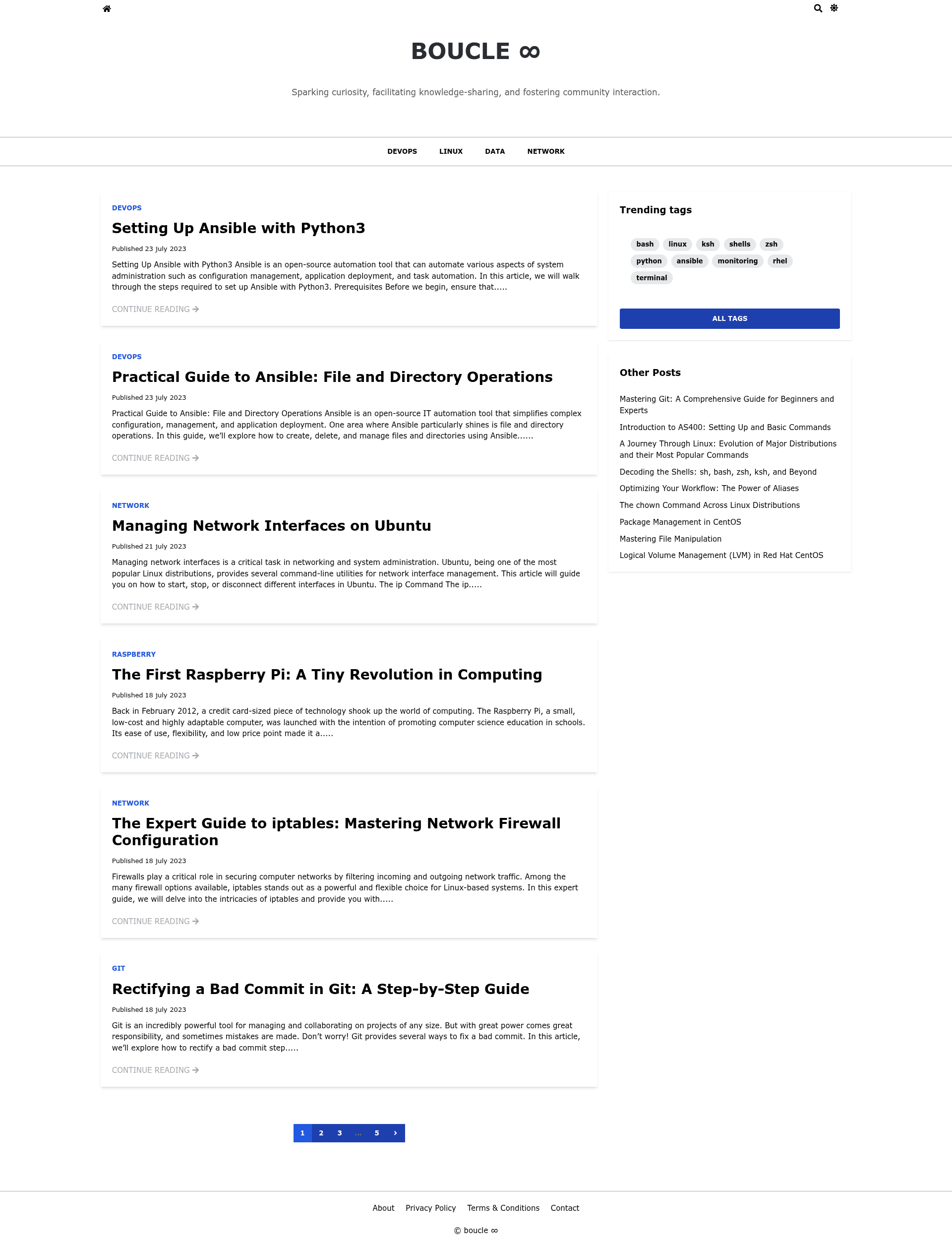
Boucle is an elegant Jekyll theme built with Tailwind CSS that turns a standard Jekyll blog into a static site with tag and category organization, SEO optimization, pagination, and a custom JavaScript search that filters posts by title.
What is Boucle?
Boucle is an open-source Jekyll theme created by Lucian BLETAN and distributed under the MIT License. It takes Jekyll posts and configuration values from a site's _config.yml file and produces a static HTML blog styled with Tailwind CSS. The theme is designed for simple blogs and runs on any platform that supports Jekyll, including GitHub Pages.
Key Features
- Modern design with Tailwind CSS — The theme's layout is built entirely with Tailwind CSS, giving you utility-first styling without a separate CSS framework.
- Custom JavaScript search — Includes a built-in search that filters posts by their titles, with no external search service required.
- Tags and categories — Supports organizing posts with both tags and categories, and lets you show specific categories in the site menu via the
menu_categoriesconfig key. - SEO readiness — The theme is optimized for search engines out of the box.
- Pagination — Pagination is built in, so readers can browse posts across multiple pages.
- Configurable author profile — The
_config.ymlsupports author name, image, description, Twitter, and GitHub handles, all displayed in the theme. - Flexible permalinks — You can set a custom permalink structure, such as
/:title/, through Jekyll's standard permalink option. - Social links — Twitter, GitHub, and LinkedIn URLs can be configured to show in the theme.
Who is it for?
Boucle is aimed at individuals and small teams who want a no-frills Jekyll blog with modern styling and useful navigation. It is a good fit for developers who want to publish a personal blog or a knowledge base and are comfortable editing a _config.yml file to set up their site. Because it is MIT-licensed, developers can also fork and customize the theme for client projects or production sites.
What can you do with Boucle?
- Personal bloggers: publish posts with tags and categories to keep content organized, and let visitors search by title.
- Technical writers: set up a documentation or dev blog with categories like DevOps, Linux, data, and network, using the
menu_categoriesoption to expose those sections in the menu. - GitHub Pages users: deploy the static site to GitHub Pages since the repository lists gh-pages as a topic and the theme is built on Jekyll's standard workflow.
How does Boucle work?
To use Boucle, you download or clone the repository, set your site variables in _config.yml, and run bundle exec jekyll serve to build and preview the site locally. The theme then generates a static site from your Jekyll posts, applying the configured title, description, social links, categories, permalink style, and author details.
Pricing
Boucle is free and open source under the MIT License, so you can use it for personal or commercial projects without paying any license fee.
FAQ
Is Boucle free?
Yes, Boucle is released under the MIT License, so it is free to use, modify, and distribute.
Does Boucle include a search function?
Boucle includes a custom JavaScript search that filters posts by their titles. It runs entirely in the browser and doesn't require an external search service.
How do I customize which categories appear in the menu?
Set the menu_categories key in _config.yml to an array of category names, for example ["devops", "linux", "data", "network"], and those categories will appear in the site menu.
Can I use Boucle with GitHub Pages?
Because Boucle is a Jekyll theme and the repository is tagged with gh-pages, you can build the site with Jekyll and host the output on GitHub Pages.
What are the system requirements?
You need a Ruby environment with Jekyll and Bundler installed to build the site, and the theme uses Tailwind CSS for styling.