Template details
YAMT
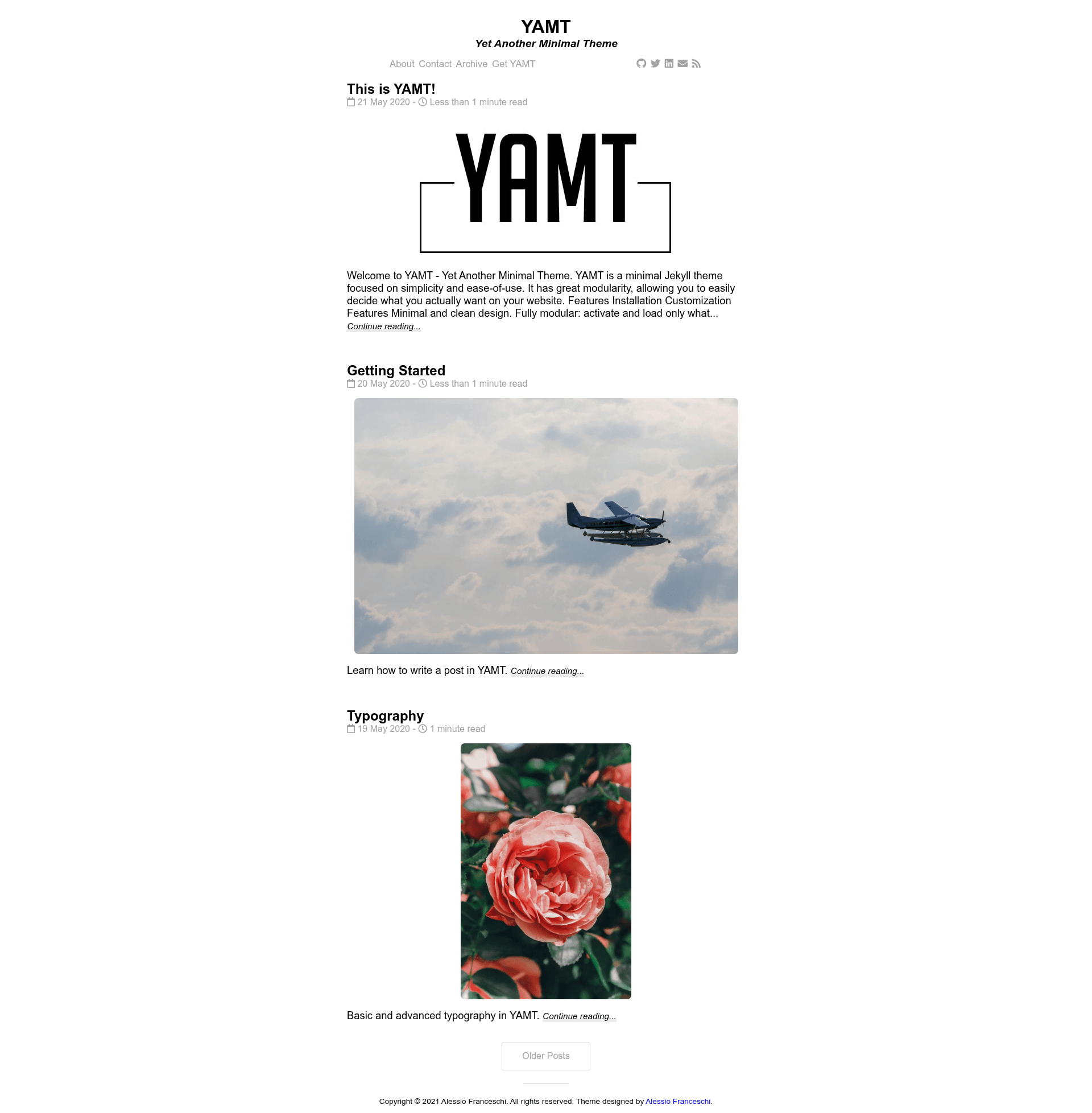
YAMT is a minimal Jekyll theme focused on simplicity and ease-of-use.
About this template
YAMT (Yet Another Minimal Theme)
YAMT (Yet Another Minimal Theme) is an open-source Jekyll theme focused on simplicity and modularity, giving you a clean blog that loads only the features you actually enable. Based on a minimal design with a System Font Stack, it runs on Jekyll and deploys to Netlify or GitHub Pages, and it is created by Alessio Franceschi (PandaSekh).
What is YAMT?
YAMT is a minimal Jekyll theme for building fast, simple blogs and personal sites. It takes a standard Jekyll site structure (posts in _posts, configuration in _config.yml) and renders it into a static site with a homepage, post pages, category archives, and an optional contact page. You control which components appear by toggling settings in _data/settings.yml. The theme was designed by Alessio Franceschi and is inspired by Lagrange by LeNPaul; it is released under the MIT License.
Key Features
- Modular settings — Every section (post infos, categories, related posts, comments, subtitle, navigation, social icons) can be shown or hidden through
_data/settings.yml, so the generated HTML contains only what you choose. - Disqus comments on demand — Comments are loaded only after a button press when enabled, keeping initial page weight low.
- Google Analytics support — Add your tracking ID in the configuration to enable analytics.
- Open Graph and Twitter Cards — Built-in metadata generation helps your posts display rich previews when shared on social networks and search engines.
- MathJax and LaTeX — Optional support lets you render mathematical formulas in posts using TeX syntax.
- RSS feed — Integrates with the
jekyll-feedplugin to generate a standard RSS feed for your readers. - Syntax highlighting — Code blocks are highlighted with a clean style; a dedicated demo page shows how it looks.
- Built-in Netlify contact form — Includes a working contact form that uses Netlify's free form handling with the
data-netlify="true"attribute; you can remove that line if you don't use Netlify.
Who is it for?
YAMT is designed for developers and bloggers who want a straightforward Jekyll site without extra bloat. It suits personal bloggers who want a fast, minimal layout with optional social links and comments, and developers who prefer to customize a theme by editing YAML data files rather than overriding many templates. It's also a good fit for project documentation or portfolios that need a clean, content-first page.
What can you do with YAMT?
- Personal bloggers: Publish markdown posts and get a tag-free, minimal layout with post dates, read time, and optional featured images.
- Academic writers: Enable MathJax to include LaTeX equations in your posts, plus syntax highlighting for code snippets.
- Hobbyist developers: Host the site on GitHub Pages or Netlify, then quickly customize the header, home, and post components from
_data/settings.yml. - Portfolio owners: Use the modular homepage to show only recent posts and your social links, with a built-in contact form on Netlify.
How does YAMT work?
YAMT works like a standard Jekyll theme: you add it as a gem (gem "jekyll-yamt"), use it as a remote theme, fork the repository, or copy the files into your existing Jekyll directory. After running bundle exec jekyll serve you can preview the site locally at localhost:4000. For production, the README suggests deploying to Netlify (where the built-in contact form works out of the box) or GitHub Pages (note that Pages uses the --safe flag, which disables custom plugins).
FAQ
Is YAMT free?
Yes. YAMT is open source and released under the MIT License, so you can use, modify, and redistribute it freely, including for commercial projects.
Does YAMT work with GitHub Pages?
Yes, but with a caveat: GitHub Pages builds with the --safe flag, which disables custom plugins. The theme's core works, but Netlify is recommended for full functionality, especially the contact form.
How do I customize YAMT?
Most customization happens in _data/settings.yml, where you can toggle the subtitle, navigation, social icons, post infos, categories, related posts, and comments. To change typography, edit assets/main.scss to switch from the system font stack to the old font stack.
Does YAMT support comments?
Yes, Disqus comments are supported. When enabled, comments are only loaded after the reader presses a button, which keeps the initial page load lighter.
Can I use YAMT for a portfolio or project site?
Yes. Although YAMT is blog-focused, its modular home page can display a minimal list of posts, and you can add extra pages through _data/pages.yml. The contact form works on Netlify.