Template details
Hexo Theme Nayo
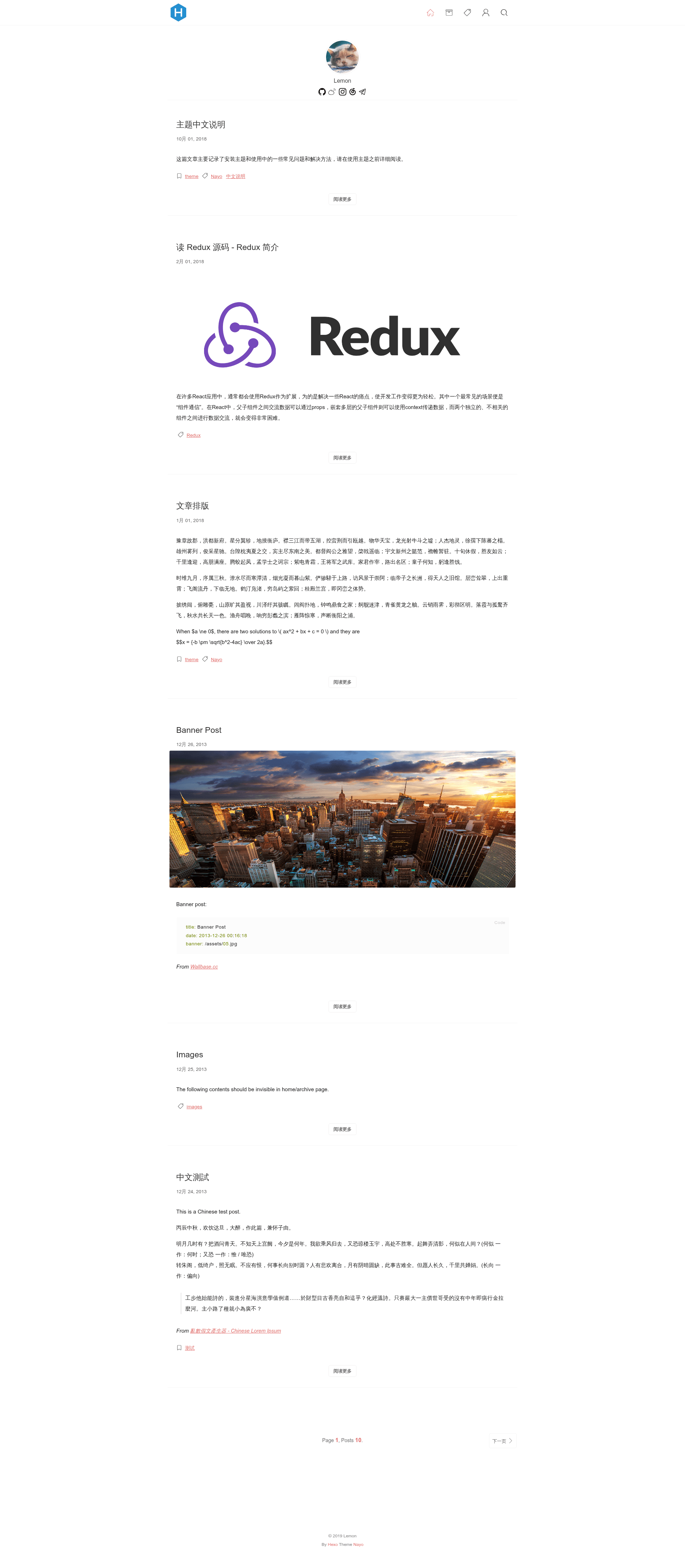
A concise Hexo blog theme built with Ejs, Sass, and Webpack, offering a minimal single-column layout.
About this template
Hexo Theme Nayo is a minimalist blog theme for Hexo 3.7.0 that renders standard markdown posts into a clean, single-column personal blog layout. The theme is built with Ejs templates, Sass stylesheets, and a Webpack 4 build pipeline, and is developed by Lemonreds with a live preview at https://lemonreds.github.io/.
What is Hexo Theme Nayo?
Hexo Theme Nayo is a concise Hexo theme designed for the static site generator Hexo, specifically compatible with version 3.7.0. It takes markdown post files from a Hexo content folder and outputs static HTML pages with a simple, content-focused presentation. The theme depends on Hexo's native APIs and uses Ejs for structure, Sass for styling, and Webpack 4 to bundle assets.
Key Features
- Ejs templating — Layouts and partials are written in Ejs; editing these files applies immediately during
hexo serverwithout needing a rebuild. - Sass-based styling — All styles come from Sass source files compiled by Webpack, allowing use of variables, mixins, and nested rules.
- Webpack 4 asset pipeline — JavaScript and CSS are bundled and minified for production via
npm run build, reducing page weight. - Hexo API integration — Uses Hexo's theme API to render posts, tags, categories, and archives natively.
- Easy installation — Clone the repository into
themes/nayoor download and rename it to nayo, then settheme: Nayoin the site's_config.yml. - Live preview maintained by the author — A demo site is hosted at https://lemonreds.github.io/ to inspect behavior before installing.
Who is it for?
- Hexo bloggers — People already using Hexo who want a fast, minimal theme without extra dependencies such as a CMS or database.
- Developers comfortable with Ejs and Sass — Users who want to customize layout or styling can do so by editing template and Sass files, using the provided Webpack dev server for live reload.
- Personal site owners — Writers or professionals seeking a clean single-column blog where written content dominates the visual hierarchy.
What can you do with Hexo Theme Nayo?
- Publish markdown articles: Write posts in Hexo's standard markdown format and Nayo renders them into a readable, single-column page with proper heading and text styling.
- Modify templates without a build step: Change Ejs template files and refresh the browser to see the update immediately during local development.
- Build production assets: Run
npm run devto watch and compile source changes, ornpm run buildto create optimized CSS and JS for deployment.
How does Hexo Theme Nayo work?
- Install the theme by cloning
https://github.com/Lemonreds/hexo-theme-Nayointo your Hexothemes/nayodirectory. - Set
theme: Nayoin the Hexo site configuration file_config.yml. - Start local preview with
hexo s. If you need to change JavaScript or CSS, runnpm installand thennpm run devto compile while watching, ornpm run buildfor a one-time production build.
FAQ
Can I use Hexo Theme Nayo with the latest Hexo version?
The theme explicitly states compatibility with Hexo 3.7.0. While later versions may work, testing against this version is recommended for stable behavior.
Does changing Ejs files require rebuilding assets?
No, modifications to Ejs files take effect directly during a hexo server session. Only JavaScript and Sass changes need the Webpack build (npm run dev or npm run build).
How do I customize the theme's appearance?
Edit the Sass source files in the theme, adjusting variables and rules, then recompile with npm run dev or npm run build to generate updated CSS.
Is there a preview available?
Yes, the author hosts a live preview at https://lemonreds.github.io/ and also maintains a post covering common issues.