Template details
Bulma Jekyll Theme
A Jekyll theme using the Bulma CSS framework for building responsive, static websites and portfolios.
About this template
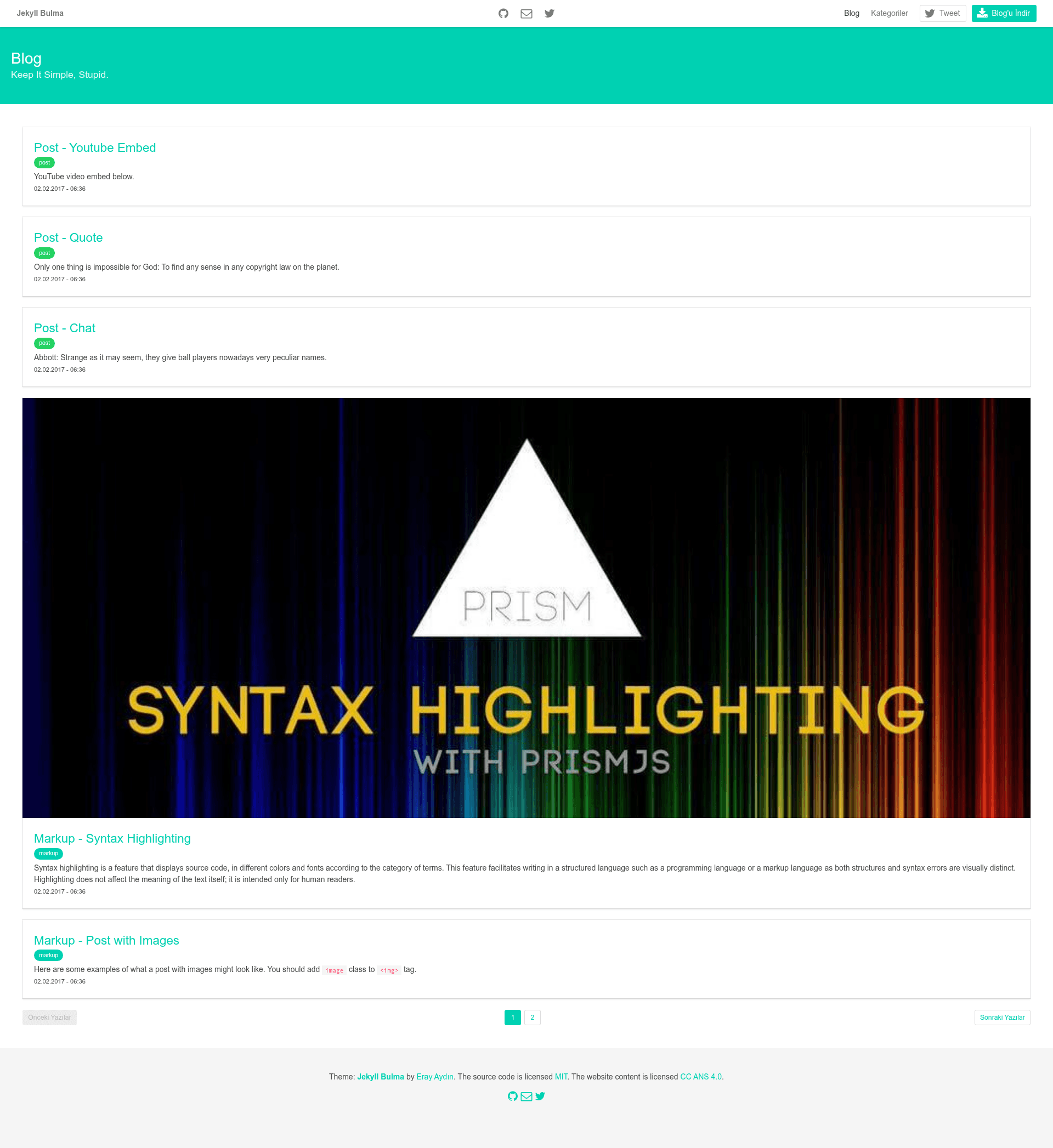
Bulma Jekyll Theme is a Jekyll theme styled with the Bulma CSS framework, designed to give developers a clean, responsive starting point for static websites. It pairs Jekyll's static site generation with Bulma's Flexbox-based styling and is shared as a public GitHub repository with the description "Jekyll Bulma Theme | Bulma.io Jekyll Template for Developers."
What is Bulma Jekyll Theme?
Bulma Jekyll Theme is a Jekyll theme that uses Bulma as its CSS framework, converting Markdown and Liquid content into a static HTML site. It runs in any Jekyll environment through the standard jekyll build command, and the resulting site requires no database or server-side application. The repository is hosted on GitHub with the topics bulma-css, jekyll, and theme, and has 27 stars.
Key Features
- Jekyll static generation — Builds a website from plain-text content, producing fast, SEO-friendly HTML files that any static host can serve.
- Bulma responsive framework — Uses Bulma's Flexbox-based grid system, so layouts adapt to mobile, tablet, and desktop breakpoints without custom media queries.
- GitHub Pages ready — As a standard Jekyll theme, it can be deployed directly to GitHub Pages by pushing the repository to GitHub.
- Developer-focused template — The repository description explicitly targets developers, implying a layout optimized for personal or portfolio-style sites.
- Open source on GitHub — The code is publicly available for forking, customization, and contribution, with 27 stars indicating early-stage usage.
Who is it for?
- Developers who want to launch a personal website or portfolio without designing a layout from scratch.
- Technical writers looking to publish documentation as a static site with a clean, responsive theme.
- Jekyll users who appreciate Bulma's utility classes and want to integrate it into their Jekyll workflow.
What can you do with it?
- Publish a blog — Write posts in Markdown, place them in the
_postsfolder, and Jekyll generates styled pages using Bulma components. - Build a portfolio — Present projects and skills using Jekyll's page system, with Bulma cards and navbar for structure.
- Create a documentation site — Use Jekyll collections to organize docs, with a clean Bulma layout for reading.
How does it work?
Install the theme by placing it in your Jekyll project or cloning the repository, then write content in Markdown or HTML. Run jekyll build to compile the site; Jekyll processes Liquid templates and Bulma CSS into static assets, and jekyll serve provides a local preview at localhost:4000.