Template details
Chatty
Chat App Created Using Next.js, Chakra UI & Firebase.
About this template
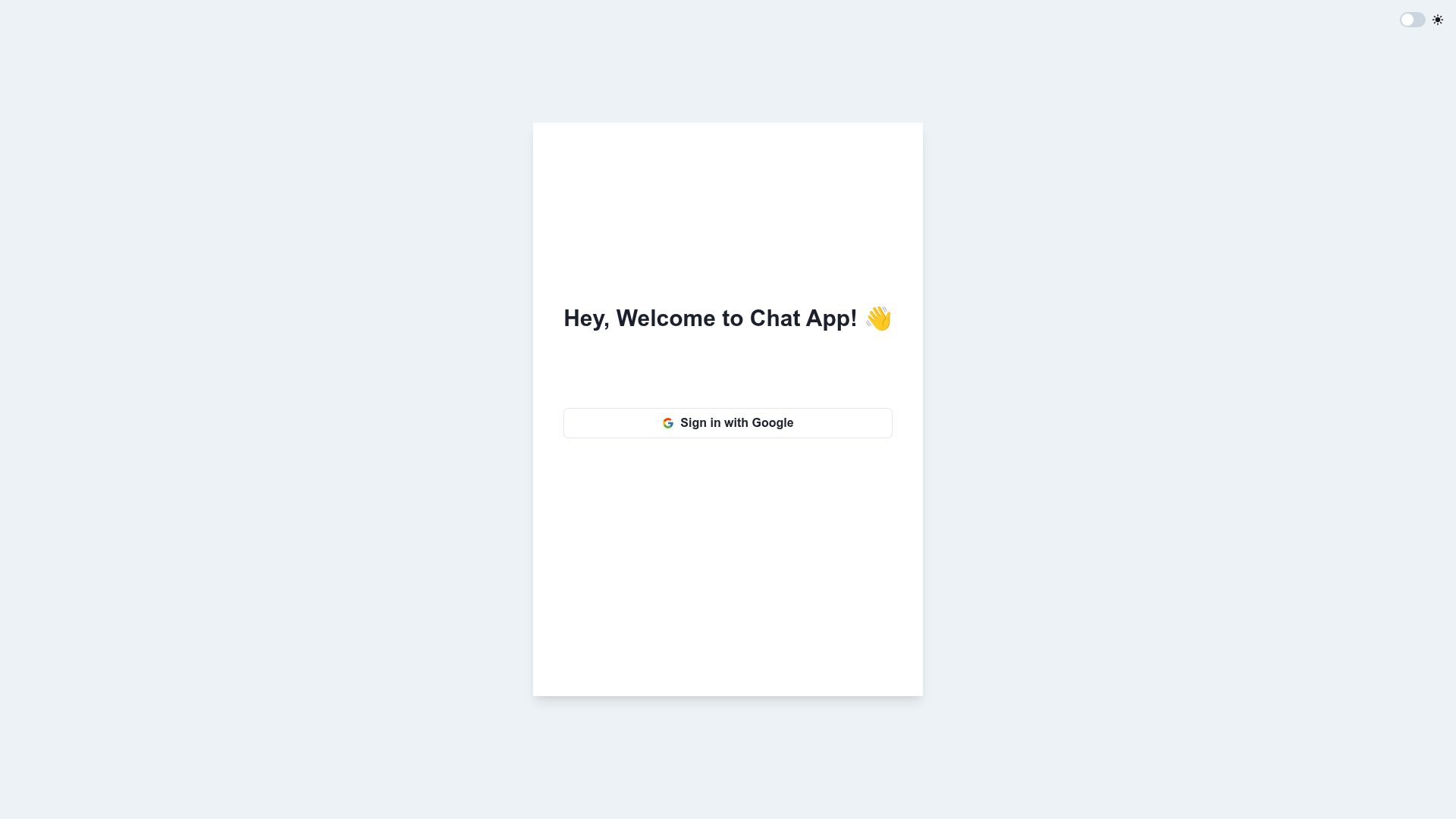
Chatty is a real-time chat application template built with Next.js, Chakra UI, and Firebase that gives developers a working chat app with Google authentication, chat rooms, and private messaging.
What is Chatty?
Chatty is a chat application template that runs on the Next.js React framework and uses Chakra UI for its styled components, with Firebase handling authentication, data storage, and hosting. The template takes a developer's Firebase project credentials and produces a live chat interface where users can log in with Google, join or create rooms, and send messages that appear in real time. It is identified in its repository description as a "Chat App Created Using Next.js, Chakra UI & Firebase." No individual author or company is listed on the page, and the repository has 10 stars.
Key Features
- Google User Authentication — Users log in and log out with their Google accounts, implemented through Firebase Authentication.
- Chat Rooms — Users can create new chat rooms, join existing ones, and leave rooms at any time from the UI.
- Real-Time Messaging — Sent messages appear in the active chat room immediately, driven by Firebase's real-time data synchronization.
- Message History — Each chat room stores message timestamps and body text, and that history is visible to users who join the room later.
- Private Messaging — Users can send direct messages to other users in addition to participating in shared chat rooms.
- Tech Stack — The frontend is Next.js with Chakra UI, and the backend services are Firebase Authentication, Firestore (the schema shows Users, Chats, and Messages collections), and Firebase Hosting for deployment.
- Simple Local Setup — Running the project locally is just
npm iandnpm run dev, and deploying usesfirebase deploy.
Who is it for?
- Developers learning real-time apps — Chatty is a working example of how Firebase Authentication and Firestore connect to a Next.js UI, useful for studying the architecture behind chat features.
- Teams building an MVP chat product — A team can clone the repository, connect its own Firebase credentials, and immediately have a functional chat application with authentication and private messaging.
- Hackathon participants — Because the setup takes two commands, it makes a fast starting point for adding a chat component to a weekend prototype.
- Firebase users — The project demonstrates a concrete data schema for chat (Users, Chats, Messages) that can be adapted for other Firebase projects.
What can you do with Chatty?
- Start a group conversation — Create a chat room, have other users join, and exchange messages in real time with full conversation history.
- Authenticate users with Google — The included Google sign-in flow can be reused as a reference for any Next.js app that needs Firebase Authentication.
- Send a one-on-one message — Use the private messaging feature to talk directly with a specific signed-in user instead of in a public room.
- Deploy a Firebase-hosted chat app — The template includes Firebase configuration so the finished app can be published with the
firebase deploycommand.
How does Chatty work?
Get started by cloning the repository, installing dependencies with npm i, and starting the local server with npm run dev. The data model stores users by email and photo, chat rooms as a timestamp plus references to messages and users, and each message as a timestamp and body. For production, the project is set up to run firebase deploy and host on Firebase.
FAQ
How do I run Chatty locally?
Clone the repository, run npm i in the project directory to install the required packages, then start the development server with npm run dev. The app will be available at the local URL shown in the terminal.
Does Chatty use Firebase for authentication?
Yes, Google user authentication is implemented through Firebase Authentication. Users can log in and log out with their Google accounts.
Can I send private messages with Chatty?
Yes, private messaging is one of the five listed features. Users are able to send private messages to other users as well as participate in shared chat rooms.
How do I deploy Chatty?
The project supports deployment to Firebase. After connecting your Firebase project, run the command firebase deploy from the repository root to publish the app.