Template details
Jekyll Book Boilerplate
A boilerplate for publishing books as Jekyll blogs
About this template
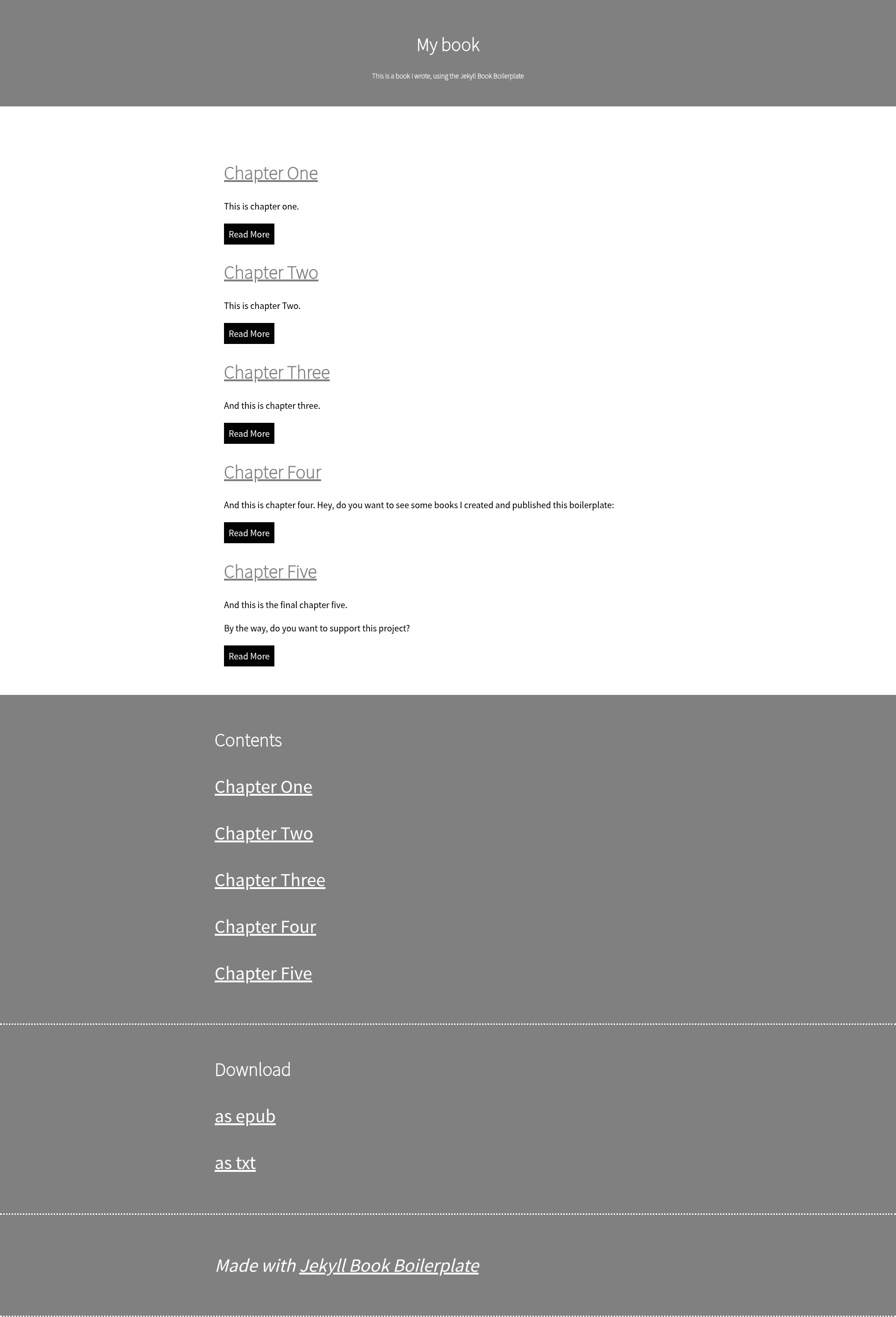
Jekyll Book Boilerplate is an open-source boilerplate that turns a Jekyll static site into a self-published book website, providing chapter navigation, epub conversion, and spellchecking out of the box.
What is Jekyll Book Boilerplate?
Jekyll Book Boilerplate is a starting point for authors who want to publish a book as a website built on the Jekyll blog platform. It takes Markdown chapter files placed in a _chapters folder and generates a complete book site with a table of contents and buttons to move between chapters. The boilerplate also ships with two scripts: one converts the book to epub using Pandoc, and another runs spelling checks using the spellchecker-cli npm package. The project is created by Boris Marinov and hosted on GitHub at boris-marinov/jekyll-book-boilerplate.
Key Features
- Table of contents — The site automatically lists all chapters you place in the
_chaptersfolder, so readers can navigate the whole book from one place. - Previous and next chapter buttons — Each chapter page includes navigation links to the adjacent chapters, making sequential reading easy.
- Epub conversion script — An included
buildscript uses Pandoc to convert your manuscript into an epub file; you edit/title.txtfirst, and a download link appears in the site footer. - Spellchecking script — A
spellcheckscript runs the spellchecker-cli npm tool over your chapters, with a/dictionary.txtfile for custom words to ignore. - Jekyll-based architecture — Because it is a Jekyll site, it can be hosted for free on GitHub Pages; setup instructions cover creating a repository and enabling Pages.
- GitHub template repository — The project supports the "Use this template" workflow, so you can generate a new repository without cloning and reconfiguring.
Who is it for?
- Self-publishing authors — Use the boilerplate to publish a book-length manuscript as a free website with clean chapter navigation, without designing a site from scratch.
- Technical writers — Publish documentation or manuals in book form using familiar Markdown, with the option to export an epub for offline reading.
- Jekyll users — If you already know Jekyll, you can copy the boilerplate, drop chapters into
_chapters, and edit_config.ymlto get a working book site in minutes.
What can you do with it?
- Authors: Set up a book website on GitHub Pages by following the six-step guide, then share the URL with readers.
- Writers: Convert a completed manuscript to epub by installing Pandoc, editing
title.txt, and running thebuildscript. - Editors: Run the spellcheck script during revisions and maintain a
dictionary.txtto keep technical terms from being flagged.
How does it work?
The workflow starts by creating a new repository from the template, then configuring _config.yml with your book's name, description, and baseurl. You place chapter files in the _chapters folder with filenames that reflect order, like 01.md, 02.md. To publish on GitHub Pages, you enable Pages in the repository settings and select the main branch. The build script handles epub export, and the spellcheck script reviews your text.
FAQ
Is Jekyll Book Boilerplate free?
Yes, it is an open-source project on GitHub. You can use the template to generate unlimited repositories, and hosting on GitHub Pages is free for public repositories.
What tools do I need to use it?
At minimum you need Jekyll to run the site locally. For epub conversion you install Pandoc; for spellchecking you need Node.js and npm to run the spellchecker-cli package.
How do I control the order of chapters?
Chapter order is determined by the filenames in the _chapters folder. The documentation suggests naming them with numeric prefixes, such as 01, 02, 03, so they sort correctly.
Does it support other output formats?
The README specifically describes epub conversion via Pandoc, and the site footer provides a link for downloading the epub. Other Pandoc output formats are possible if you extend the build script, but that is not documented in the boilerplate.