Template details
Bvg Software
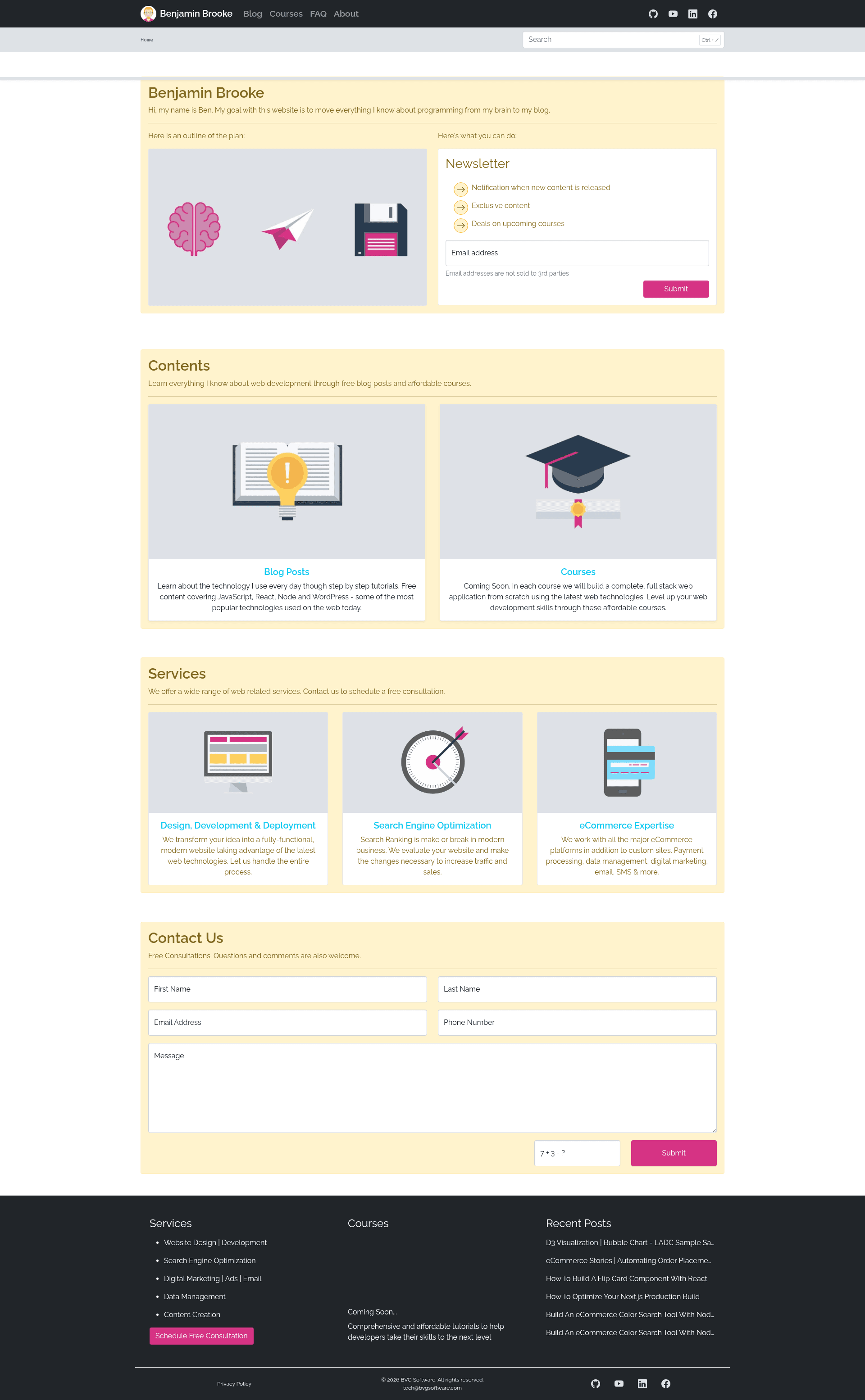
Benjamin Brooke's developer blog built with Next.js and Strapi, featuring 20+ posts on React, Node.js, eCommerce, and D3 visualizations.
About this template
This is a full-stack developer blog template built with Next.js as the frontend and Strapi as the headless CMS, created by Benjamin Brooke and published as the Bvg Software repository.
What is the Bvg Software Blog?
This is a production codebase for a personal web development blog written by Benjamin Brooke. The application is split into a frontend folder running Next.js and a backend folder running Strapi. The blog takes article content managed through Strapi and renders it as a Next.js site, with 20 published posts covering topics like D3 data visualization, eCommerce automation, React components, and Node.js command-line applications. The repository currently has zero stars on GitHub.
Key Features
- Framework stack — The frontend uses Next.js; the backend uses Strapi as a headless CMS; both are built on Node.js and React.
- Published content — The blog includes 20 articles dated from July 2019 to July 2021, with examples such as "How To Optimize Your Next.js Production Build" and "Build An eCommerce Color Search Tool With Node.js + React".
- Environment configuration — The frontend expects a
.env.localfile with Klaviyo private and public tokens; the backend expects a.envfile with admin, Cloudinary, PostgreSQL, and Redis settings. - Dual remote deployment — Git is configured with two push remotes (GitHub and a bare server repo) so a single
git push origin mainupdates both destinations. - PM2 process management — Next.js and Strapi run as PM2 processes on the server, named
nextandstrapi, and apost-receivehook rebuilds and restarts them automatically after each push. - PostgreSQL data migration — An
npm run migratescript in the backend dumps the local database to atarfile for transfer to the server, wherepg_restoreimports it. - Redis caching — Strapi middleware caches requests via Redis, set up with Docker during development and provided as a systemd service in production.
Who is it for?
- Web developers learning full-stack architecture — they can study how a Next.js frontend and Strapi backend are structured, configured, and deployed together.
- Blog owners who want a headless CMS — they can manage articles in Strapi and serve them through Next.js, with environment variables controlling integrations.
- DevOps practitioners — they can copy the PM2, dual-remote, and post-receive hook setup to automate deployment of their own Node applications.
What can you do with this template?
- Frontend developers: Review working React patterns shown in posts like the flip card component, article progress bar, and color picker.
- eCommerce developers: Explore the order placement and color search examples that use Node.js with React.
- Data visualization enthusiasts: Use the D3 samples, including a binary search tree, high school clock, minesweeper, and sample sales visualization.
How does the deployment workflow work?
The README walks through a full production deployment. After setting two push remotes, a developer runs git push origin main. The post-receive hook on the server copies the new files, restores the .env.local and .env files into the project, runs cleanup and install commands in both backend and frontend, rebuilds each, and restarts the PM2 processes named strapi and next. PM2 startup and save commands make the processes persist across server reboots.
FAQ
What is the backend CMS used in this template?
Strapi runs in the backend folder and serves as the headless CMS. It is configured with environment variables for an admin host, JWT secret, port, URL, Cloudinary credentials, and PostgreSQL database connection details.
How are environment variables handled?
Client variables go in frontend/.env.local and include KLAVIYO_PRIVATE_TOKEN and KLAVIYO_PUBLIC_TOKEN. Server variables go in backend/.env and include admin, Cloudinary, database, and Redis settings. The deployment hook copies these files from a separate asset folder into the project.
Does this template use Redis?
Yes. Redis is used for Strapi middleware caching. During development it runs in a Docker container, and in production it is managed as a systemd service checked with systemctl status redis.
What database does the backend use?
PostgreSQL. The environment variables include DATEBASE_HOST, DATEBASE_PORT, DATEBASE_NAME, DATEBASE_USERNAME, DATEBASE_PASSWORD, and DATEBASE_SSL, and the data migration process uses pg_restore to transfer database tar files.