Template details
BY Blog
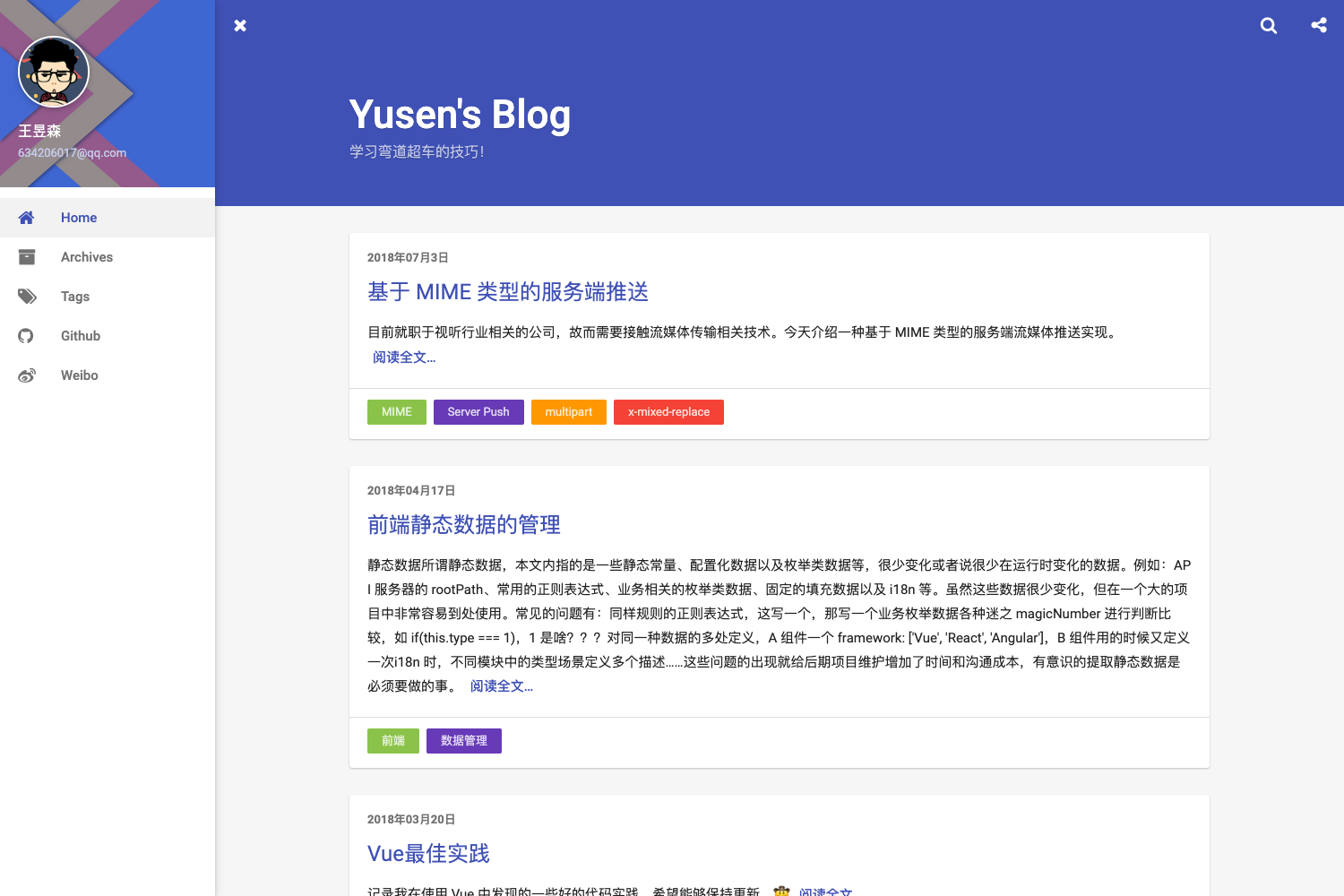
A responsive Jekyll blog theme for GitHub Pages with Disqus/Gitalk comments, featured tags, social sidebar, and keynote layout.
About this template
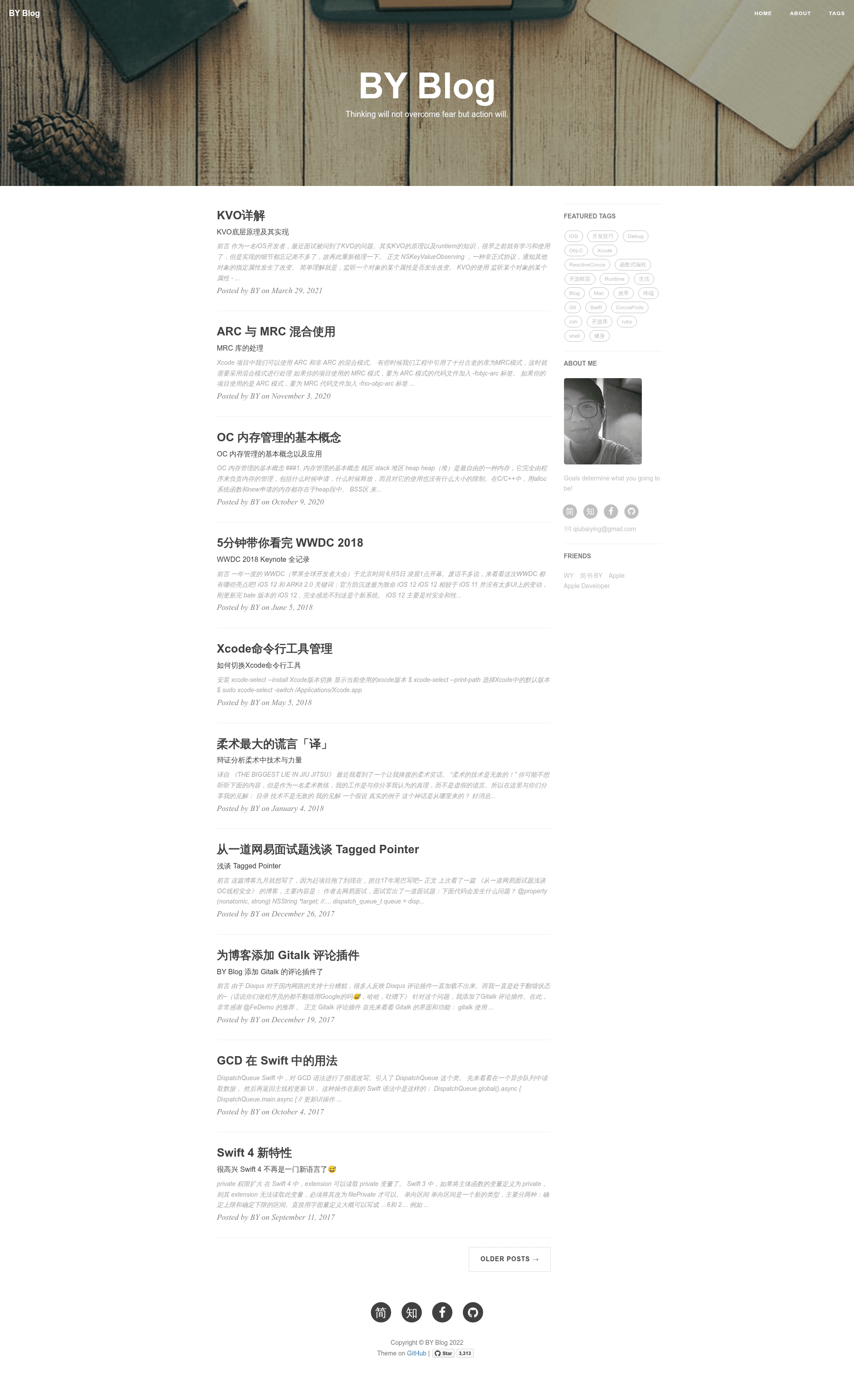
BY Blog is a Jekyll blog theme for GitHub Pages that turns Markdown posts into a personal blog with a sidebar, comments, analytics, and tag filtering. Forked from the Hux theme and modified, it is written in Liquid and GitHub Flavored Markdown and is MIT licensed.
What is BY Blog?
BY Blog is a static blog template built on Jekyll and designed to run on GitHub Pages out of the box. It takes Markdown files with YAML front matter as input, plus settings in a _config.yml file, and outputs a fully styled website with a responsive sidebar, post list, tag pages, and comment threads. The theme is a fork of the Hux Jekyll theme and comes with a Chinese-language README and setup guide.
Key Features
The template bundles a set of ready-to-configure modules that cover comments, analytics, tags, and layout extras. Here are the main ones:
- Responsive sidebar — Shows an avatar, a short description, and social links (GitHub, Zhihu, Facebook, Weibo, Jianshu); when the viewport narrows below 992px the sidebar moves to the bottom.
- Dual comment systems — Integrates both Disqus and Gitalk; Gitalk uses GitHub Issues for comments and supports Markdown syntax.
- Featured Tags — Lets you set a condition in
_config.yml(featured-condition-size) so tags with at least that many posts appear on the homepage. - Keynote layout — A dedicated
keynotelayout that embeds HTML5 slide decks (such as Reveal.js or Impress.js) inside aniframe, auto-resizing for different screens. - Analytics support — Built-in tracking IDs for both Baidu Analytics and Google Analytics via
_config.yml. - Search-friendly SEO title — A separate
SEOTitlefield controls what shows in the browser title and search results. - Custom header images — Each post can define its own header image via the
header-imgfront matter field. - Friend links block — A configurable list of external links shown site-wide.
Who is it for?
This theme suits people who want a low-maintenance static blog hosted on GitHub Pages.
- Developers — Want a personal blog hosted on GitHub Pages without maintaining a server; just push Markdown files to the repo.
- Writers — Work in Markdown and want a clean, Jekyll-powered layout with comments and tag organization.
- Speakers and educators — Need a place to publish HTML5 slide presentations alongside written posts using the keynote layout.
What can you do with BY Blog?
The theme covers several concrete use cases, from article publishing to slide deck hosting.
- Technical blogging: Publish code-heavy posts, using the built-in Jekyll highlighter (set to rouge) and tags for organization.
- Personal site: Use the sidebar, about description, and friend links to create a small hub for your online identity.
- Embedding slide decks: Set
layout: keynotein a post's front matter and provide aniframeURL to display a full presentation on mobile and desktop. - Self-branded search results: Set a distinct
SEOTitleso your preferred name appears in search engine titles.
How does BY Blog work?
Setup starts by editing _config.yml with your site title, SEO title, social usernames, and sidebar details. Then write Markdown posts inside the _posts folder with YAML front matter that includes title, date, and optional header image, tags, and subtitle. To preview locally, install Jekyll and run jekyll serve (or jekyll s), then view http://127.0.0.1:4000/. Push the repository to GitHub Pages to publish.
Pros and cons
- Pros: Free MIT license; integrates Disqus and Gitalk; responsive; supports Google Analytics and Baidu Analytics.
- Cons: Disqus can load slowly or fail in mainland China; Gitalk requires each post's comments to be initialized manually.
Pricing
Free and open source, released under the MIT license.
Alternatives
- Huxpro/huxpro.github.io — The upstream project this theme was forked from; it includes many of the same features without later additions like Gitalk and Jianshu support.
FAQ
Is BY Blog free?
Yes, BY Blog is released under the MIT license, so you can use, modify, and redistribute it freely for personal or commercial projects.
How do I write a new post?
Create a Markdown file in the _posts folder, add YAML front matter with fields like layout: post, title, date, and optional header-img and tags. Then either push to GitHub Pages or run jekyll serve locally.
Does BY Blog support comments?
Yes. Set disqus_username in _config.yml to activate Disqus, or configure Gitalk, which stores comments as GitHub Issues and supports Markdown. Each Gitalk post needs one-time initialization.
How do I run it locally?
Install Jekyll (and Ruby), then run gem update jekyll and gem update github-pages, and start the server with jekyll serve. If you use Bundler, run bundle update after updating dependencies.
Can I customize the look of my blog?
Yes. Besides editing _config.yml, you can modify the Liquid HTML templates inside _includes/ and _layouts/, change header images per post, and adjust the sidebar avatar and description. The theme uses the Bootstrap grid system.